Make.com CRM Integration Google Contacts Authvia Auto Sync

Create Authvia customers from new Google Contacts

Automatically convert new Google Contacts into Authvia customer records without manual data entry

Get This Workflow → Make.com · CRM Integration · Free Template
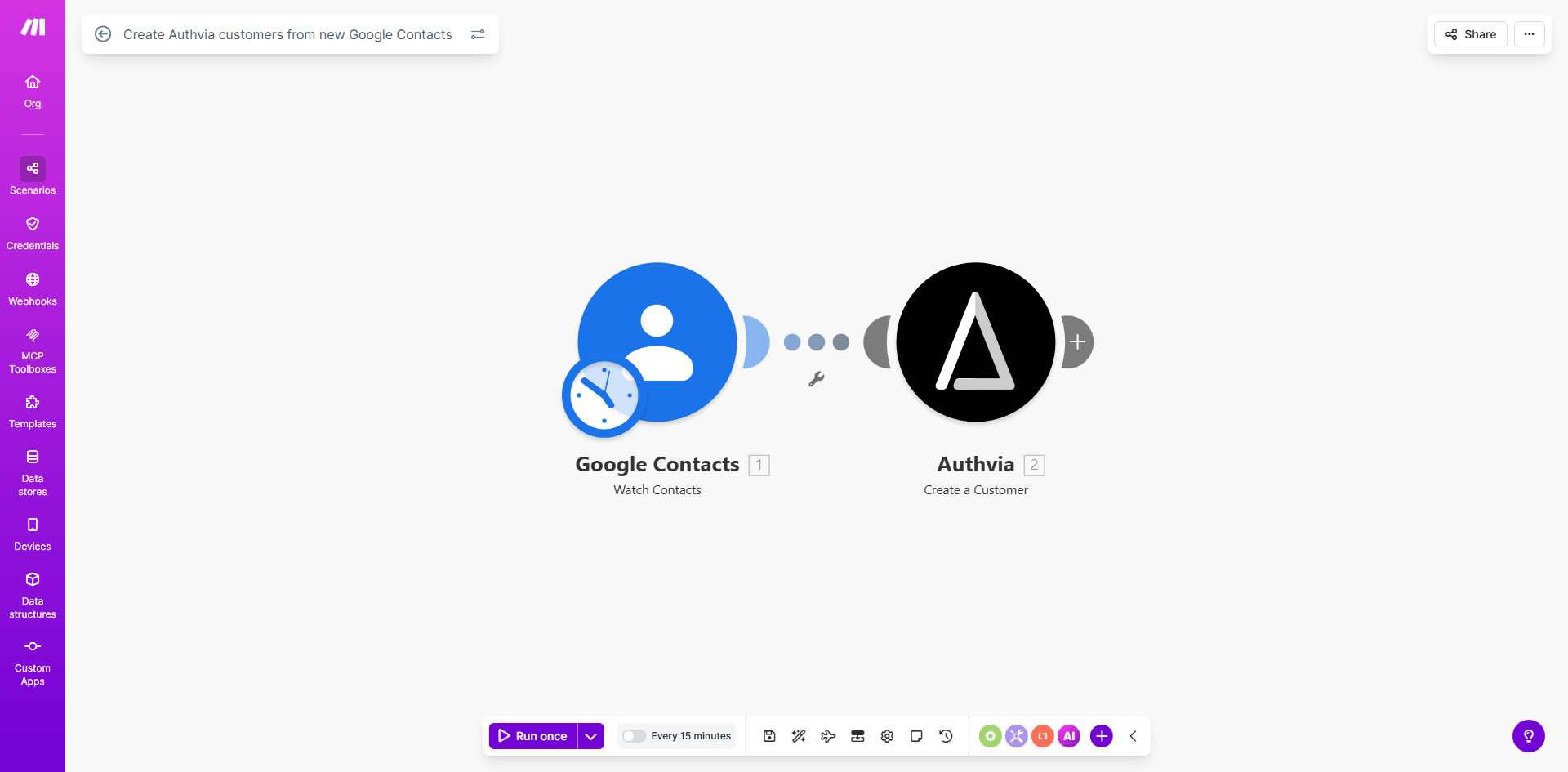
Make.com workflow diagram showing Google Contacts to Authvia integration

What This Workflow Does

This automation solves a common pain point for businesses using both Google Contacts and Authvia - the tedious manual process of transferring new contact information between systems. Every time you add a new contact in Google, whether from an email exchange, business card, or event registration, the workflow automatically creates a corresponding customer record in Authvia.

The integration ensures your sales and customer service teams always have access to complete, up-to-date customer information without requiring duplicate data entry. This is particularly valuable for businesses that collect initial contact information through Gmail conversations or Google Forms, then need those contacts available in Authvia for customer management and marketing automation.

How It Works

1. New contact detection

The workflow continuously monitors your Google Contacts for new additions using Make.com's instant trigger capability. As soon as a new contact is created or imported, the automation is notified.

2. Data extraction

Make.com extracts all available contact information including name, email addresses, phone numbers, company details, and any custom fields you've configured in Google Contacts.

3. Authvia customer creation

The workflow maps the Google Contact fields to the corresponding Authvia customer profile fields and creates a new customer record via Authvia's API. You can customize which fields are included and how they're mapped.

Pro tip: Add a custom field in Authvia to track which contacts were automatically imported from Google, making it easy to filter and segment these customers later.

Who This Is For

This workflow is ideal for:

  • Businesses using Google Workspace for email and contact management
  • Authvia users who frequently add new customers from email interactions
  • Teams that collect leads via Google Forms and need them in Authvia
  • Companies with sales reps who add contacts on-the-go via mobile
  • Organizations wanting to eliminate duplicate data entry between systems

What You'll Need

  1. A Make.com account (free plan works for basic usage)
  2. Admin access to your Google Contacts
  3. Authvia account with API access permissions
  4. Basic understanding of field mapping between systems

Quick Setup Guide

  1. Clone the template from Make.com to your account
  2. Connect your Google account and grant contacts access
  3. Connect your Authvia account with API credentials
  4. Review and adjust field mappings as needed
  5. Test with a new Google Contact to verify Authvia creation
  6. Activate the scenario for automatic processing

Key Benefits

Eliminate manual data entry: Save 2-5 minutes per contact by automatically syncing instead of copying information between systems.

Reduce errors: Automated transfers prevent typos and missing information that commonly occur with manual entry.

Faster customer onboarding: New contacts become available in Authvia within seconds, allowing immediate follow-up.

Centralized customer data: All team members access the same complete customer information in Authvia, regardless of where the contact originated.

Scalable solution: The automation handles 1 or 1000 new contacts with equal reliability, growing with your business.

Frequently Asked Questions

Common questions about Google Contacts to Authvia automation

Automating contact syncing eliminates manual data entry errors, ensures customer records are always up-to-date, and saves significant administrative time. Businesses using this integration report saving 5-10 hours per week on customer data management.

The automation also improves data consistency since all customer information flows through the same standardized process rather than being entered differently by various team members.

The workflow transfers all standard contact fields including name, email, phone number, company, and any custom fields you configure. You can customize which fields sync based on your Authvia customer profile requirements.

Common additional fields include contact notes, birthdays, addresses, and relationship details. The template includes mappings for basic fields, which you can expand as needed.

The automation triggers within seconds of a new contact being added to Google Contacts, with the Authvia customer record typically created in under 1 minute. Make.com polls for changes every few seconds for near real-time syncing.

This rapid sync ensures your sales team can act on new leads immediately without waiting for manual data transfer between systems.

Yes, you can add filters in the Make.com scenario to only sync contacts meeting specific criteria like having a business email domain or being in certain contact groups. This prevents personal contacts from becoming customers.

Common filters include checking for company email addresses, specific labels in Google Contacts, or minimum required fields being populated before creating an Authvia record.

The workflow can be configured to either skip existing customers or update their information. Most businesses choose to update only specific fields to avoid overwriting Authvia-specific data like purchase history.

A recommended approach is updating basic contact info while preserving custom fields and transaction data that may exist only in Authvia.

Make.com handles thousands of syncs per month on their free plan. For high-volume businesses (10,000+ contacts), we recommend upgrading to a paid plan or implementing batch processing to optimize performance.

The limitation is typically API call quotas rather than contact volume. We can help design a solution that stays within your plan limits while meeting business needs.

This template handles one-way syncing from Google to Authvia. For bidirectional syncing, we can build a custom solution that maintains data consistency across both platforms while preventing duplicate entries.

Two-way syncs require careful conflict resolution rules to determine which system's data takes precedence when changes occur in both locations.

Absolutely! Our team specializes in building tailored contact sync solutions that match your specific business rules, field mappings, and integration requirements between any combination of platforms.

We can create custom automations that handle complex scenarios like merging duplicate records, applying business logic during transfers, or syncing with additional systems beyond Google and Authvia.

  • Custom field mappings and transformations
  • Advanced filtering and validation rules
  • Multi-system integration architectures

Need a Custom Contact Sync Automation?

This free template is a starting point. Our team builds fully tailored automation systems for your specific business needs.