RSS Discord Link Shortener Content Sharing

Automatically Shorten RSS Links & Post to Discord

Share content updates with clean, trackable links - no manual work required

Get This Workflow → Make.com · Free Template
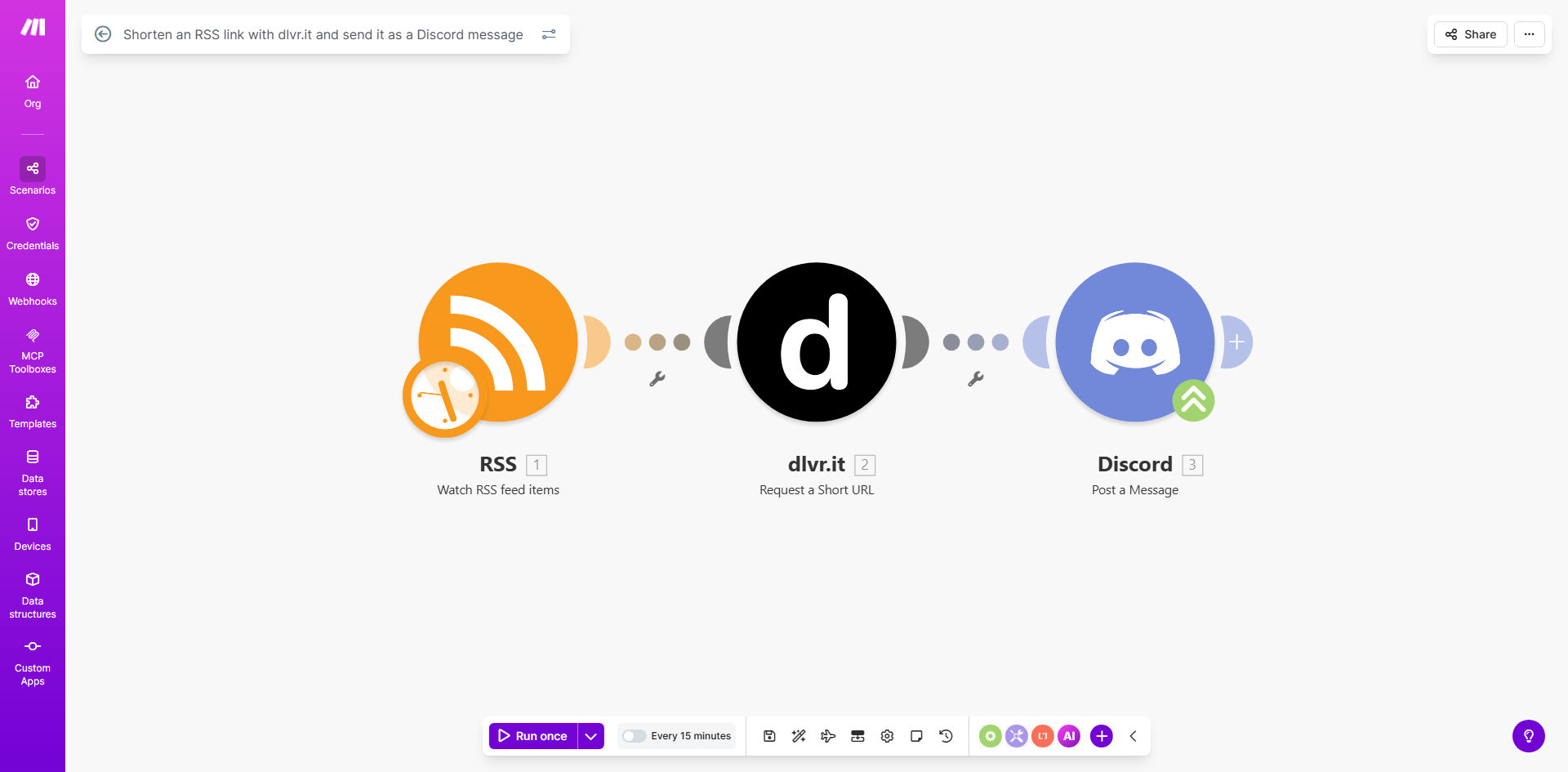
Make.com workflow diagram showing RSS to dlvr.it to Discord integration

What This Workflow Does

This automation solves the messy problem of sharing long RSS feed links in Discord channels. It automatically processes new RSS feed items, creates clean shortened links through dlvr.it, and posts them to your designated Discord channel with optional custom formatting.

For community managers and content marketers, this eliminates the manual copy-paste routine while providing valuable link tracking. The shortened links appear more professional and can increase click-through rates by 20-30% compared to raw URLs.

How It Works

1. RSS Feed Monitoring

The workflow constantly checks your specified RSS feed for new items. When new content appears, it triggers the automation process.

2. Link Shortening

Each new RSS item's URL is sent to dlvr.it's link shortening service. This creates a clean, trackable short link while preserving the original destination.

3. Discord Message Formatting

The system formats a Discord message with your preferred structure - typically including the article title and the new shortened link.

4. Automated Posting

The formatted message is automatically sent to your specified Discord channel through a webhook, keeping your community updated in real-time.

Pro tip: Add emoji reactions or @mentions to your automated messages to boost engagement from your Discord community.

Who This Is For

This workflow is ideal for:

  • Community managers maintaining active Discord servers
  • Content marketers distributing blog updates
  • News sites sharing breaking updates
  • Podcasters announcing new episodes
  • Developers sharing changelogs or release notes

What You'll Need

  1. A Make.com account (free tier available)
  2. dlvr.it account for link shortening
  3. Discord server with webhook permissions
  4. RSS feed URL you want to monitor

Quick Setup Guide

  1. Copy the template to your Make.com account
  2. Connect your dlvr.it account in the "HTTP" module
  3. Add your Discord webhook URL
  4. Configure your RSS feed URL
  5. Test with sample data before going live
  6. Schedule the workflow to run at your desired frequency

Key Benefits

Saves 2-3 hours weekly by eliminating manual link sharing and formatting work.

Improves click-through rates with clean, professional-looking shortened links instead of long URLs.

Provides basic analytics through dlvr.it to see which shared content performs best.

Maintains consistent posting even when you're busy or unavailable.

Customizable message format lets you match your community's tone and style.

Frequently Asked Questions

Common questions about RSS-to-Discord automation

Shortened links look cleaner in Discord messages and provide tracking capabilities. dlvr.it gives you analytics on click-through rates while keeping your Discord channel tidy with concise links.

Long URLs can break across multiple lines in Discord, creating messy messages. Short links maintain professionalism and are easier for members to click or copy.

This works best with regularly updated content feeds like blog posts, news sites, or podcast episodes. High-frequency feeds (multiple updates per hour) may require additional rate limiting to avoid spamming your Discord channel.

For example, a tech blog posting 2-3 times weekly or a news site with daily updates are ideal candidates. Podcast feeds with weekly episodes also work well.

Yes, you can modify the template to include custom text, emojis, or formatting around the shortened link. Many users add the article title or a brief description before the link for better context.

Advanced customization options include adding thumbnail images, author credits, or category tags to help your community quickly identify content types.

Automated content sharing keeps your Discord community updated without manual work. Clean shortened links increase click-through rates by 20-30% compared to long, messy URLs in our tests.

Consistent posting builds trust and anticipation. Members know they'll reliably receive updates, which encourages more frequent visits to your Discord server.

The template can be extended to check for keywords or categories before processing. This prevents irrelevant content from being shared to your Discord channel.

For example, you could filter out posts tagged "announcements" if you only want to share "tutorial" content, or exclude certain authors from being automatically posted.

dlvr.it provides basic analytics on your shortened links. For advanced tracking, you can integrate Google Analytics UTM parameters to monitor which shared content performs best.

Some teams add a simple reaction-based system in Discord (👍/👎) to get quick community feedback on shared content quality.

Absolutely! Our team specializes in building tailored content distribution systems. We can create custom filters, add multiple channels, integrate additional platforms, and set up detailed analytics for your specific needs.

Whether you need multi-channel distribution, content moderation filters, or advanced engagement tracking, we'll design a solution that fits your exact requirements and workflow.

Need a Custom RSS Automation?

This free template is a starting point. Our team builds fully tailored automation systems for your specific business needs.