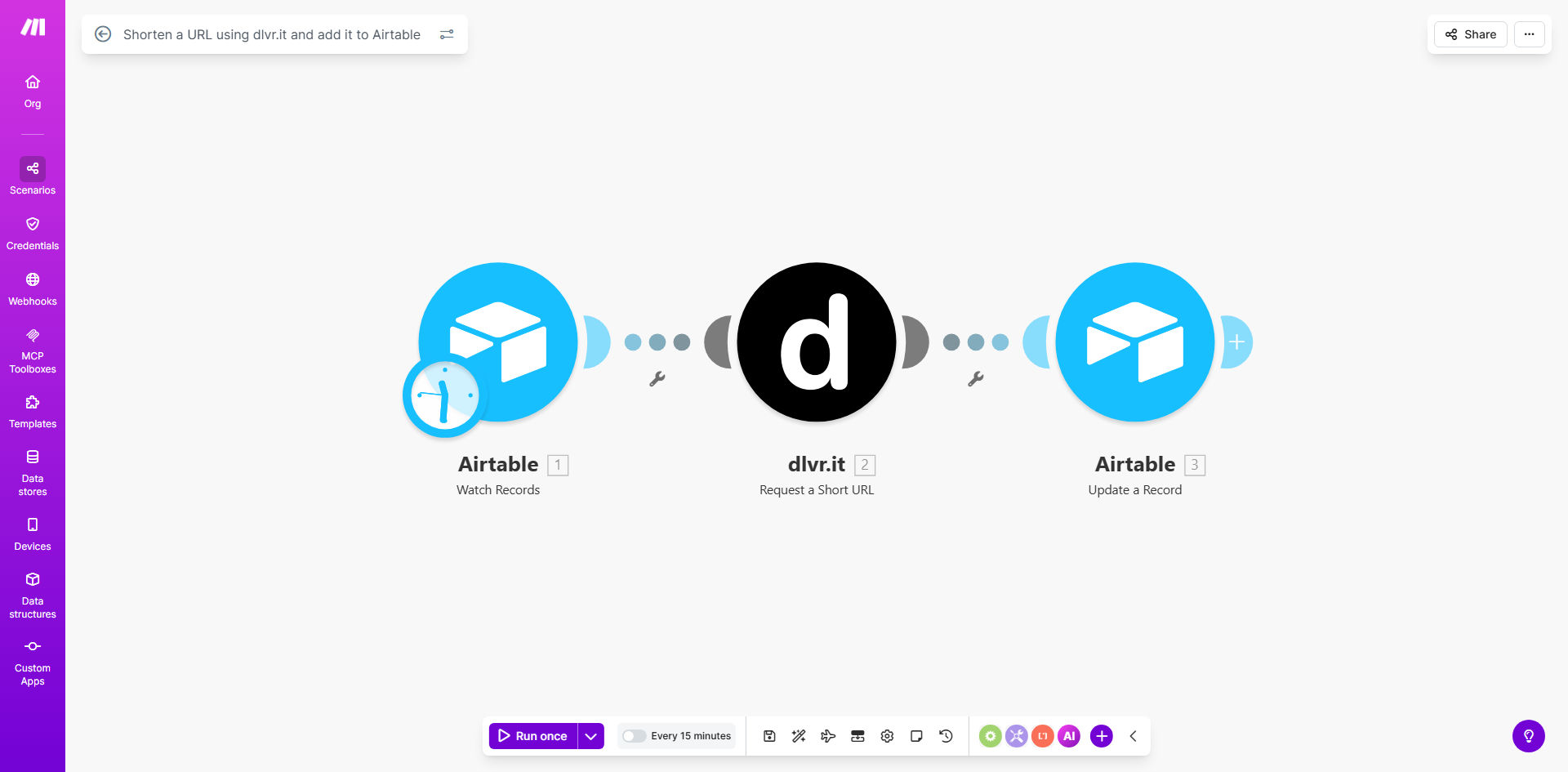
What This Workflow Does
This automation solves the tedious manual process of creating shortened URLs for marketing campaigns and social media posts. Every time you add a new long URL to your designated Airtable base, the workflow automatically generates a clean, trackable shortened version using dlvr.it and updates your record with the new link.
Marketing teams waste countless hours copying links between tools and maintaining spreadsheets. This workflow eliminates those repetitive tasks while ensuring all your shortened links are properly documented in Airtable with timestamps and metadata. The system maintains perfect synchronization between your URL shortener and database.
How It Works
1. New URL Detection
The workflow monitors your specified Airtable base for new records containing long URLs. It can be configured to watch specific fields or tables based on your structure.
2. URL Shortening Process
When a new URL is detected, the system sends it to dlvr.it's API to generate a shortened version. You can customize the short link alias or let dlvr.it generate one automatically.
3. Database Update
The shortened URL is then written back to the original Airtable record, along with any additional metadata like creation timestamp or click analytics. This creates a complete audit trail.
Pro tip: Add a "Status" field in Airtable to implement approval workflows before URLs get shortened, giving managers control over link creation.
Who This Is For
This automation is ideal for:
- Marketing teams running multiple campaigns with trackable links
- Social media managers who need clean URLs for posts
- Content creators sharing links across platforms
- Ecommerce stores tracking product links and promotions
- Any business that needs organized, centralized link management
What You'll Need
- A Make.com account (free tier available)
- An Airtable base with URLs to shorten
- A dlvr.it account with API access
- Basic understanding of webhook setup
Quick Setup Guide
- Duplicate the template scenario in your Make.com account
- Connect your Airtable base and specify the URL field to monitor
- Authenticate with your dlvr.it API credentials
- Map the fields between Airtable and dlvr.it
- Test with sample URLs to verify the flow
- Activate the scenario for automatic processing
Key Benefits
Save 1-2 hours weekly by eliminating manual URL shortening and copying between tools. The automation handles everything instantly.
Reduce errors from mistyped links or incorrect database entries. The system maintains perfect data consistency.
Gain better analytics by having all shortened links properly documented with metadata in Airtable.
Scale your campaigns without worrying about link management overhead as your volume grows.
Maintain brand consistency with standardized short URLs across all your marketing channels.