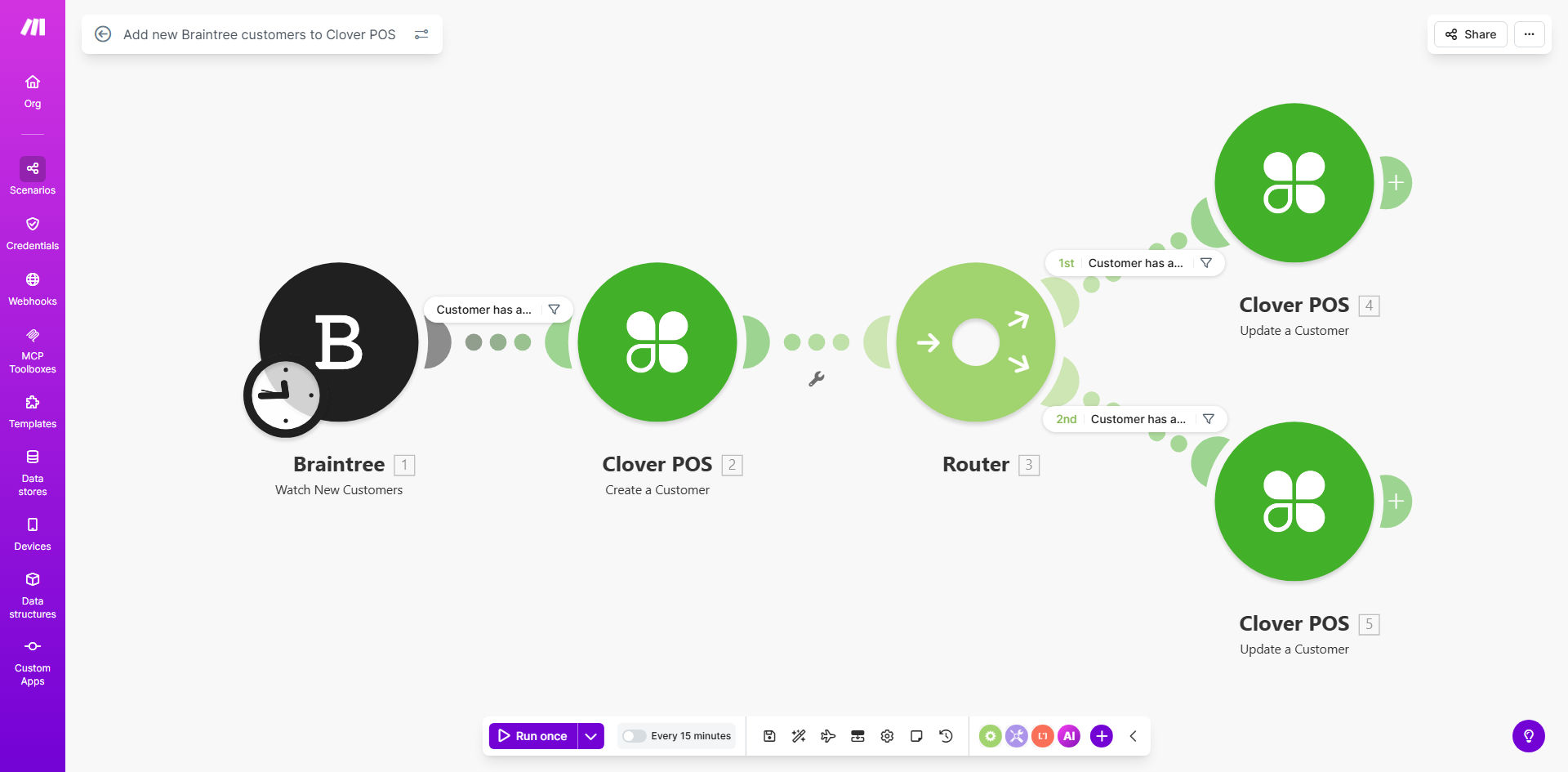
What This Workflow Does
This automation solves a common pain point for businesses using both Braintree for online payments and Clover POS for in-person transactions. Without integration, customer data gets siloed, requiring manual entry that wastes time and introduces errors.
The workflow automatically detects new customers in Braintree and creates corresponding customer profiles in Clover POS. It transfers all essential information including contact details, payment methods, and transaction history, ensuring both systems have complete, up-to-date customer records.
How It Works
1. Monitor for new Braintree customers
The workflow checks your Braintree account at regular intervals (configurable from minutes to days) for any new customers added since the last check.
2. Extract customer details
For each new customer, the system retrieves all available information including name, email, phone number, billing address, and payment method details.
3. Format data for Clover POS
The workflow maps Braintree's data structure to Clover POS's customer fields, ensuring proper formatting of addresses, phone numbers, and other details.
4. Create Clover POS customer
The system uses Clover's API to create a new customer record with all transferred information, maintaining data consistency across platforms.
Pro tip: Configure the workflow to run hourly for real-time sync, or daily during off-peak hours to reduce API calls.
Who This Is For
This automation is ideal for:
- Retail businesses with both online and brick-and-mortar stores
- Restaurants using online ordering with in-person pickup
- Service providers who take bookings online but provide services in-person
- Any business tired of manually copying customer data between systems
What You'll Need
- Active Braintree merchant account with API access
- Clover POS system with developer permissions
- Make.com account (free tier works for basic sync)
- Basic understanding of API authentication (or follow our setup guide)
Quick Setup Guide
- Copy the template to your Make.com account
- Connect your Braintree account using OAuth or API keys
- Authenticate with your Clover POS developer account
- Configure the sync frequency (default is hourly)
- Test with a new Braintree customer to verify the sync
- Activate the scenario to begin automatic syncing
Key Benefits
Eliminate manual data entry - Save 5-10 minutes per customer by automatically transferring information instead of copying it between systems.
Reduce errors - Automated sync eliminates typos and omissions that commonly occur with manual data transfer between platforms.
Improve customer experience - Staff have complete customer information whether the sale happens online or in-store, enabling better service.
Enable unified marketing - With complete customer data in both systems, you can create consistent marketing campaigns across channels.
Scale operations efficiently - As your customer base grows, the automated sync continues working without additional staff time.