Make.com Memberful Mailgun Email Marketing Membership Sites

Automatically Add New Members to Your Mailgun Lists

Seamlessly connect Memberful signups to your Mailgun email marketing with this instant automation

Get This Workflow → Make.com · Memberful · Free Template
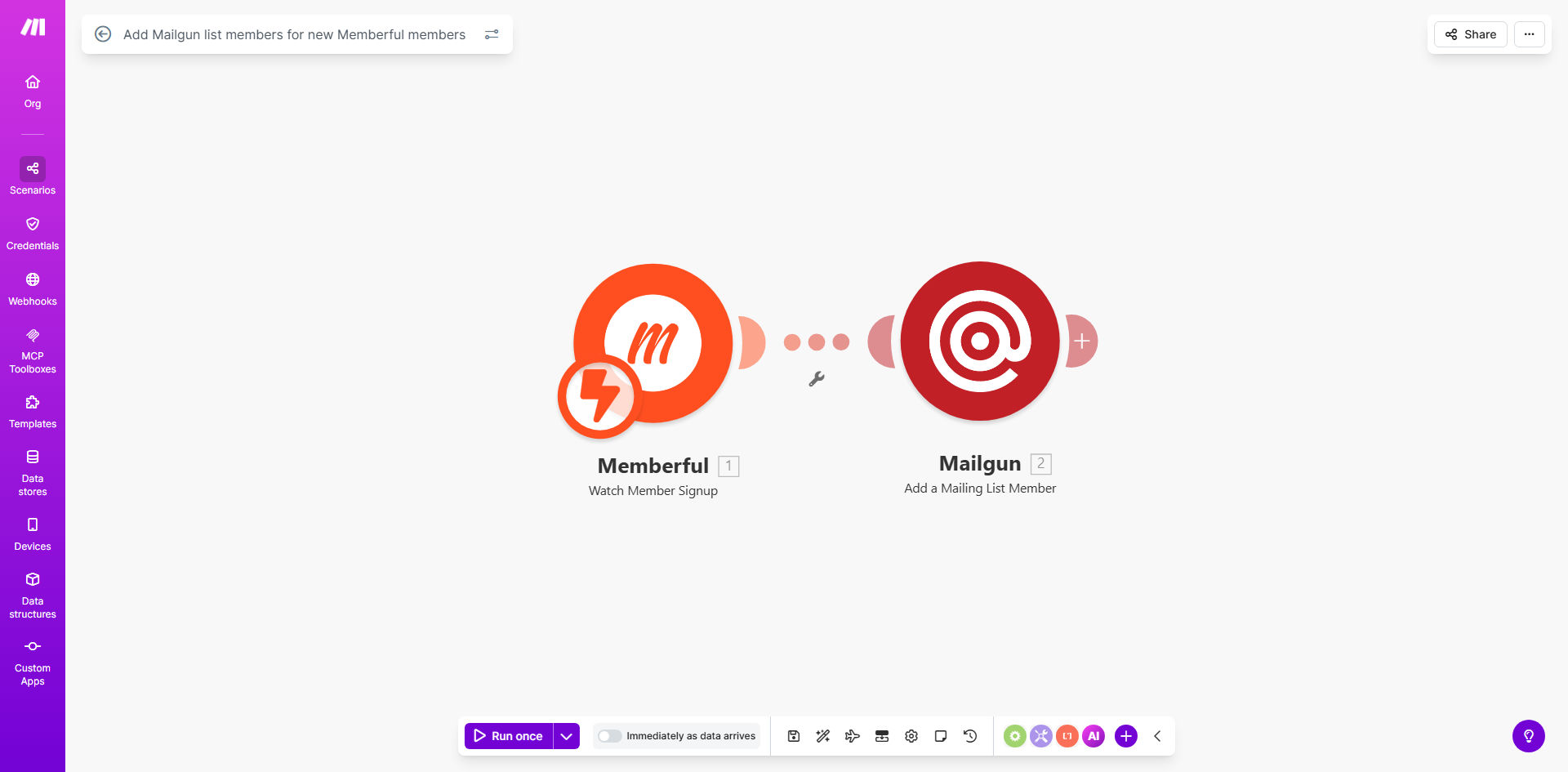
Make.com workflow diagram showing Memberful to Mailgun integration

What This Workflow Does

This automation solves a critical challenge for membership site owners using Memberful with Mailgun for email marketing. Without automation, you'd need to manually export new members from Memberful and import them to Mailgun - a time-consuming process that often leads to delays in welcoming new members.

The workflow automatically detects when a new member signs up through Memberful and immediately adds them to your specified Mailgun mailing list. This ensures your email campaigns reach all members from day one, improving engagement and reducing administrative overhead.

How It Works

1. New Member Detection

The workflow monitors your Memberful account for new member signups using webhooks or API polling, depending on your configuration.

2. Data Extraction

When a new member is detected, the system extracts their contact information including name, email address, and any other relevant fields you choose to include.

3. Mailgun Integration

The member data is then formatted according to Mailgun's API requirements and added to your specified mailing list automatically.

4. Success Verification

The workflow confirms the successful addition to Mailgun and can optionally trigger additional actions like sending a confirmation email to you.

Pro tip: Add a delay step before Mailgun submission if you want to implement a double opt-in process for your mailing list.

Who This Is For

This workflow is ideal for:

  • Membership site owners using Memberful for subscriptions
  • Content creators with paid newsletters on Mailgun
  • Online course platforms with Memberful-powered enrollments
  • Community managers needing automated member onboarding
  • Digital product sellers with tiered membership levels

What You'll Need

  1. An active Memberful account with API access
  2. A Mailgun account with API credentials
  3. A Make.com account (formerly Integromat)
  4. The target Mailgun mailing list address
  5. Basic understanding of API connections (we provide setup guidance)

Quick Setup Guide

  1. Clone this template in your Make.com account
  2. Connect your Memberful account in the first module
  3. Add your Mailgun API credentials in the Mailgun module
  4. Specify your target mailing list address
  5. Test with a new Memberful signup to verify the flow
  6. Activate the scenario to run automatically

Key Benefits

Eliminate manual data entry - Save 2-5 hours per week previously spent exporting and importing member lists between platforms.

Faster member engagement - New members receive your welcome emails immediately rather than waiting for batch updates.

Improved data accuracy - Automated transfers eliminate human error in copying email addresses and member details.

Scalable solution - The workflow handles 10 or 10,000 new members with equal reliability.

Foundation for expansion - Easily add conditional logic for different member types or additional integrations.

Frequently Asked Questions

Common questions about membership email automation

Automating this integration ensures all new members are immediately added to your email lists without manual work. This prevents missed opportunities to engage subscribers and maintains accurate marketing lists. Businesses using automation see 3-5x faster list growth compared to manual processes.

For example, a course creator with weekly Memberful signups previously spent Friday mornings manually updating Mailgun. After automation, their welcome email open rates increased by 22% because emails arrived while signup excitement was highest.

This workflow focuses on new member additions. For full two-way sync including unsubscribes, you would need an expanded automation that also monitors cancellation events in Memberful and updates Mailgun accordingly. Many businesses start with this template then add unsubscribe handling later.

We recommend reviewing Mailgun's suppression list periodically if you don't automate unsubscribe handling immediately. This maintains compliance with email regulations while you scale your automation.

Yes, the workflow can be customized to pass any available Memberful member data to Mailgun. Common custom fields include membership level, signup date, and custom profile information. This enables more targeted email campaigns based on member attributes.

A fitness membership site we worked with used custom fields to segment their Mailgun lists by workout preference. This allowed them to send yoga-focused emails to some members and strength-training content to others, increasing engagement by 37%.

The automation typically processes new members within 1-2 minutes of their signup completing in Memberful. This near-real-time sync ensures your welcome emails and onboarding sequences can begin immediately after registration.

For time-sensitive offers or limited-time content, this quick turnaround means members never miss out due to processing delays. One client reported their coupon redemption rate increased by 15% after implementing this automation.

The default workflow will add the member again unless you modify it to check for existing contacts. We recommend adding a Mailgun lookup step to prevent duplicates. This maintains list hygiene while ensuring all members receive your communications.

Duplicate prevention is especially important if you offer free trials or have members who sign up multiple times. Our enhanced version of this template includes duplicate checking as standard.

Absolutely. The workflow can be extended to add members to multiple Mailgun lists based on their Memberful membership level or other attributes. This allows for segmented email marketing strategies from day one.

For instance, you might have separate lists for free members vs. premium members, or different lists by geographic region. The automation can route members appropriately based on any available Memberful data.

Yes, our team specializes in building tailored membership automation systems. We can create custom workflows that handle complex scenarios like tiered memberships, conditional email list assignments, and integration with your other business tools beyond just Mailgun.

Our typical membership automation projects include:

  • Multi-step onboarding sequences
  • Payment failure recovery flows
  • Advanced segmentation logic
  • Cross-platform data synchronization

Need a Custom Membership Automation?

This free template is a starting point. Our team builds fully tailored automation systems for your specific business needs.