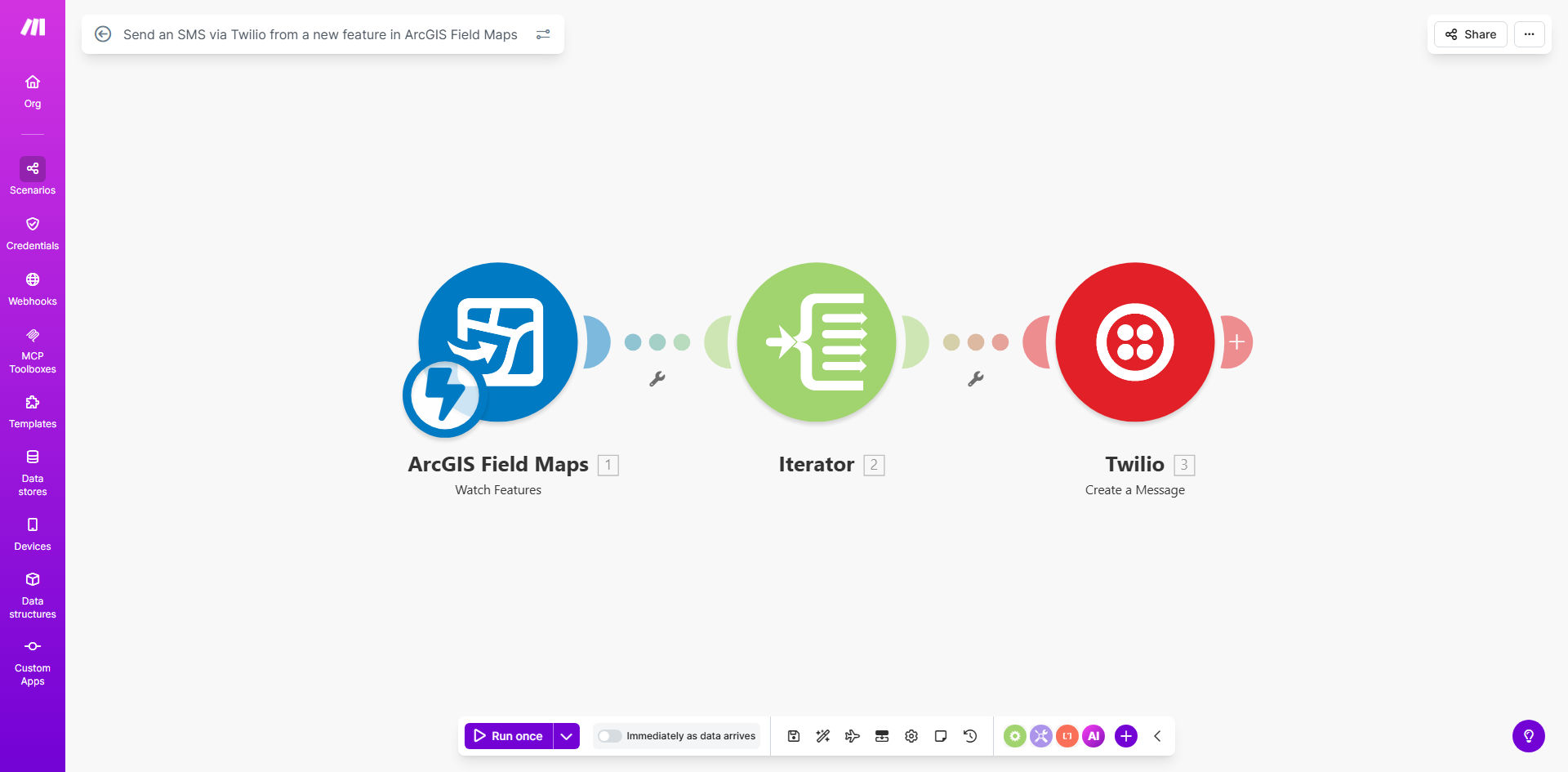
What This Workflow Does
This automation solves the critical communication gap between field teams using ArcGIS Field Maps and stakeholders who need immediate updates. When field workers add new features like utility repairs, construction progress, or environmental observations, the system automatically sends an SMS alert via Twilio to designated recipients.
The workflow eliminates manual notification processes that often delay critical information. Field supervisors, clients, or operations centers receive instant SMS updates containing key details about the new map feature without requiring the field worker to leave their mobile mapping application.
How It Works
1. New feature detection
The workflow constantly monitors your ArcGIS Field Maps layer for new features added by field personnel. Each time a field worker saves a new point, line, or polygon, the system triggers the automation.
2. Data extraction
Key attributes from the new feature are extracted, including location coordinates, timestamp, feature type, and any custom fields your team has configured in the field data collection form.
3. SMS composition
The system formats a concise SMS message containing the most critical information from the new feature. You can customize the message template to include specific fields relevant to your operations.
4. Twilio delivery
The composed message is instantly delivered via Twilio's SMS gateway to your predefined recipient list. The system handles delivery retries if any temporary network issues occur.
Who This Is For
This automation is ideal for:
- Utility companies tracking repairs or outages
- Construction managers monitoring site progress
- Environmental agencies documenting field observations
- Municipal services managing infrastructure updates
- Emergency response teams coordinating field operations
What You'll Need
- An ArcGIS Online organizational account with Field Maps configured
- A Twilio account with SMS capabilities enabled
- Make.com account (free tier sufficient for basic usage)
- Field data collection layers configured in ArcGIS
- List of SMS recipients (phone numbers with country codes)
Quick Setup Guide
- Import the template into your Make.com account
- Connect your ArcGIS Online account credentials
- Configure which layer to monitor for new features
- Connect your Twilio account and specify sender number
- Map the field data attributes to your SMS message template
- Test with sample field submissions before going live
Key Benefits
Real-time field updates: Reduce notification delays from hours to seconds when critical field data is collected.
No app switching: Field workers stay focused in ArcGIS Field Maps without needing to manually send updates.
Flexible messaging: Customize SMS content to include only the most relevant field data for each recipient group.
Reliable delivery: Twilio's global SMS infrastructure ensures notifications reach recipients even in low-signal areas.
Audit trail: All automated SMS messages are logged with timestamps and source data for compliance.