Make.com Memberful Google Sheets Membership Automation

Add Google Sheets rows for new Memberful members

Automatically sync new member data from Memberful to Google Sheets without manual entry

Get This Workflow Make.com · Memberful · Free Template
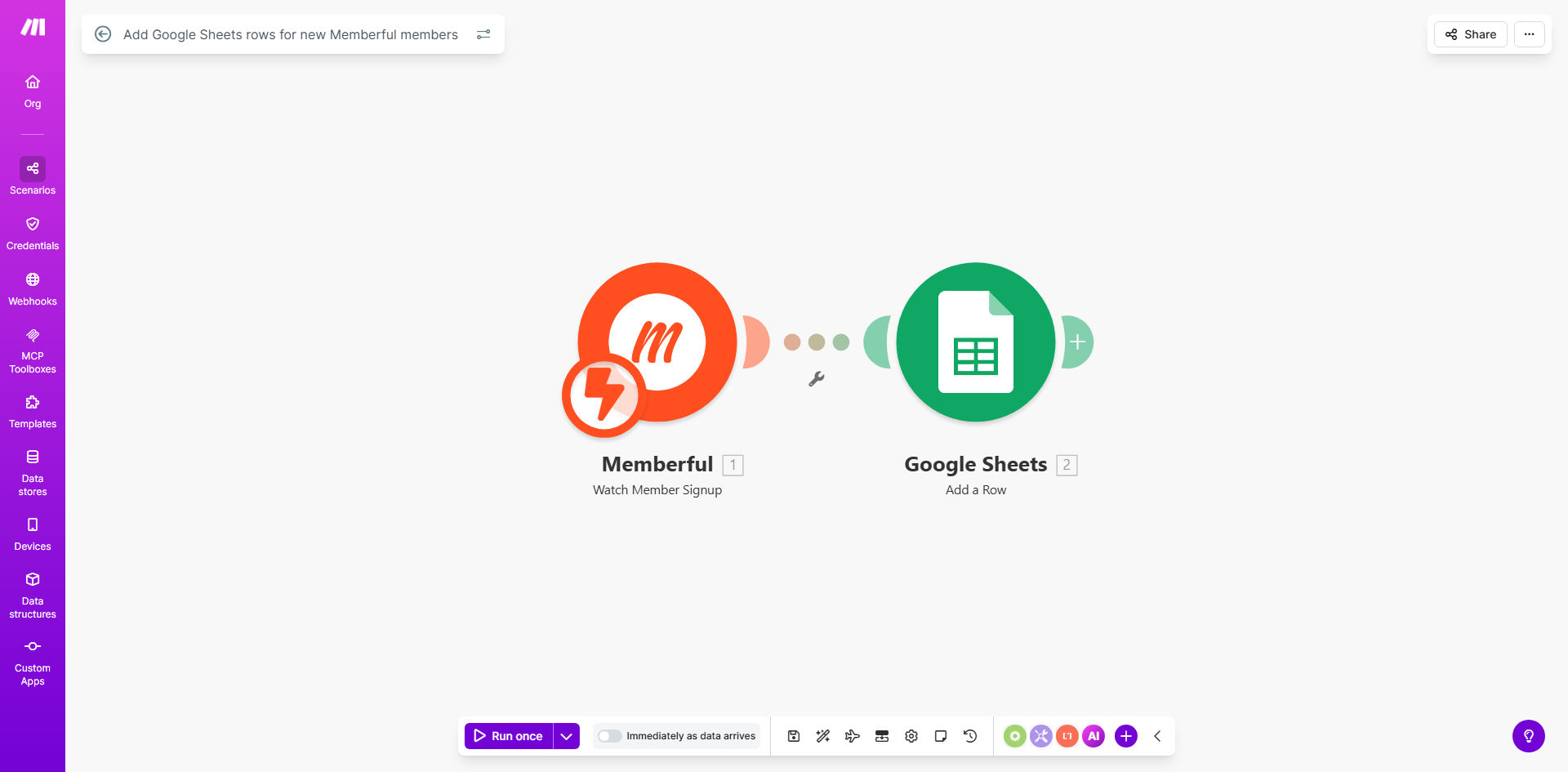
Memberful to Google Sheets automation workflow diagram

What This Workflow Does

This automation solves the tedious manual process of copying new member information from Memberful into spreadsheets. Every time someone signs up for your membership site through Memberful, their details are instantly added as a new row in your designated Google Sheet.

The workflow captures all relevant member data including name, email address, subscription plan, signup date, and any custom fields you've configured in Memberful. This creates a centralized, searchable database of your members that updates in real-time without any human intervention.

How It Works

1. New member trigger

The workflow monitors Memberful for new member signups through its API. When a new registration occurs, Memberful sends the member data to Make.com.

2. Data formatting

Make.com processes the raw member data, organizing it into the correct format for your Google Sheets columns. You can customize which fields are included and how they're structured.

3. Sheet update

The formatted data is appended as a new row in your specified Google Sheet. The automation handles all authentication and permissions automatically through your connected accounts.

Pro tip: Add a timestamp column to track exactly when each member was added to your sheet. This helps with reporting and analytics.

Who This Is For

This workflow is ideal for:

  • Membership site owners who need to track subscribers
  • Community managers maintaining member databases
  • Course creators with paid student memberships
  • Newsletter publishers with premium subscribers
  • Any business using Memberful for paid content access

What You'll Need

  1. A Memberful account with active memberships
  2. A Google account with Sheets access
  3. A Make.com account (free tier works)
  4. The destination Google Sheet prepared with column headers

Quick Setup Guide

  1. Connect your Memberful account to Make.com using API keys
  2. Authorize access to your Google Sheets account
  3. Select or create the destination spreadsheet
  4. Map Memberful fields to your sheet columns
  5. Test with a new member signup
  6. Activate the automation

Key Benefits

Eliminate manual data entry: Save 5-10 minutes per member by automating what was previously a copy-paste process.

Real-time member tracking: Know exactly when new members join without refreshing your spreadsheet.

Reduced errors: Automated transfers prevent typos and missed fields common in manual processes.

Centralized reporting: Combine member data with other business metrics in Sheets for comprehensive analytics.

Scalable solution: Handles 10 or 10,000 members with equal reliability.

Frequently Asked Questions

Common questions about membership automation and integration

Automating Memberful to Google Sheets saves hours of manual data entry while ensuring your membership records are always up-to-date. This eliminates human errors in transcription and gives you instant visibility into new signups for reporting and analysis.

For community managers, this means being able to quickly identify growth trends, segment members by join date, and track conversion rates without digging through multiple systems.

The workflow transfers all available Memberful member data including name, email, signup date, subscription plan, and any custom fields you've configured. You can customize exactly which fields appear in your spreadsheet columns.

Common useful fields to include are membership level, billing frequency, referral source, and any profile information collected during signup. The flexibility allows you to tailor the data to your specific reporting needs.

New member data appears in your Google Sheets within seconds of signup completion. The Make.com automation triggers immediately when Memberful detects a new member registration.

This near-instant sync means your team can act on new members right away - whether that's sending onboarding materials, assigning community access, or tracking conversion metrics in real-time.

Yes, you can run a one-time import of existing members into your spreadsheet. The automation will then handle all new signups moving forward while maintaining your historical data.

This is particularly valuable when first implementing the system, as it gives you a complete member database from day one rather than starting fresh with only new signups.

The workflow can be customized to add members to different sheets or tabs based on their subscription plan. This allows you to segment premium members from free tier members automatically.

For example, you might have separate tabs for monthly vs annual subscribers, or different sheets for different membership tiers. The automation can route members to the appropriate location based on their signup details.

The integration uses OAuth authentication for both systems, ensuring encrypted data transfer. Your member data remains secure and is only accessible through your authorized accounts.

Make.com acts as a secure conduit between the systems without storing your member data long-term. All connections use industry-standard encryption protocols to protect sensitive information.

Absolutely. Common additions include sending welcome emails, updating CRM systems, or triggering internal notifications when high-value members sign up.

The basic template can be extended to create a complete member onboarding system. For example, you might add steps to create member profiles in your community platform or generate personalized discount codes for referrals.

Yes, GrowwStacks specializes in building tailored membership automation systems. We can create custom workflows that integrate Memberful with your specific tech stack and business processes.

Our team will design an automation solution that fits your unique requirements, whether that involves connecting Memberful to your CRM, email system, community platform, or internal databases. We handle the technical implementation so you can focus on growing your membership.

  • Custom integrations with your existing tools
  • Advanced segmentation and filtering
  • Automated onboarding sequences

Need a Custom Membership Automation?

This free template is a starting point. Our team builds fully tailored automation systems for your specific business needs.