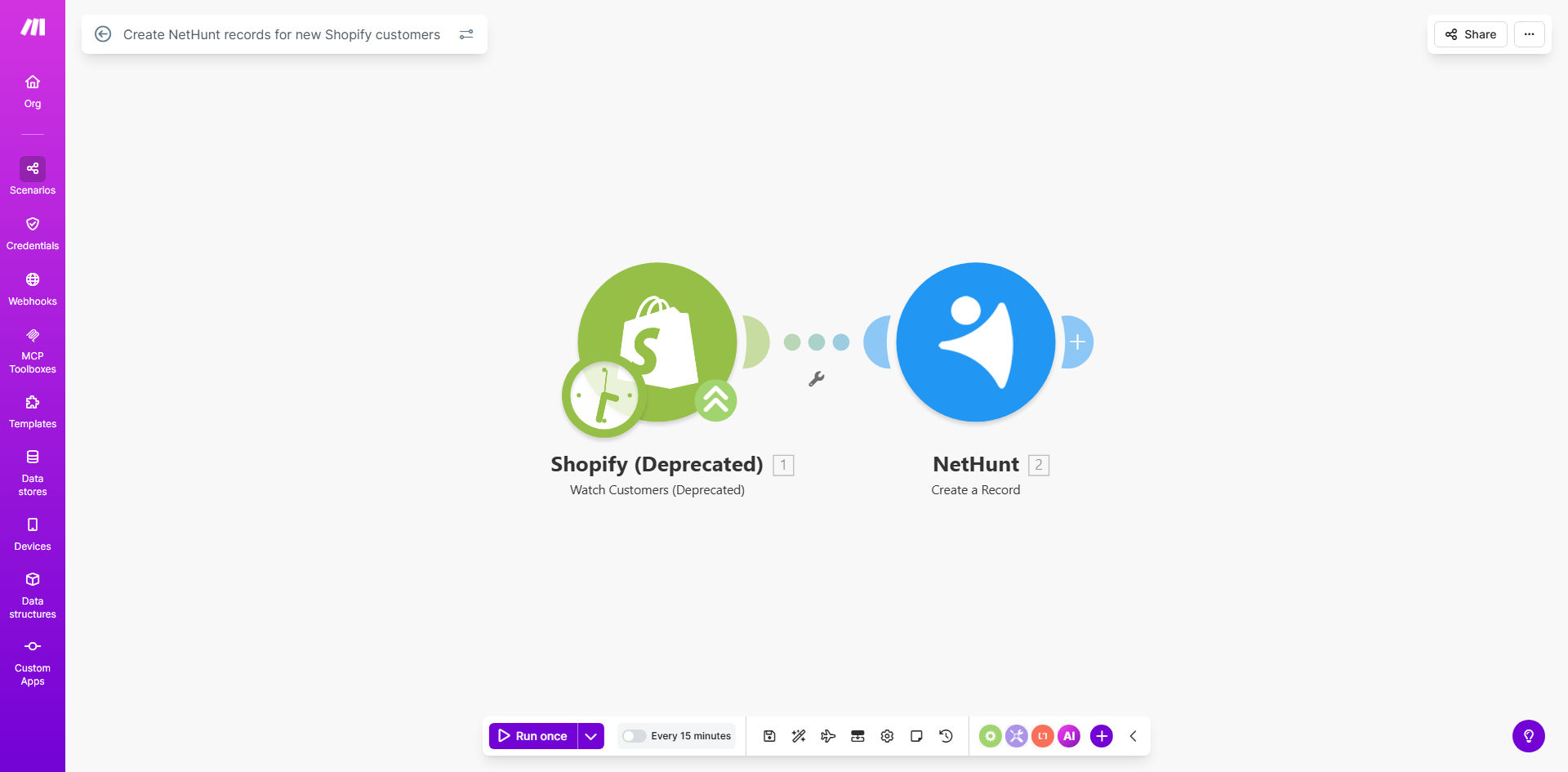
What This Workflow Does
For e-commerce businesses using Shopify, every new customer represents a potential long-term relationship. However, when customer data sits isolated in your store, your sales and marketing teams miss critical opportunities for follow-up, upselling, and personalized service. Manually exporting CSV files and importing them into your CRM is a tedious, error-prone process that creates delays and data silos.
This automated workflow solves that problem by creating a seamless, real-time bridge between Shopify and NetHunt CRM. The moment a customer completes their first purchase or creates an account, their profile—including contact details, order history, and lifetime value—is automatically created as a new record in NetHunt. This ensures your sales team has immediate, accurate data to engage leads, segment audiences, and drive revenue, all without lifting a finger.
How It Works
The automation is built on Make.com and operates on a simple trigger-action principle, ensuring reliability and speed.
Step 1: Monitor for New Shopify Customers
The workflow starts by watching your Shopify store for new customer creation events. This can be triggered by a new order placement, account sign-up, or both, depending on your configuration.
Step 2: Gather Complete Customer Data
Once triggered, the automation collects all available data for that customer from Shopify: name, email, phone, addresses, total spent, order count, and any tags or notes attached to their profile.
Pro tip: Use Shopify customer tags to automate segmentation in NetHunt. For example, tag high-value customers as "VIP" in Shopify, and the workflow can automatically add a corresponding tag or custom field in the NetHunt record.
Step 3: Create or Update the NetHunt Record
The workflow then sends this structured data to NetHunt CRM via its API, creating a new contact record. It intelligently maps Shopify fields to the corresponding NetHunt fields, ensuring a clean import.
Step 4: Error Handling & Logging
The scenario includes error handling modules. If a sync fails (e.g., due to a duplicate email or API issue), it can send a notification to your team or retry the operation, ensuring no customer falls through the cracks.
Who This Is For
This automation is ideal for any business that uses Shopify for sales and NetHunt CRM for managing customer relationships. It's particularly valuable for:
- E-commerce brands wanting to turn one-time buyers into repeat customers through targeted follow-up.
- Sales teams that need immediate access to new lead data to shorten the sales cycle.
- Marketing teams looking to segment audiences based on purchase behavior for personalized email campaigns.
- Founders and operations managers tired of wasting time on manual data entry between systems.
What You'll Need
- A Shopify store with admin access to generate API credentials.
- An active NetHunt CRM account with permissions to create and manage records.
- A Make.com account (free or paid plan) to host and run the automation scenario.
- Basic information like your Shopify store URL and API keys from both platforms for the initial connection.
Quick Setup Guide
- Get the Template: Click "Get This Workflow" to copy the ready-made scenario into your Make.com account.
- Connect Shopify: In the first module, authenticate your Shopify store by entering your store URL and private app API credentials.
- Connect NetHunt: In the NetHunt module, authenticate using your NetHunt API key (found in your account settings).
- Map Data Fields (Optional): Review the data mapping between Shopify and NetHunt. Adjust if you want to send specific data to custom fields in NetHunt.
- Activate & Test: Turn the scenario on. Create a test customer in your Shopify store or use a recent one to verify a record appears correctly in NetHunt.
Key Benefits
Eliminate 5–10 hours of manual data entry per month. Free your team from the repetitive, error-prone task of transferring customer information between platforms, allowing them to focus on high-value sales activities.
Improve sales response time from days to minutes. With new customer data appearing instantly in NetHunt, your sales team can initiate personalized welcome sequences or outreach immediately after the first purchase, significantly boosting conversion rates.
Ensure 100% data accuracy and consistency. Automated sync removes human error from manual entry, guaranteeing that customer names, emails, and purchase history are always correct and up-to-date across both systems.
Build richer customer profiles automatically. The workflow pulls in valuable behavioral data like total spend and order count from Shopify, giving your sales and marketing teams deeper insights for segmentation and personalized communication right from the start.
Scale your operations without adding overhead. As your store grows and customer volume increases, this automation handles the growing data load effortlessly, supporting business growth without requiring additional administrative staff.