Make.com CRM Automation Project Management NetHunt Trello

Create Trello Cards from New NetHunt Records

Automatically turn new leads and deals in your NetHunt CRM into actionable project cards in Trello. Eliminate manual entry and connect sales to execution instantly.

Get This Workflow → Make.com · NetHunt & Trello · Free Template
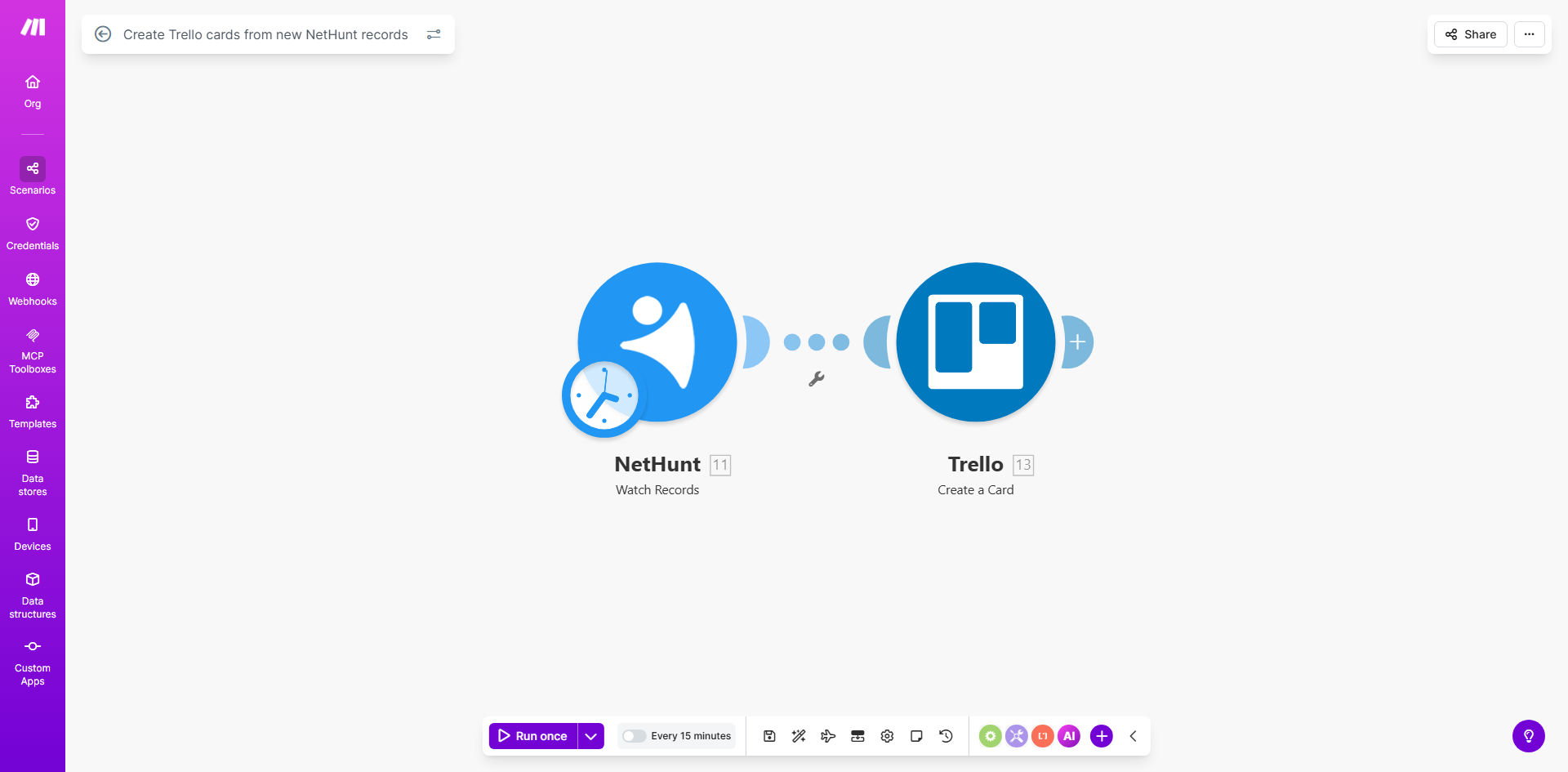
Make.com workflow diagram showing automation from NetHunt to Trello

What This Workflow Does

For service-based businesses, agencies, and sales teams, the gap between capturing a lead and starting the work is where opportunities get lost. Manually copying information from your CRM (NetHunt) to your project board (Trello) is tedious, error-prone, and creates delays. This workflow solves that by creating a seamless, automatic bridge.

Every time a new record—like a qualified lead, a new deal, or a customer inquiry—is created in your NetHunt CRM, this Make.com automation instantly creates a corresponding card in your designated Trello board. The card is populated with key details: contact name, deal value, notes, priority, and any custom fields. This ensures your project or delivery team has immediate visibility and can start work without waiting for a manual handoff.

Pro tip: Use this automation not just for new leads, but also for updating Trello cards when a NetHunt record changes stage (e.g., from "Proposal Sent" to "Closed Won"). This keeps project status perfectly in sync with sales progress.

How It Works

The automation is a straightforward, reliable sequence powered by Make.com. Here’s the step-by-step process:

Step 1: Trigger on New NetHunt Record

The workflow is triggered the moment a new record is added to a specific NetHunt pipeline or view you define. Make.com watches for this event in real-time.

Step 2: Extract and Format Data

The automation pulls all relevant data from the new NetHunt record. This includes standard fields like email, company, and deal amount, plus any custom fields you’ve set up for project specifics.

Step 3: Create a Trello Card

Using the extracted data, the workflow creates a new card on your chosen Trello board and list (e.g., "New Projects" or "To-Do"). It maps the NetHunt data to the Trello card's title, description, checklist, labels, due date, and assigned members.

Step 4: Confirm and Log

The automation can send a confirmation (via email or Slack) that a new card was created and log the action for audit purposes, ensuring full transparency.

Who This Is For

This automation is a game-changer for any business where sales or lead generation is separate from service delivery or project execution.

Marketing & Sales Agencies: When a new client inquiry comes in via NetHunt, instantly create a project card for your creative or account team in Trello.

Consultants & Freelancers: Automatically turn a new signed proposal in your CRM into a kickoff task list in your personal Trello board.

SaaS Onboarding Teams: Trigger a new customer onboarding card in Trello the moment a deal is marked "Closed Won" in NetHunt.

Small Business Owners: Connect your lead capture form (feeding into NetHunt) directly to your task management system, so nothing gets forgotten.

What You'll Need

To use this template, you only need a few accounts and permissions set up:

  1. A Make.com account (free tier available).
  2. An active NetHunt CRM account with API access enabled.
  3. A Trello account with a board ready to receive new cards.
  4. Basic knowledge of your NetHunt pipeline structure and which Trello board/list should receive new cards.
  5. (Optional) A specific NetHunt view or filter if you only want to trigger automation for certain types of records.

Quick Setup Guide

You can have this automation running in less than 30 minutes by following these steps:

  1. Get the Template: Click "Get This Workflow" to copy the template into your Make.com account.
  2. Connect NetHunt: In the first module, authorize Make.com to access your NetHunt account. Select the specific pipeline or view you want to monitor.
  3. Connect Trello: Authorize Make.com to access your Trello. Choose the target Board and List where new cards should appear.
  4. Map Your Data: Customize the data mapping. Decide which NetHunt fields (e.g., "Company Name," "Deal Value") go into the Trello card title, description, checklist, or labels.
  5. Test & Activate: Run a test by creating a dummy record in NetHunt. Verify a card appears correctly in Trello. Once confirmed, turn the scenario on.

Key Benefits

Save 2-5 hours per week per team member by eliminating the manual copy-paste of information between systems. This time can be redirected to higher-value client work or strategic activities.

Reduce human error to zero in the data transfer process. Automated mapping ensures every detail from NetHunt is accurately reflected in Trello, preventing costly mistakes from missed information.

Accelerate project kickoff by 80% by removing the communication lag between sales closing a deal and the project team being notified. Work can begin the same day the lead is captured.

Improve visibility and accountability across departments. Sales can see project progress in Trello, and project managers can understand the deal context from NetHunt, all in one connected system.

Scale your operations seamlessly without adding administrative overhead. As your lead volume grows, this automation handles the increased data flow effortlessly, supporting business growth.

Frequently Asked Questions

Common questions about CRM and project management automation

Connecting your CRM to Trello bridges the critical gap between sales and execution. When a new lead or deal is captured in NetHunt, it automatically creates a card in Trello, ensuring no opportunity falls through the cracks. This eliminates manual handoffs, reduces data entry errors, and allows your project team to start work immediately based on the latest sales information.

For example, a marketing agency can instantly turn a new client inquiry into a project brief for their designers, cutting the proposal-to-kickoff time from days to minutes. This seamless flow turns your sales pipeline into an automatic project initiation engine.

The main benefits are time savings, improved accuracy, and better visibility. Automation can save 2-5 hours per week per team member by eliminating manual copying. It ensures all deal details are transferred correctly from NetHunt to Trello, preventing errors from manual entry.

It also provides a clear audit trail from lead capture to task completion, improving accountability across sales and project teams. This holistic view helps managers identify bottlenecks and optimize the entire customer journey from first contact to project delivery.

  • Eliminates duplicate data entry
  • Provides real-time project visibility for sales teams
  • Creates a single source of truth for client projects

Yes, with automation platforms like Make.com, you have full control over data mapping. You can send any field from a NetHunt record to a Trello card. Common mappings include contact name, deal value, priority, notes, and custom fields specific to your process.

You can also add dynamic actions like assigning the card to a specific team member based on the deal type, setting a due date from the "Expected Close Date," or attaching labels for project priority. This allows you to tailor the automation to match your exact workflow, not the other way around.

Automation creates a single source of truth that both sales and project teams can trust. Sales teams work in NetHunt, while project or service teams work in Trello. The automated link ensures both teams see the same information in real-time without needing to ask for updates.

This prevents miscommunication about deal status, client requirements, or deadlines. It fosters a seamless handoff where project execution begins the moment a deal is ready, dramatically speeding up delivery times and improving client satisfaction through faster response and clearer communication.

Service-based businesses with a distinct sales-to-delivery handoff see the greatest impact. Marketing and creative agencies can turn new client briefs into project cards instantly. Consultancies and freelancers can automate proposal-to-task creation.

SaaS companies use it to trigger customer onboarding tasks the moment a subscription is purchased. Essentially, any business that captures leads or deals in one system and manages the resulting work in another can eliminate friction and save significant time with this integration.

  • Agencies (Marketing, Web Design, PR)
  • Consultants & Professional Services
  • B2B SaaS companies with onboarding teams

No, using a pre-built template makes the setup process straightforward and accessible to non-technical users. You'll need accounts for NetHunt, Trello, and Make.com. The template provides the basic workflow structure—you simply connect your accounts and customize the data mapping.

Most users can have a basic version running in under 30 minutes. Make.com's visual interface allows you to see the data flow and test each step easily. There's no coding required, and extensive documentation and community support are available if you need help with advanced customization.

Absolutely. GrowwStacks specializes in building custom automation bridges between CRM systems like NetHunt and project management tools like Trello, Asana, or ClickUp. We design workflows that match your unique sales pipeline, data fields, approval processes, and team structure.

Our consultants analyze your current process, identify bottlenecks, and build a tailored solution on Make.com that fits perfectly. We handle the complex logic, error handling, and integrations, then provide full training for your team. This ensures you get maximum efficiency and a system that grows with your business, not a one-size-fits-all template.

  • Tailored to your specific business rules
  • Includes advanced error handling and logging
  • Comes with expert setup and team training

Need a Custom CRM-to-Project Automation?

This free template is a starting point. Our team builds fully tailored automation systems for your specific business needs.