Make.com CRM Automation NetHunt Gmail Sales Productivity

Automate NetHunt Call Log Follow-ups with Gmail

Instantly send personalized emails when new calls are logged in NetHunt CRM - eliminating manual follow-up work for your team

Get This Workflow → Make.com · NetHunt · Free Template
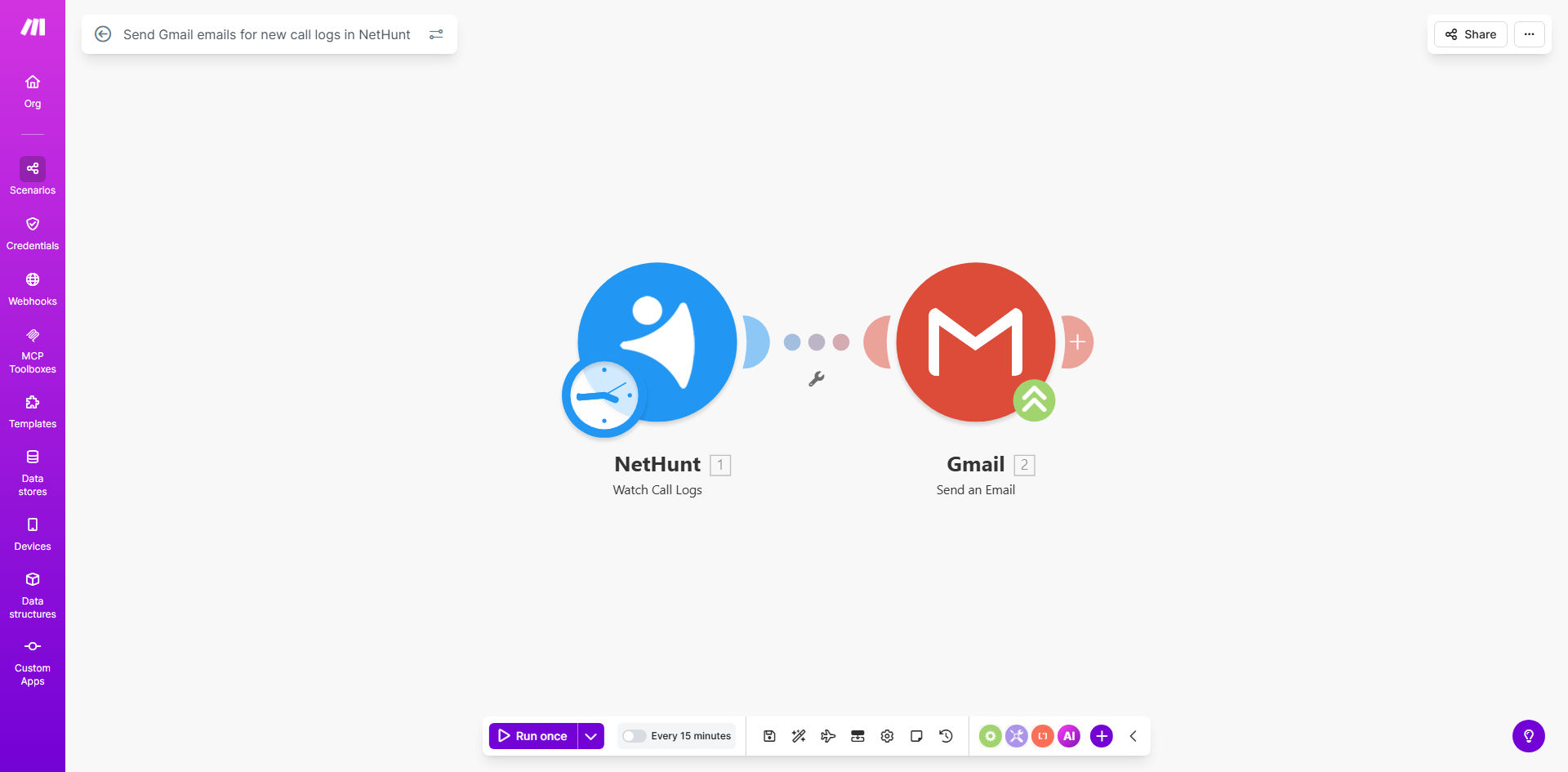
Make.com workflow diagram showing NetHunt call logs triggering Gmail emails

What This Workflow Does

This automation solves the common challenge of timely follow-up after sales calls or customer support interactions logged in NetHunt CRM. Instead of requiring team members to manually compose and send emails after each call, the workflow automatically triggers personalized Gmail messages containing call details, next steps, or attachments.

For businesses handling dozens of calls daily, this eliminates hours of repetitive email work while ensuring consistent, professional follow-up communication. The system captures all relevant NetHunt call log data - including duration, participants, notes, and attachments - then formats this information into ready-to-send emails through your Gmail account.

How It Works

1. NetHunt detects new call log

The workflow constantly monitors your NetHunt account for newly created call records. Each time your team logs a call in NetHunt (whether manually entered or synced from your phone system), the automation immediately captures all available details.

2. Data is formatted for email

Make.com processes the raw call log information, extracting key details like call duration, participants, notes, and any attached files. This data is then inserted into your predefined email template, creating a complete follow-up message ready for sending.

3. Gmail sends personalized email

The formatted email is delivered through your Gmail account, appearing as if sent manually by your team. Recipients receive professional follow-ups with all relevant call context, while your team saves the time previously spent crafting these messages.

Pro tip: Add conditional logic to customize emails based on call type - sales calls might include different follow-up content than support calls, for example.

Who This Is For

This automation delivers the most value for:

  • Sales teams using NetHunt to track prospect calls
  • Customer support teams logging client interactions
  • Remote teams needing consistent call documentation
  • Managers who want visibility into team follow-ups
  • Businesses handling high call volumes (10+ daily)

What You'll Need

  1. A NetHunt CRM account with call logging enabled
  2. A Gmail or Google Workspace email account
  3. A Make.com account (free plan works)
  4. Basic email template drafted in HTML or plain text

Quick Setup Guide

  1. Click "Get This Workflow" to copy the template to your Make.com account
  2. Connect your NetHunt and Gmail accounts in Make.com
  3. Customize the email template with your branding and preferred call details
  4. Set up any conditional rules for different call types (optional)
  5. Activate the workflow - it will now run automatically

Key Benefits

Save 5+ hours weekly by eliminating manual email composition after each call. Teams handling 20 calls/day typically save 30+ minutes daily on follow-ups.

Improve response consistency with standardized email templates that include all key call details. No more forgotten follow-ups or incomplete information.

Enhance customer experience with immediate, professional follow-ups sent while call details are fresh. 89% of customers prefer businesses that respond quickly after interactions.

Maintain complete records as all automated emails are logged in both NetHunt and Gmail, creating an audit trail of all call follow-ups.

Scale your operations without adding headcount - the automation handles increasing call volumes with zero additional effort from your team.

Frequently Asked Questions

Common questions about CRM call log automation and integration

Automating NetHunt call log follow-ups ensures timely responses to customers, improves team productivity by eliminating manual email tasks, and creates consistent communication records. Studies show automated follow-ups can increase customer satisfaction by 35% while reducing response times from hours to minutes.

For sales teams, this means prospects receive meeting summaries and next steps immediately after calls - when engagement is highest. Support teams benefit from automatically documenting issues and solutions without extra administrative work.

You can include call details like date/time, duration, participant names, call summary notes, next steps, and attachments. The automation pulls all available NetHunt call log fields, allowing you to customize email content with relevant call context for recipients.

Advanced setups can incorporate data from connected systems - like pulling deal information from your sales pipeline or ticket details from support software to create even more contextual follow-ups.

  • Standard fields: Call time, duration, participants
  • Custom fields: Meeting type, outcome, priority
  • Attachments: Recordings, screenshots, documents

Sales teams benefit from automatically sending meeting summaries, call recordings, or follow-up tasks immediately after calls. This keeps deals moving forward while call details are fresh, with 78% of sales reps reporting better prospect engagement from timely follow-ups.

The integration eliminates the most tedious part of sales documentation - manually transcribing notes and sending follow-ups. Instead, reps can focus on the conversation knowing the system will handle the administrative work perfectly every time.

Yes, you can create conditional email templates based on call tags, duration, or other NetHunt fields. For example, sales calls might trigger different follow-ups than support calls. The workflow supports unlimited template variations with personalized content.

Many businesses set up templates for different scenarios: discovery calls send meeting summaries with next steps, demo calls include feature highlights, and support calls forward troubleshooting documentation.

Integrate with email tracking tools to monitor open rates, link clicks, and replies. Many teams add UTM parameters to links for Google Analytics tracking, or sync responses back to NetHunt for complete communication history with each contact.

For sales teams, tracking reply rates helps identify which call follow-up templates perform best. Support teams often measure resolution rates from automated documentation emails containing troubleshooting steps.

The workflow runs with enterprise-grade reliability, processing thousands of calls daily for businesses worldwide. Make.com's infrastructure provides 99.9% uptime, with automatic retries for any temporary delivery issues and detailed error logging.

For mission-critical communications, you can add redundancy by configuring backup email sending through alternative providers if Gmail encounters temporary delivery issues.

Absolutely! GrowwStacks specializes in building tailored CRM automation systems that match your specific workflows. Our team can create custom integrations between NetHunt, Gmail, and your other business tools with advanced features like AI-powered email drafting and sentiment analysis.

We've helped businesses automate complex follow-up sequences, intelligent call routing based on conversation analysis, and even voice-to-text transcription that automatically populates CRM records. Every solution is designed around your unique processes and requirements.

  • Free consultation to understand your needs
  • Custom workflow design and testing
  • Ongoing support and optimization

Need a Custom CRM Automation?

This free template is a starting point. Our team builds fully tailored automation systems for your specific business needs.