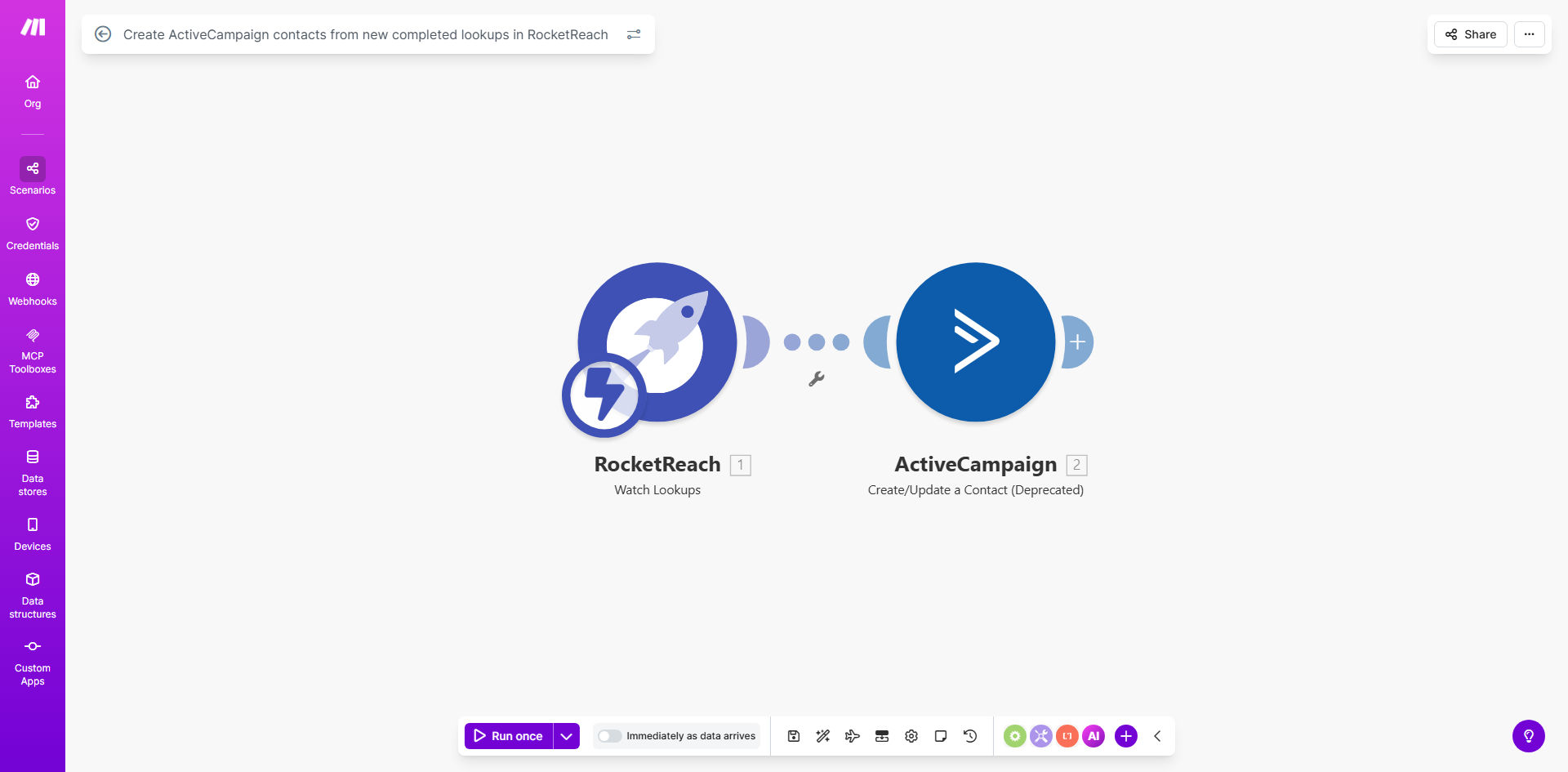
What This Workflow Does
For sales and recruiting teams, the gap between finding a prospect's contact information and actually engaging them is where opportunities are lost. Manually copying data from a lead enrichment tool like RocketReach into your CRM is a tedious, error-prone task that delays follow-up by hours or even days.
This automation solves that problem by creating a seamless bridge between discovery and action. Every time a new lookup is completed in RocketReach—providing you with a verified email, phone number, and professional details—this workflow automatically creates a corresponding contact in your ActiveCampaign account. The enriched data is instantly available, allowing you to trigger targeted email sequences, assign lead scores, and update sales pipelines without lifting a finger.
The result is a fully automated lead intake system. Your team's productivity skyrockets because they can focus on selling and building relationships, while the administrative busywork of data entry is handled silently in the background. This ensures your marketing and sales engines are always fed with fresh, actionable leads.
How It Works
The workflow is a straightforward, reliable sequence that turns a RocketReach lookup event into a structured ActiveCampaign contact record.
Step 1: Monitor RocketReach for New Lookups
The automation starts by watching your RocketReach account for the "lookup completed" event. This is the trigger. Whenever you or a team member successfully finds contact details for a prospect, RocketReach signals that the lookup is ready, and the workflow instantly springs into action.
Step 2: Parse the Enriched Lead Data
Make.com receives the full dataset from the completed lookup. This includes the prospect's name, email address, phone number, job title, company, location, and often links to social profiles. The workflow extracts and formats each piece of this valuable information, preparing it for import into your CRM.
Pro tip: Configure the workflow to filter lookups based on specific criteria, like only processing results with a high-confidence email score, to ensure only the highest-quality leads enter your CRM.
Step 3: Create or Update the Contact in ActiveCampaign
Using the prepared data, the automation connects to your ActiveCampaign account via its API. It first checks if a contact with that email already exists to prevent duplicates. If it's a new lead, it creates a full contact record, mapping the RocketReach fields to the appropriate custom fields in ActiveCampaign. You can also configure it to add specific tags, assign the contact to a list, or even trigger an automation journey immediately upon creation.
Who This Is For
This automation delivers immense value to any business that relies on outbound prospecting and has a structured follow-up process.
B2B Sales Teams: If your sales development representatives (SDRs) use RocketReach to find decision-makers, this workflow eliminates their #1 time-waster: manual CRM entry. It ensures every discovered lead is instantly tracked and nurtured.
Recruiting & Staffing Agencies: Recruiters sourcing passive candidates can have each enriched profile automatically added to their talent pipeline in ActiveCampaign, triggering personalized outreach sequences immediately.
Marketing Agencies running ABM Campaigns: For account-based marketing, this automation ensures that once a target account's key players are identified, they are seamlessly injected into the corresponding campaign sequences without delay.
Startups and Small Businesses: Teams wearing multiple hats can't afford inefficiency. This automation acts as a force multiplier, allowing a solo founder or a small team to execute prospecting workflows that normally require a dedicated operations person.
What You'll Need
To implement this template, you'll need the following set up and ready:
- A Make.com account (free tier is sufficient to start).
- An active RocketReach account with API access enabled.
- An ActiveCampaign account with administrator-level access to generate API credentials.
- The API Key and URL from your ActiveCampaign account settings.
- A clear plan for which RocketReach data fields (e.g., Company, Title) should map to which custom fields in ActiveCampaign.
Quick Setup Guide
You can have this automation running in under 15 minutes by following these steps:
- Clone the Template: Click "Get This Workflow" to open the template in your Make.com account and create a new scenario from it.
- Connect RocketReach: In the first module, authenticate Make.com with your RocketReach API key. Set the watch trigger to monitor for "Lookup Completed" events.
- Connect ActiveCampaign: In the "Create Contact" module, authenticate with your ActiveCampaign API credentials (URL and Key).
- Map the Data Fields: This is the crucial step. Drag and drop the data from the RocketReach module (like `Email`, `FirstName`, `Company`) into the corresponding fields in the ActiveCampaign contact creation module. Create custom fields in ActiveCampaign first if needed.
- Add Logic (Optional): Insert a router or filter before the ActiveCampaign step to only process lookups that meet certain conditions, like having a valid email.
- Test and Activate: Run a test lookup in RocketReach or use the Make.com scheduling tool to run the scenario once manually. Verify a contact appears correctly in ActiveCampaign. Then, turn the scenario to "ON".
Key Benefits
Eliminate 30–60 minutes of manual data entry per day per team member. This time savings directly translates to more calls made, more emails personalized, and more deals progressed.
Improve lead response time from hours to seconds. The moment a prospect is identified, they can be added to a "Welcome" or "Outreach" sequence in ActiveCampaign, dramatically increasing the chance of engagement.
Ensure 100% data capture and CRM hygiene. No lead ever falls through the cracks because someone forgot to log it. Your ActiveCampaign list becomes a complete and accurate reflection of all your prospecting efforts.
Enable hyper-personalized outreach at scale. With job title, company, and location data flowing automatically into ActiveCampaign, you can use dynamic content in your emails to create highly relevant messaging that boosts reply rates.
Create a scalable foundation for sales operations. This automation is a building block. Once it's running, you can easily extend it to add lead scoring, assign tasks to sales reps, or notify Slack channels about high-priority leads.