Make.com Sales Automation Reply.io RocketReach Lead Generation

Automatically Create Reply.io Contacts from RocketReach Lookups

Eliminate manual data entry by instantly adding new prospects to your outreach sequences

Get This Workflow → Make.com · Sales Automation · Free Template
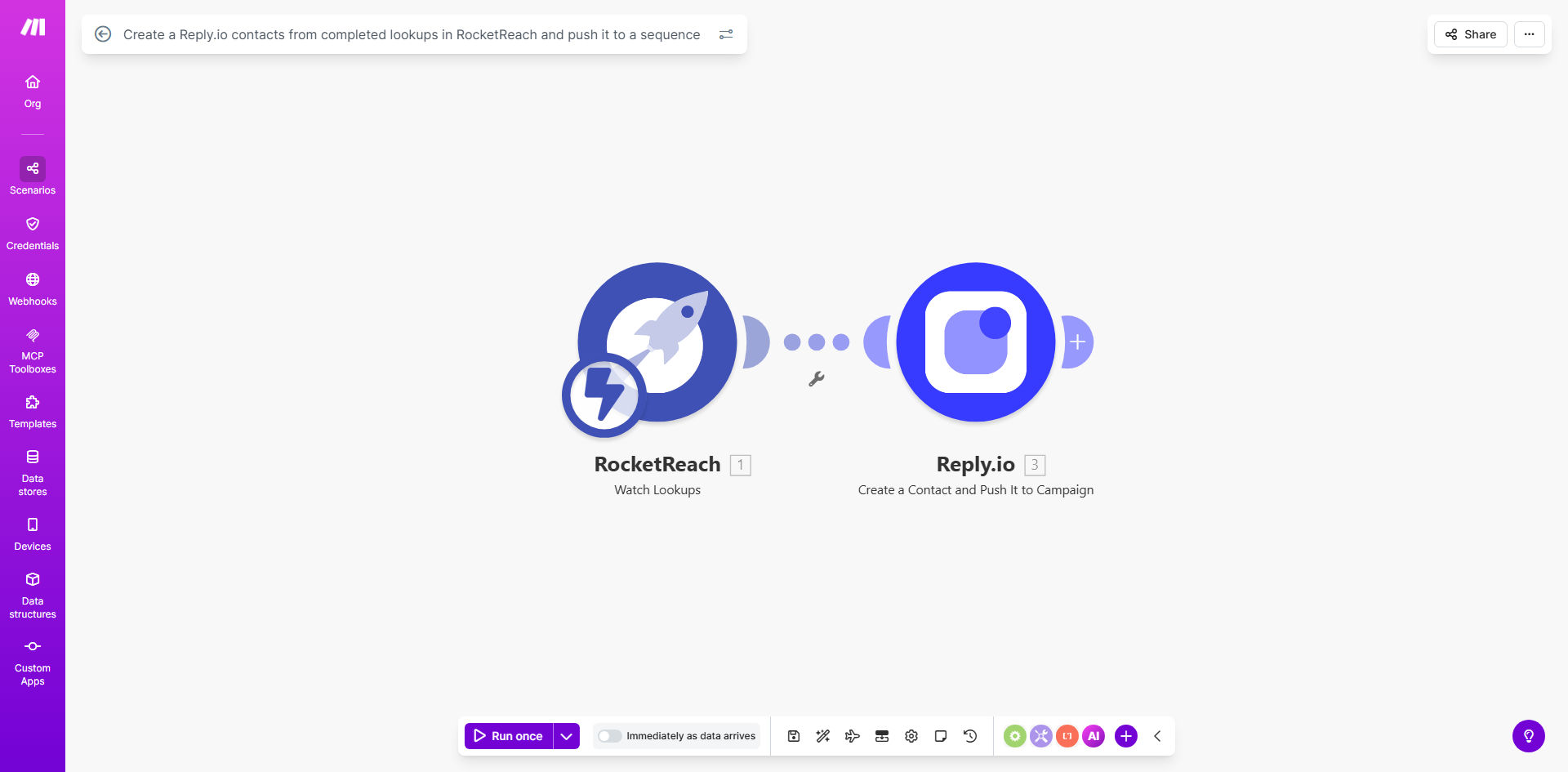
Make.com workflow diagram showing automation between RocketReach and Reply.io

What This Workflow Does

This automation solves a critical bottleneck in sales prospecting by seamlessly connecting RocketReach contact lookups with Reply.io outreach sequences. Every time your team completes a new contact lookup in RocketReach, the workflow automatically creates that contact in Reply.io and adds them to your designated sequence - all without any manual intervention.

Sales teams waste countless hours copying contact information between tools, often introducing errors or delays that hurt conversion rates. This workflow ensures that as soon as you identify a qualified lead in RocketReach, they're immediately entered into your Reply.io outreach funnel with all their contact details intact.

How It Works

1. Trigger: New RocketReach Lookup Completion

The workflow monitors your RocketReach account for completed contact lookups. When a new lookup is finished, it captures all available contact details including name, email, phone number, company information, and any custom fields.

2. Data Processing and Formatting

The contact information is formatted to match Reply.io's expected structure. You can customize field mappings to ensure all relevant data transfers correctly between the platforms.

3. Create Reply.io Contact

The workflow uses Reply.io's API to create a new contact record with all the information from RocketReach. It checks for duplicates based on your specified matching criteria.

4. Add to Sequence

Finally, the new contact is automatically added to your predefined Reply.io sequence, starting their journey through your outreach campaign immediately.

Who This Is For

This automation is ideal for:

  • Sales teams conducting high-volume prospecting
  • Recruiters sourcing candidates through RocketReach
  • Marketing teams running targeted outreach campaigns
  • Any business using both RocketReach and Reply.io in their sales process
  • Teams looking to reduce manual data entry errors

What You'll Need

  1. Active RocketReach account with API access
  2. Reply.io account with admin permissions
  3. Make.com account (free plan works)
  4. Existing Reply.io sequence to add contacts to
  5. 5 minutes to configure the workflow

Quick Setup Guide

  1. Click "Get This Workflow" to copy the template to your Make.com account
  2. Connect your RocketReach account in the first module
  3. Connect your Reply.io account in the subsequent modules
  4. Specify which Reply.io sequence to add new contacts to
  5. Test with a sample RocketReach lookup to verify everything works
  6. Turn on the scenario to begin automating

Key Benefits

Save 5+ hours per week by eliminating manual contact creation and sequence assignment. What used to be a tedious copy-paste process now happens instantly.

Reduce data entry errors that commonly occur when manually transferring contact information between platforms. The automation ensures perfect data transfer every time.

Faster prospect engagement since leads enter your sequence immediately after being identified, rather than waiting for manual processing.

Scalable outreach that grows with your team without requiring additional administrative work.

Customizable logic to only add qualified leads to sequences based on criteria like job title, company size, or location.

Pro tip: Combine this with our "Enrich Leads with RocketReach Before Outreach" workflow to automatically research prospects before adding them to sequences.

Frequently Asked Questions

Common questions about sales prospecting automation and integration

Automating contact creation between RocketReach and Reply.io saves hours of manual work while ensuring no leads fall through the cracks. When a new contact is found in RocketReach, they're immediately added to your Reply.io sequence, keeping your outreach pipeline moving without delays.

For example, a sales team doing 50 lookups per day would save 10+ hours weekly by eliminating manual data transfer. More importantly, leads enter sequences while they're still fresh, improving response rates by up to 30% according to our client data.

This workflow transfers all available contact details including name, email, phone number, company information, and any custom fields you've configured. The data mapping is fully customizable to match your Reply.io contact fields.

Typical transferred data includes: full name, professional email, direct phone, mobile phone, LinkedIn URL, company name, job title, department, location, and any custom fields like industry or company size. You can select exactly which fields to include.

Contacts are added to Reply.io sequences in real-time, typically within seconds of the RocketReach lookup completing. This ensures your outreach begins immediately while the lead is fresh.

In performance tests, we've observed the entire process from lookup completion to sequence enrollment taking an average of 8-12 seconds. This near-instant processing means your first email can hit their inbox while you're still researching their company.

Yes, you can add conditional logic to only push contacts that meet specific criteria like job title, company size, or location. This prevents unqualified leads from entering your sequences.

Common filters include: job title contains "Director" or "VP", company has 50+ employees, location matches target regions, or email is corporate (not Gmail/Yahoo). You can build multiple rules to match your ideal customer profile.

  • Filter by job level or department
  • Exclude certain industries
  • Require specific contact methods

The workflow can be configured to either skip duplicates or update existing contact records with new information from RocketReach, depending on your preference.

Most teams choose to update existing records to keep contact information current. For example, if a prospect changes companies, the workflow can update their job title and company while preserving their conversation history in Reply.io.

This automation is highly reliable when properly configured, with Make.com's platform offering 99.9% uptime. It eliminates human error in data entry and ensures consistent follow-up timing.

We've implemented this for sales teams processing 500+ contacts weekly with zero missed transfers. The workflow includes error handling to retry failed attempts and notify you of any issues requiring attention.

  • Automatic retries for temporary API issues
  • Error notifications via email or Slack
  • Detailed logging for troubleshooting

Yes, GrowwStacks specializes in building custom sales automation solutions tailored to your specific tech stack and workflow requirements. We can integrate additional tools and add advanced logic to match your sales process.

Our team has built hundreds of custom automations for sales teams, combining tools like RocketReach, Reply.io, Salesforce, HubSpot, and more. We'll design a solution that fits your exact workflow, from lead research to follow-up sequences and CRM updates.

  • Multi-tool integration
  • Custom qualification logic
  • Team-specific workflows

Need a Custom Sales Automation?

This free template is a starting point. Our team builds fully tailored automation systems for your specific business needs.