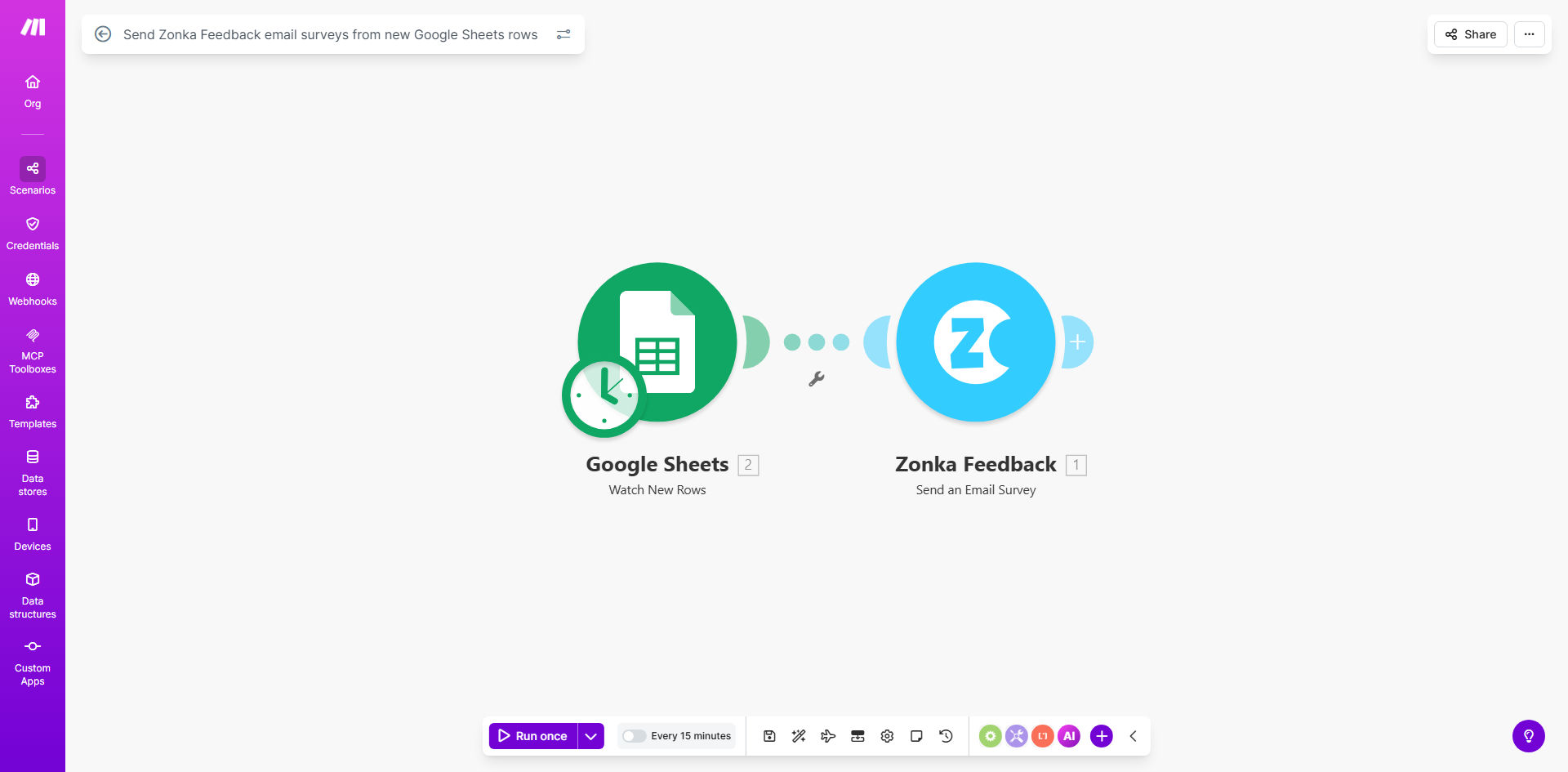
What This Workflow Does
This automation eliminates the manual process of sending customer feedback surveys by connecting your Google Sheets contact list directly to Zonka Feedback. Whenever you add a new row with customer details (email, name, purchase details etc.), the system automatically triggers a personalized survey email through Zonka.
Businesses using this template save 5-10 hours per week previously spent copying/pasting customer data between systems. More importantly, it ensures every customer receives timely feedback requests at the optimal moment in their journey - whether after a purchase, support ticket resolution, or subscription renewal.
How It Works
1. New Row Detection
The workflow monitors your specified Google Sheet for new rows being added, checking at intervals you configure (from minutes to days).
2. Data Validation
Each new row is validated to ensure required fields (email address at minimum) are present before proceeding.
3. Survey Trigger
Valid customer records trigger Zonka Feedback's API to send your pre-configured email survey template with merge fields populated from the spreadsheet.
4. Response Tracking
Survey responses flow back into your Zonka dashboard while the original Google Sheet row is marked as "Survey Sent" with a timestamp.
Pro tip: Add conditional logic to only survey customers meeting specific criteria (order value above $50, subscription tier, etc.) by adding filter modules to the workflow.
Who This Is For
This automation delivers the most value for:
- E-commerce stores wanting post-purchase feedback
- SaaS companies tracking feature satisfaction
- Service businesses monitoring client experience
- Marketing teams measuring campaign reception
- Support teams evaluating ticket resolution quality
What You'll Need
- A Google Sheets spreadsheet with customer contact data
- Zonka Feedback account with API access enabled
- Make.com account (formerly Integromat)
- A pre-designed survey template in Zonka
Quick Setup Guide
- Duplicate the example Google Sheet or adapt your existing sheet with required columns
- Import the template into your Make.com account and connect your Google Sheets
- Configure your Zonka Feedback API credentials in the workflow
- Map spreadsheet columns to Zonka survey fields
- Set your preferred polling interval for new rows
- Test with a sample row before activating
Key Benefits
92% faster survey distribution compared to manual processes - surveys go out within minutes of data entry rather than waiting for batch sends.
Personalization at scale with dynamic merge fields pulling customer names, order details, or other context into survey emails.
Zero data entry errors since the system automatically transfers information without manual copying between platforms.
Actionable insights sooner with real-time feedback collection that helps identify issues before they escalate.
Compliance automation by ensuring every customer receives follow-up surveys according to your business rules.