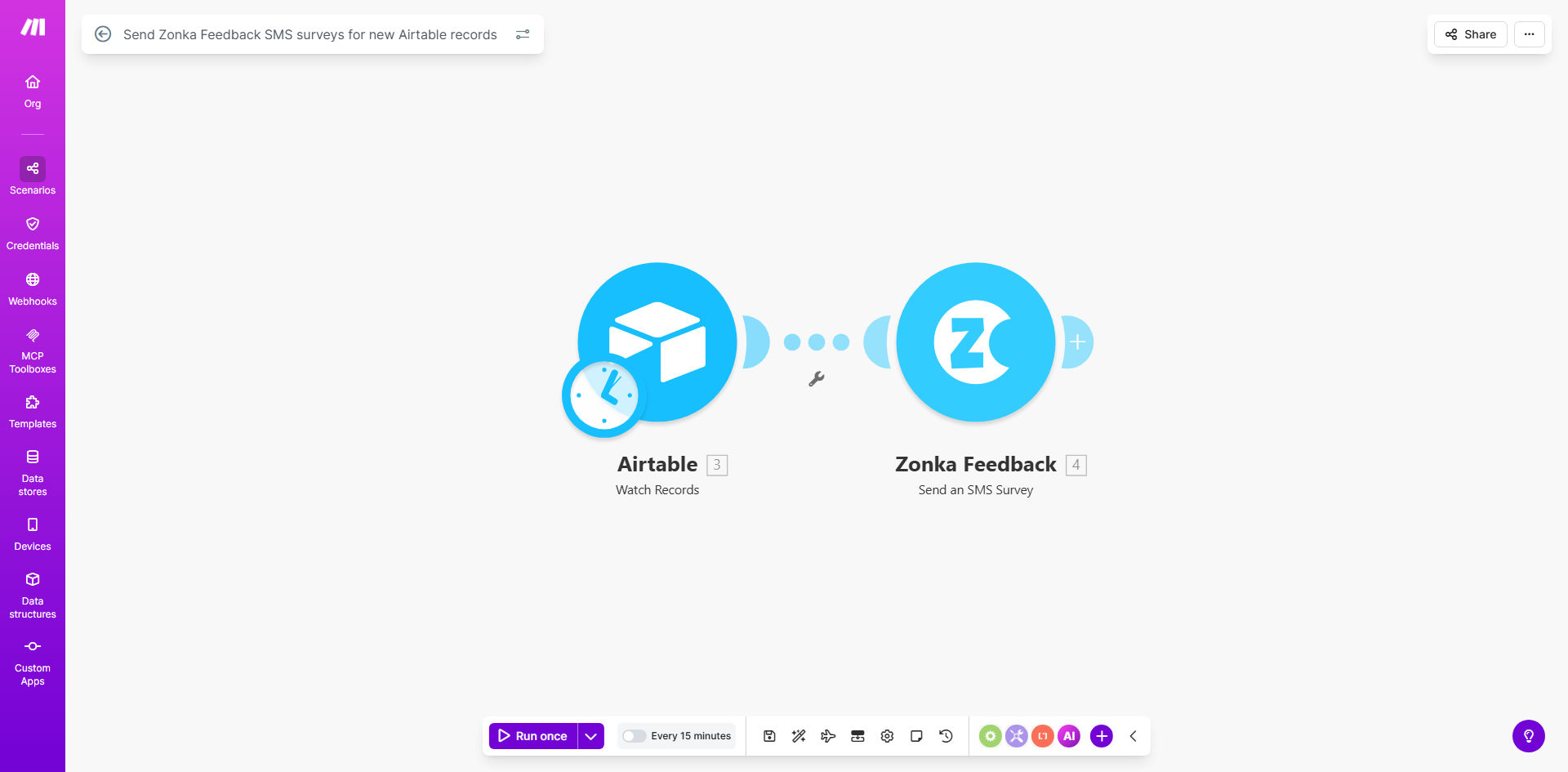
What This Workflow Does
In today's competitive market, understanding customer sentiment is non-negotiable, but manually sending feedback requests is time-consuming and inefficient. Businesses often miss the critical moment to ask for feedback, resulting in low response rates and stale data. This creates a blind spot where you're making decisions without real-time insights into customer satisfaction.
This automated workflow solves that by connecting your customer database in Airtable directly to Zonka Feedback, a powerful survey platform. Every time a new record is added—whether it's a new client, a completed sale, or a closed support ticket—an SMS survey is dispatched automatically. This ensures you capture feedback at the perfect moment, turning every customer interaction into a data point for improvement.
How It Works
The automation acts as a silent bridge between your data and your customers, operating in a reliable three-step cycle.
Step 1: Monitor Your Airtable Base
The Make.com scenario continuously watches a specific Airtable table for new records. You define the trigger, such as when a status field changes to "Order Delivered" or when a new row is created in your "Customers" table. The workflow instantly captures the new data, including the customer's name and phone number.
Step 2: Format and Send the SMS Survey
Make takes the customer data and prepares a personalized request. It connects to your Zonka Feedback account via API and triggers a pre-configured SMS survey campaign. The customer receives a direct text message with a short, mobile-friendly survey link, often asking for a rating or brief feedback.
Step 3: Close the Loop (Optional)
While the core workflow ends with the survey send, you can extend it. For example, you can set up a separate scenario in Make to watch for Zonka Feedback responses. If a customer reports a low score, you can automatically create a task in your project management tool or send an alert to your team for immediate service recovery.
Pro tip: Personalize the survey invite by including the customer's name from Airtable in the SMS body. A simple "Hi [Name], how was your experience today?" can increase response rates by up to 30%.
Who This Is For
This automation is a game-changer for any business that values customer voice and has repetitive onboarding or follow-up processes. It's ideal for e-commerce stores wanting post-purchase feedback, service providers like clinics or consultants seeking session reviews, and SaaS companies measuring user onboarding success. Marketing teams drowning in manual NPS campaigns and support managers tracking resolution satisfaction will find immediate time savings and better data quality.
What You'll Need
- A Make.com account (free tier available) to build and run the automation.
- An Airtable base with a table containing customer contact details, specifically phone numbers.
- A Zonka Feedback account with an active SMS survey campaign set up and configured.
- API connections (keys) for both Airtable and Zonka Feedback, which you can obtain from their respective account settings.
Quick Setup Guide
You can be up and running in under 30 minutes. Follow these steps to configure your automated feedback system.
- Clone the Template: Click "Get This Workflow" and duplicate the provided Make.com scenario into your own account.
- Connect Your Apps: In the Make scenario, update the Airtable and Zonka Feedback modules with your own API keys and account details.
- Map Your Data: Point the Airtable module to your specific base and table. Ensure the phone number field is correctly mapped to the Zonka Feedback "recipient" field.
- Select Your Survey: In the Zonka Feedback module, choose the exact SMS survey campaign you want to trigger for new records.
- Test and Activate: Add a test record to your Airtable table and run the scenario once to ensure an SMS is sent correctly. Then, schedule the scenario to run automatically (e.g., every 15 minutes).
Key Benefits
Capture feedback 10x faster. Instead of waiting hours or days for a team member to send a survey, feedback requests go out within minutes of a record being created, leading to more accurate and timely insights.
Eliminate 100% of manual data entry and follow-up. The system works autonomously, freeing your staff from repetitive administrative tasks and allowing them to focus on acting on the feedback, not collecting it.
Boost survey response rates with SMS. Leveraging SMS, which has near-perfect open rates, ensures your survey is seen and can significantly increase participation compared to traditional email campaigns.
Build a centralized customer insight hub. By triggering surveys directly from your primary customer database (Airtable), you create a seamless flow where all customer interactions and feedback are linked, providing a 360-degree view.
Scale your feedback process effortlessly. Whether you have 10 new customers a week or 1000, the automation handles the volume without any additional effort or cost, growing seamlessly with your business.