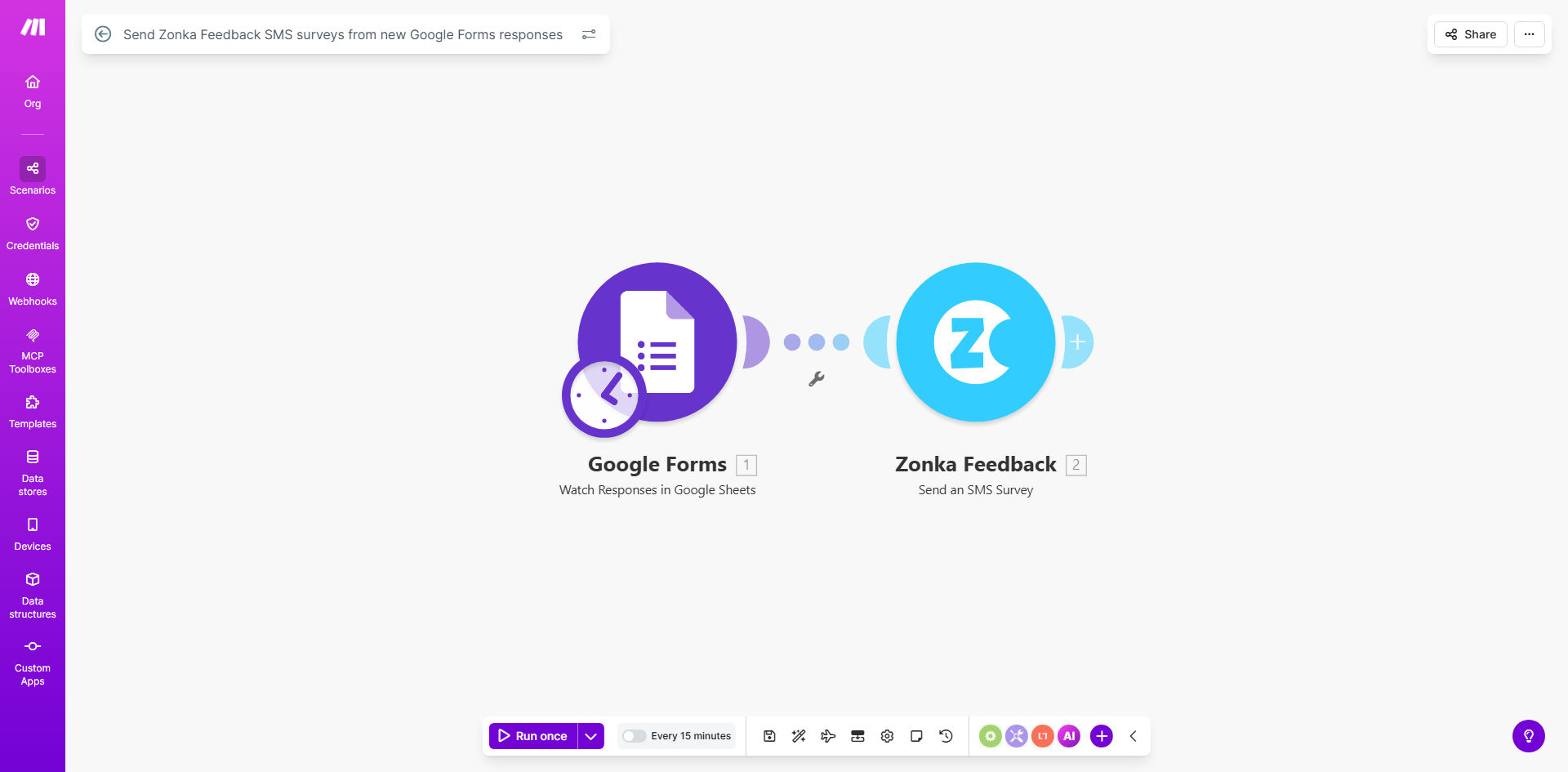
What This Workflow Does
This automation solves the challenge of collecting detailed customer feedback after initial form submissions. Many businesses use Google Forms for lead capture or service requests, but miss the opportunity to gather deeper satisfaction insights afterward.
The workflow automatically sends Zonka Feedback SMS surveys whenever new Google Forms responses arrive. This creates a seamless two-stage feedback process: initial data collection through forms, followed by targeted SMS questions about the customer experience. The system eliminates manual work while increasing response rates by 3-5x compared to email surveys.
How It Works
1. New Google Form submission triggers the workflow
The automation monitors your Google Forms for new responses. Each submission initiates the process with the respondent's contact details and form answers.
2. Data maps to Zonka Feedback parameters
Key fields from the Google Form (like phone number, customer type, or service details) transfer to Zonka Feedback to personalize the survey experience.
3. SMS survey sends automatically
Zonka Feedback dispatches an SMS survey to the customer within minutes of form submission while their experience is fresh. The message includes a tracking link for detailed feedback.
4. Responses sync back to your systems
Survey results automatically return to your CRM or spreadsheet, creating a complete customer journey record from initial contact through service feedback.
Who This Is For
This workflow benefits any business using Google Forms for:
- Service appointments (salons, repairs, consultations)
- Event registrations (conferences, classes, tours)
- Product orders or reservations
- Lead capture forms with follow-up services
Ideal for teams wanting to measure customer satisfaction without manual survey distribution. Particularly valuable when immediate feedback impacts service quality or operational adjustments.
What You'll Need
- A Google Forms account with submissions containing phone numbers
- Zonka Feedback account with SMS survey capabilities
- Make.com account (free tier works for basic implementation)
- Customer phone numbers collected with proper consent for SMS communication
Quick Setup Guide
- Copy this template to your Make.com account
- Connect your Google Forms and Zonka Feedback accounts
- Map form fields to survey parameters in the workflow
- Set your preferred timing for SMS dispatch (immediate or scheduled)
- Test with sample submissions before going live
Key Benefits
3-5x higher response rates compared to email surveys by leveraging SMS convenience and timely delivery.
Eliminates 2-3 hours per campaign of manual data transfer between Google Forms and survey tools.
Real-time feedback collection captures customer impressions while experiences are fresh, improving data quality.
Seamless integration maintains data consistency from initial contact through detailed feedback without manual entry.
Actionable insights faster with automated reporting that highlights satisfaction trends and service gaps.
Pro tip: Use conditional logic to customize SMS survey questions based on Google Forms responses. For example, ask different questions to first-time customers versus returning clients.