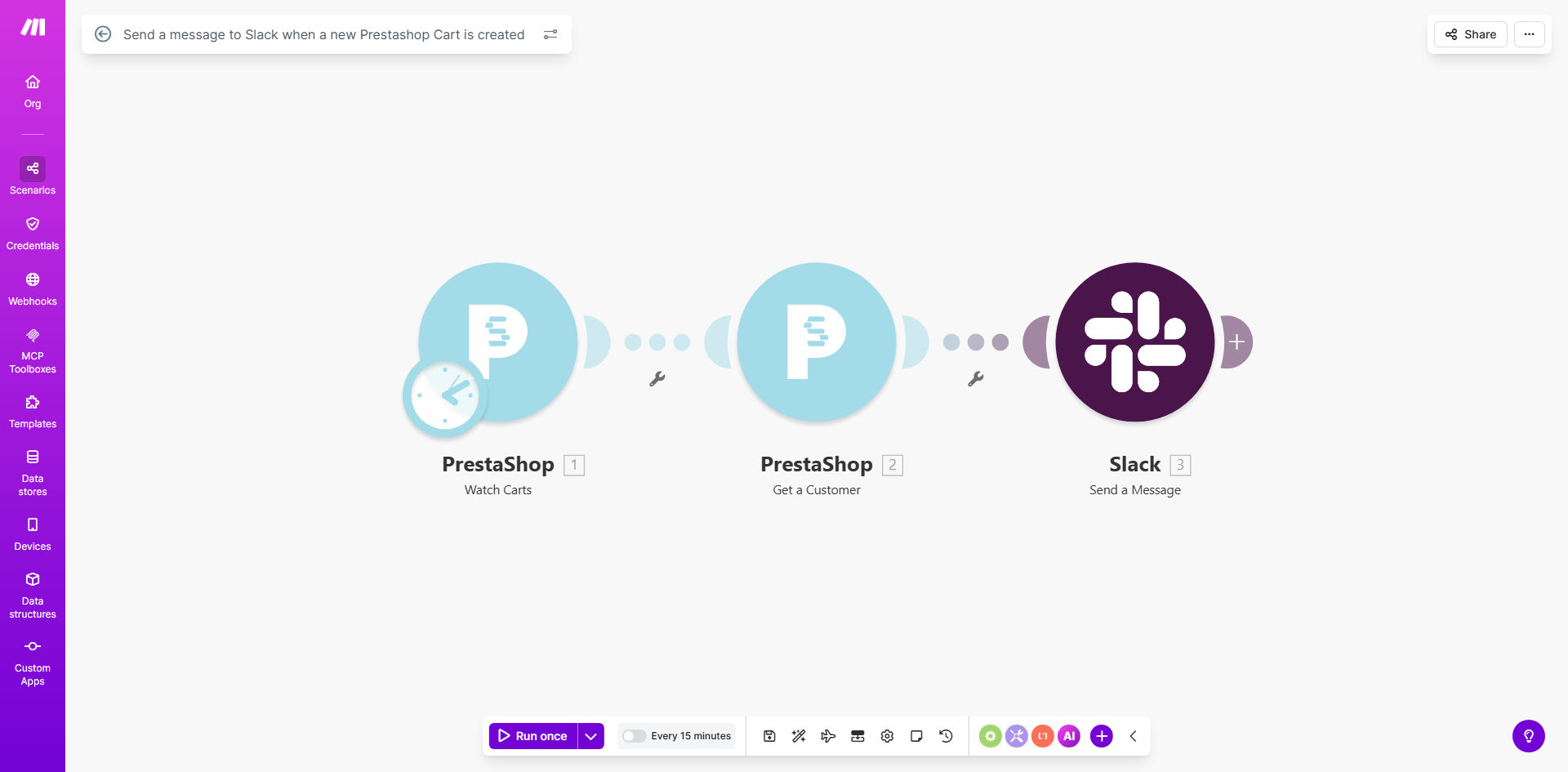
What This Workflow Does
For e-commerce businesses, a shopping cart is a clear signal of purchase intent. Yet, many carts are abandoned without a completed order. This automation solves the visibility gap by instantly alerting your sales or customer service team in Slack the moment a new cart is created on your Prestashop store.
Instead of discovering abandoned carts hours later through a generic report, your team gets a real-time notification. This enables immediate, proactive engagement. You can reach out to offer assistance, answer questions, or even provide a timely incentive to complete the purchase, turning potential losses into secured revenue.
The workflow bridges your e-commerce platform and your team's communication hub, creating a seamless feedback loop that prioritizes high-intent customers. It transforms cart abandonment from a passive metric into an active sales recovery opportunity.
How It Works
This automated pipeline monitors your Prestashop store and relays critical information to a designated Slack channel in just a few steps.
Step 1: Monitor New Carts
The workflow uses Prestashop's API to watch for new shopping cart events. It acts as a digital lookout, checking your store at regular intervals (e.g., every 5-10 minutes) for any cart activity that has occurred since the last check.
Step 2: Gather Cart Details
When a new cart is detected, the automation pulls relevant details. This includes the cart ID, creation time, the customer's email address (if they entered it), the list of products added, and the total cart value. This data provides the context your team needs to understand the customer's intent.
Step 3: Format & Send the Slack Alert
The workflow then formats this information into a clear, actionable Slack message. It uses a Slack webhook to post the alert directly into a channel of your choice (e.g., #sales-alerts or #customer-support). The message is designed for quick scanning, highlighting key details like high-value items or a returning customer.
Pro tip: Customize the Slack message to include a direct link to the cart in your Prestashop admin panel. This allows your team to investigate and potentially assist the customer with a single click, drastically reducing response time.
Who This Is For
This automation is ideal for any business using Prestashop that wants to improve its sales conversion rate and customer service responsiveness.
E-commerce Store Owners: Who want to recover lost revenue from abandoned carts and gain real-time insight into customer behavior on their site.
Sales & Customer Support Teams: Who need immediate alerts to provide timely, personalized assistance to shoppers who might be hesitating at checkout.
Marketing Managers: Who can use live cart data to understand product demand, identify friction points in the buying journey, and tailor follow-up campaigns.
Small to Medium-Sized Businesses: That may not have a large tech team but want to implement smart, automated systems to compete with larger retailers.
What You'll Need
- A Prestashop store (version 1.6 or higher) with administrative access to generate API credentials.
- A Slack workspace where you have permission to create incoming webhooks for a specific channel.
- A free or paid Make.com account to host and run the automated scenario.
- Basic information like your Prestashop store URL and the Slack channel name where alerts should be sent.
Quick Setup Guide
You can have this automation running in under 30 minutes by following these steps.
- Get the Template: Click "Get This Workflow" to copy the pre-built scenario into your Make.com account.
- Connect Prestashop: In the Make.com scenario, add your Prestashop store URL and the API key/secret you generate from your Prestashop back office under "Webservice" settings.
- Connect Slack: Create a new incoming webhook in your Slack workspace for the desired channel (e.g., #new-carts). Paste the webhook URL into the designated Slack module in the Make.com scenario.
- Test the Flow: Activate the scenario and create a test cart in your Prestashop store. Within minutes, you should see a test alert appear in your Slack channel.
- Go Live: Once testing is successful, the automation will run continuously, monitoring for new carts and sending alerts without any further manual intervention.
Key Benefits
Increase Sales Conversion: By enabling immediate follow-up on high-intent carts, businesses often see a 10-30% recovery rate on carts that would have otherwise been abandoned, directly boosting revenue.
Improve Customer Experience: Proactive support at the moment of hesitation makes customers feel valued and supported, building loyalty and encouraging repeat purchases.
Save Time & Reduce Manual Work: Eliminates the need for team members to constantly check backend reports, freeing up several hours per week that can be redirected to higher-value tasks.
Gain Real-Time Business Intelligence: Provides an instant pulse on what products are trending, what price points cause friction, and when your store is most active, informing better business decisions.
Prevent Revenue Leakage: Ensures no potential sale slips through the cracks due to a lack of visibility, creating a safety net for your e-commerce operations.