Make.com Prestashop Google Contacts CRM Sync Ecommerce

Create New Google Contacts from Prestashop Customers

Automatically sync your Prestashop customer data to Google Contacts in real-time

Get This Workflow → Make.com · Prestashop · Free Template
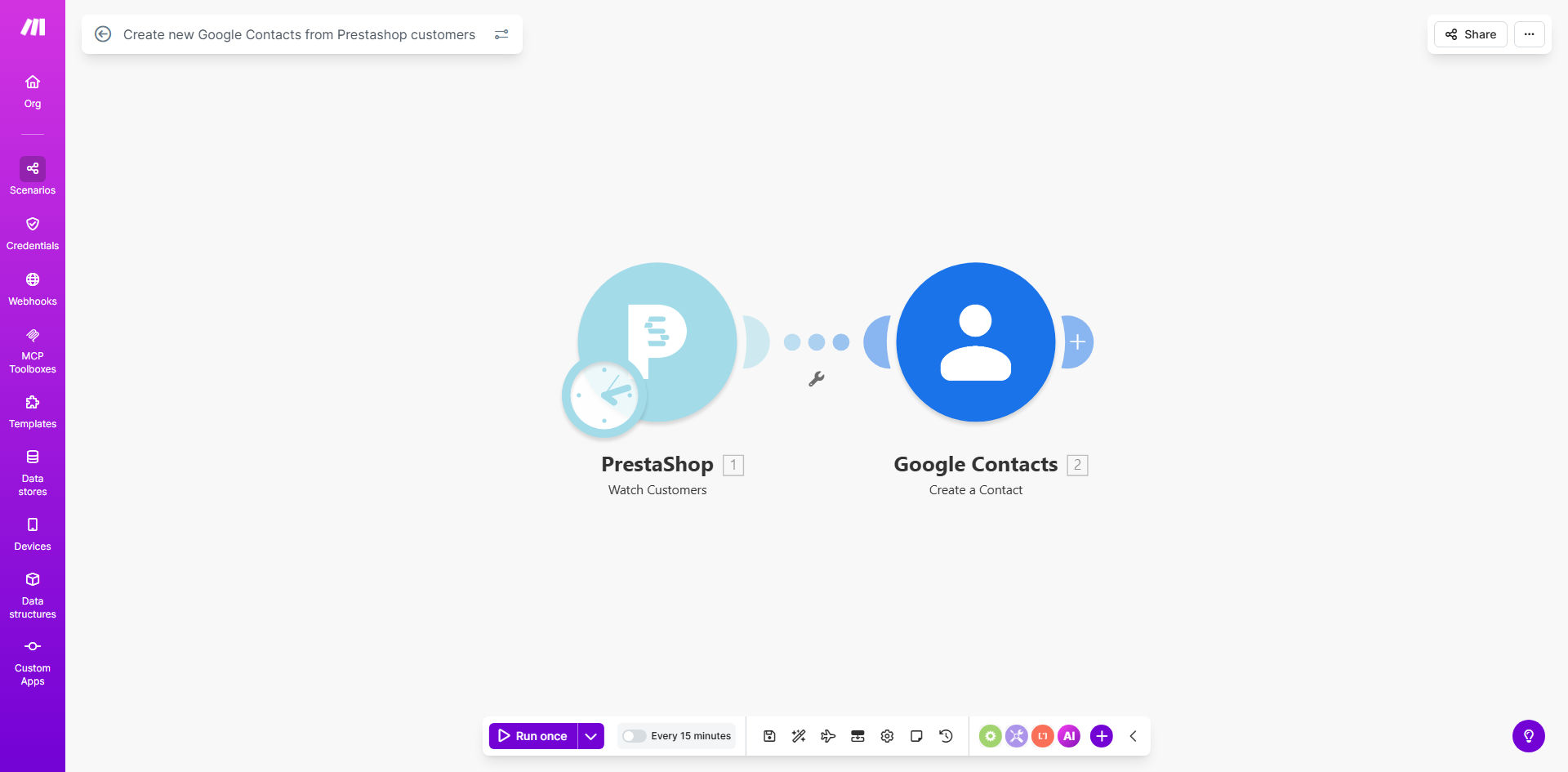
Prestashop to Google Contacts automation workflow diagram

What This Workflow Does

This automation solves the common problem of customer data silos between your ecommerce platform and contact management system. Every time a new customer registers or makes a purchase in your Prestashop store, their contact information is automatically added to your Google Contacts.

Manual data entry between systems is time-consuming and prone to errors. This workflow eliminates those issues by creating a seamless, real-time connection between Prestashop and Google Contacts. Your sales and support teams will always have access to up-to-date customer information across all Google services.

How It Works

1. New customer trigger

The workflow monitors your Prestashop store for new customer registrations or orders. When a new customer record is created, the automation is triggered.

2. Data extraction

The system retrieves relevant customer information from Prestashop, including name, email, phone number, and shipping/billing addresses.

3. Contact creation

The workflow formats the Prestashop data according to Google Contacts' structure and creates a new contact in your specified Google account.

4. Error handling

If any issues occur during the sync process, the workflow can notify your team or retry the operation according to your configuration.

Pro tip: Add custom fields in Google Contacts to store Prestashop-specific data like customer IDs or purchase history for better segmentation.

Who This Is For

This workflow is ideal for Prestashop store owners who:

  • Use Google Workspace for business communications
  • Need customer data accessible across multiple teams
  • Want to automate marketing list building
  • Manage customer relationships through Google services
  • Want to eliminate manual data entry between systems

What You'll Need

  1. A Prestashop store with customer accounts enabled
  2. A Google Workspace account or personal Google account
  3. A Make.com account (free tier available)
  4. API access to your Prestashop store (typically via REST API)
  5. Basic understanding of your customer data structure

Quick Setup Guide

  1. Install the template in your Make.com account
  2. Connect your Prestashop store using API credentials
  3. Authorize access to your Google Contacts
  4. Map Prestashop fields to Google Contact fields
  5. Test with a new customer record
  6. Activate the workflow for automatic syncing

Key Benefits

Save 5-10 hours per month by eliminating manual customer data entry between Prestashop and Google Contacts.

Improve data accuracy with automated transfers that reduce human error in contact information.

Enhance team collaboration by making customer contacts instantly available across your organization through Google's ecosystem.

Streamline marketing efforts with clean, automatically updated contact lists ready for campaigns in Gmail or other Google services.

Maintain better customer relationships with complete, up-to-date contact information always at your team's fingertips.

Frequently Asked Questions

Common questions about Prestashop-Google Contacts automation and integration

Syncing Prestashop customers to Google Contacts centralizes your customer data, making it accessible across all Google services. This improves marketing outreach, customer service, and sales follow-ups by having complete contact details readily available in your Google ecosystem.

For example, your support team can quickly access customer information while handling tickets through Gmail, and your marketing team can build segmented lists directly in Google Contacts for targeted campaigns.

The workflow typically transfers name, email, phone number, and address fields. You can customize which fields to sync based on your Prestashop customer data structure and your Google Contacts requirements.

Common additional fields include company name, order history tags, customer segments, and custom notes. The template provides flexible field mapping to accommodate different Prestashop configurations.

The sync happens in real-time whenever a new customer is created in Prestashop. You can also configure the workflow to run periodic updates for existing contacts if their information changes in Prestashop.

For stores with high order volume, we recommend batching updates every few hours to balance performance with data freshness. Make.com handles the scheduling automatically once configured.

The workflow can be configured to check for existing contacts before creating new ones, preventing duplicates. Advanced matching rules can compare email addresses or other unique identifiers to maintain data integrity.

For best results, we recommend:

  • Using email as the primary matching field
  • Setting up merge rules for partial matches
  • Regularly auditing your Google Contacts for consistency

Yes, Make.com allows full customization of field mapping between Prestashop and Google Contacts. You can match any custom fields from your Prestashop installation to appropriate Google Contact fields.

Common custom mappings include loyalty program status to notes, product categories to labels, or order frequency to custom fields. The workflow preserves all your valuable customer data during the transfer.

The workflow can be modified to distribute contacts to multiple Google accounts or shared contact lists. This is useful for teams where different departments need access to customer contacts.

For example, you might route:

  • All contacts to your main company account
  • High-value customers to your sales team's shared list
  • Support inquiries to your customer service group

Yes, GrowwStacks specializes in custom ecommerce automations. We can build a tailored solution that handles your specific Prestashop data structure, Google Contacts organization needs, and business workflows.

Our custom implementations typically include advanced features like customer segmentation rules, conditional syncing based on purchase behavior, and integration with additional systems like your CRM or marketing platforms.

  • Free consultation to assess your needs
  • Custom field mapping and data transformations
  • Ongoing support and optimization

Need a Custom Prestashop Automation?

This free template is a starting point. Our team builds fully tailored automation systems for your specific business needs.