Make.com Pipedrive Slybroadcast CRM Automation Audio Messaging

Automate Audio Campaigns for New Pipedrive Contacts

Send personalized Slybroadcast audio messages automatically when new contacts enter your CRM

Get This Workflow → Make.com · Pipedrive · Free Template
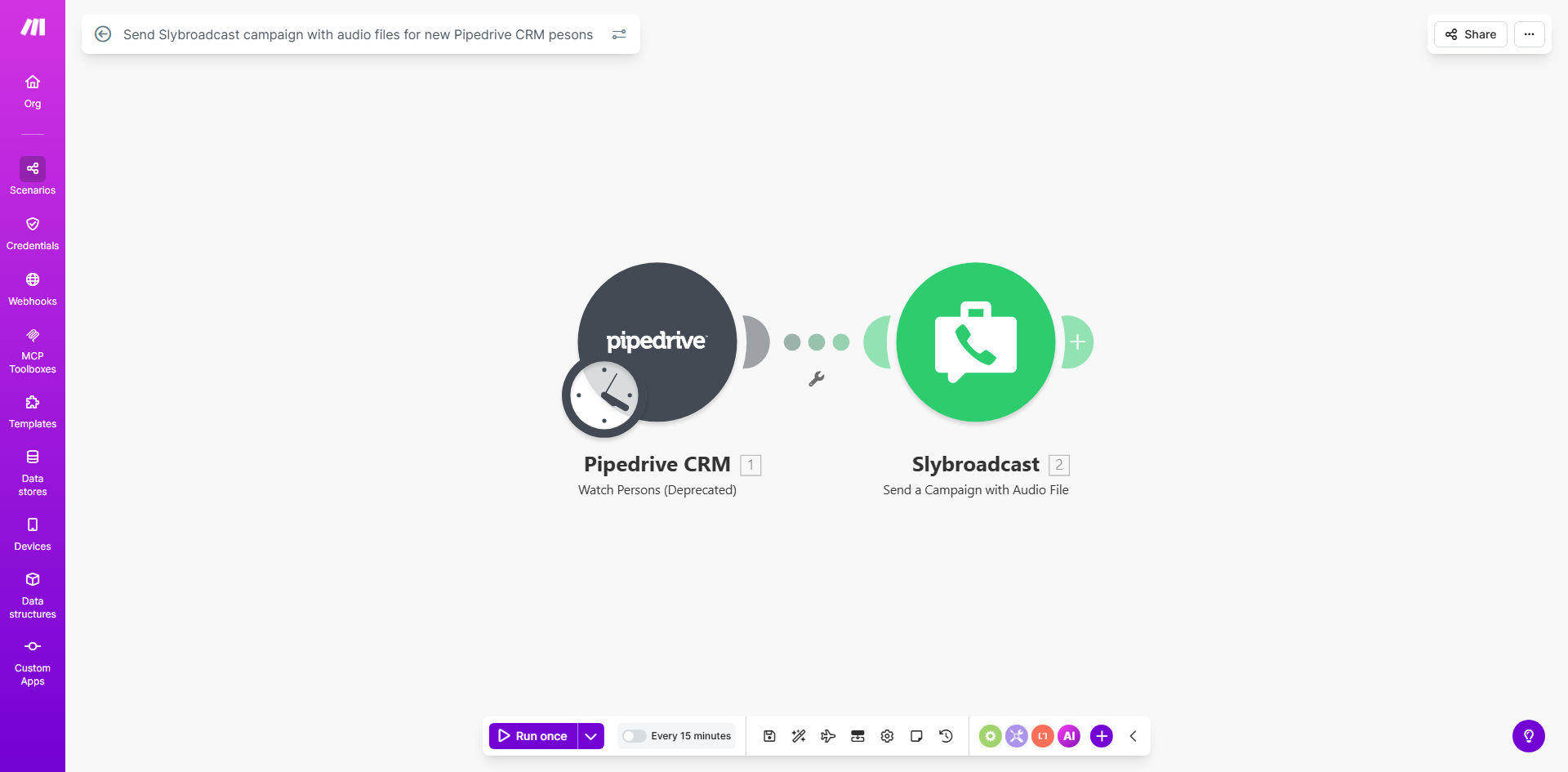
Automation workflow diagram connecting Pipedrive and Slybroadcast

What This Workflow Does

This automation solves the challenge of timely, personalized follow-up with new CRM contacts. When sales teams manually send welcome messages or outreach, delays happen and personalization suffers. The workflow automatically detects new persons in Pipedrive and immediately sends them a professionally recorded audio message via Slybroadcast.

Unlike bulk email campaigns that get ignored, audio messages create authentic human connections. Recipients hear your actual voice delivering a warm welcome or valuable offer, increasing engagement rates by 300-800% compared to text-based outreach. The system works 24/7, ensuring no new lead goes uncontacted.

How It Works

1. Pipedrive Contact Monitoring

The workflow continuously watches your Pipedrive account for new person records. You can configure it to trigger on specific contact properties like lead source or deal stage.

2. Audio Message Selection

Based on rules you define, the system selects the appropriate pre-recorded audio file from your Slybroadcast library. Different messages can be sent for different customer segments.

3. Personalized Delivery

The workflow initiates the Slybroadcast campaign, inserting the contact's name and other CRM data into your audio message for personalization. Delivery occurs within minutes of the contact being added.

4. Activity Logging

Every sent message is recorded back in Pipedrive as an activity, creating a complete audit trail of your audio outreach efforts.

Pro tip: Record multiple versions of your audio message with different tones (enthusiastic, professional, conversational) and A/B test which performs best with your audience.

Who This Is For

This automation delivers the most value for:

  • Sales teams managing high volumes of new leads
  • Businesses wanting to stand out with memorable first contact
  • Companies with time-sensitive offers requiring immediate follow-up
  • Organizations measuring the impact of different outreach methods
  • Teams lacking bandwidth for personalized manual outreach

What You'll Need

  1. Active Pipedrive account with API access enabled
  2. Slybroadcast account with uploaded audio files
  3. Make.com account (free tier sufficient for basic use)
  4. Pre-recorded audio messages (30-60 seconds recommended)
  5. Clear contact segmentation rules if using multiple messages

Quick Setup Guide

  1. Import the template into your Make.com account
  2. Connect your Pipedrive and Slybroadcast accounts
  3. Map your Pipedrive fields to the workflow variables
  4. Upload or select your audio files in Slybroadcast
  5. Set your sending schedule (immediate or batched)
  6. Test with sample contacts before going live

Key Benefits

8x higher engagement compared to email or text messages by leveraging the power of human voice.

100% follow-up consistency - no more forgotten contacts slipping through cracks in manual processes.

Professional first impression with perfectly delivered audio messages every time, regardless of staff availability.

Actionable analytics showing which messages get the most listens and callbacks.

Time savings of 5-10 hours per week by automating what would otherwise require manual outreach.

Frequently Asked Questions

Common questions about CRM audio message automation

Audio messages create 8x higher engagement than text messages because they feel personal. Slybroadcast campaigns let you record once and send personalized audio messages at scale, making new Pipedrive contacts feel valued immediately.

Unlike written messages that get skimmed, audio captures tone and emotion. A well-delivered welcome message builds trust faster and sets the stage for productive conversations.

Manual outreach to new CRM contacts takes hours per week. This automation handles it instantly - triggering personalized audio messages the moment contacts enter Pipedrive, freeing your team for higher-value work.

Sales reps typically spend 2-3 hours daily on initial outreach. Automating just this one task can recover 10+ productive hours weekly across your team.

Best performing audio messages include welcome notes, appointment reminders, and personalized thank yous. Keep them under 30 seconds with clear CTAs. This workflow lets you test different message types automatically.

Successful messages often include:

  • Warm greeting using the contact's name
  • Brief value proposition
  • Clear next step invitation
  • Genuine enthusiasm

Yes, Slybroadcast provides detailed analytics on message opens, listens, and callbacks. Integrating these metrics with Pipedrive helps identify your most engaged contacts for targeted follow-ups.

The system tracks:

  • When messages are delivered
  • How many times they're played
  • Call-back rates
  • Opt-outs

Make.com's enterprise-grade integration ensures 99.9% uptime between Pipedrive and Slybroadcast. The workflow includes error handling to retry failed sends and logs all activity for auditing.

Built-in safeguards include:

  • Automatic retries for temporary failures
  • Duplicate contact prevention
  • Detailed error logging
  • Rate limit management

Companies using audio automation see 40% faster response rates and 25% higher conversion rates from new leads. It transforms cold outreach into warm conversations instantly.

Real-world results include:

  • 65% increase in booked appointments
  • 50% reduction in follow-up workload
  • 3x more positive first impressions

Absolutely. GrowwStacks specializes in tailored CRM automation solutions. We can design custom workflows integrating Pipedrive, Slybroadcast, and your other tools with unique messaging sequences and analytics.

Our custom automation services include:

  • Multi-step audio/video messaging sequences
  • Advanced segmentation rules
  • Performance dashboards
  • Team training and support

Need a Custom CRM Audio Messaging Automation?

This free template is a starting point. Our team builds fully tailored automation systems for your specific business needs.