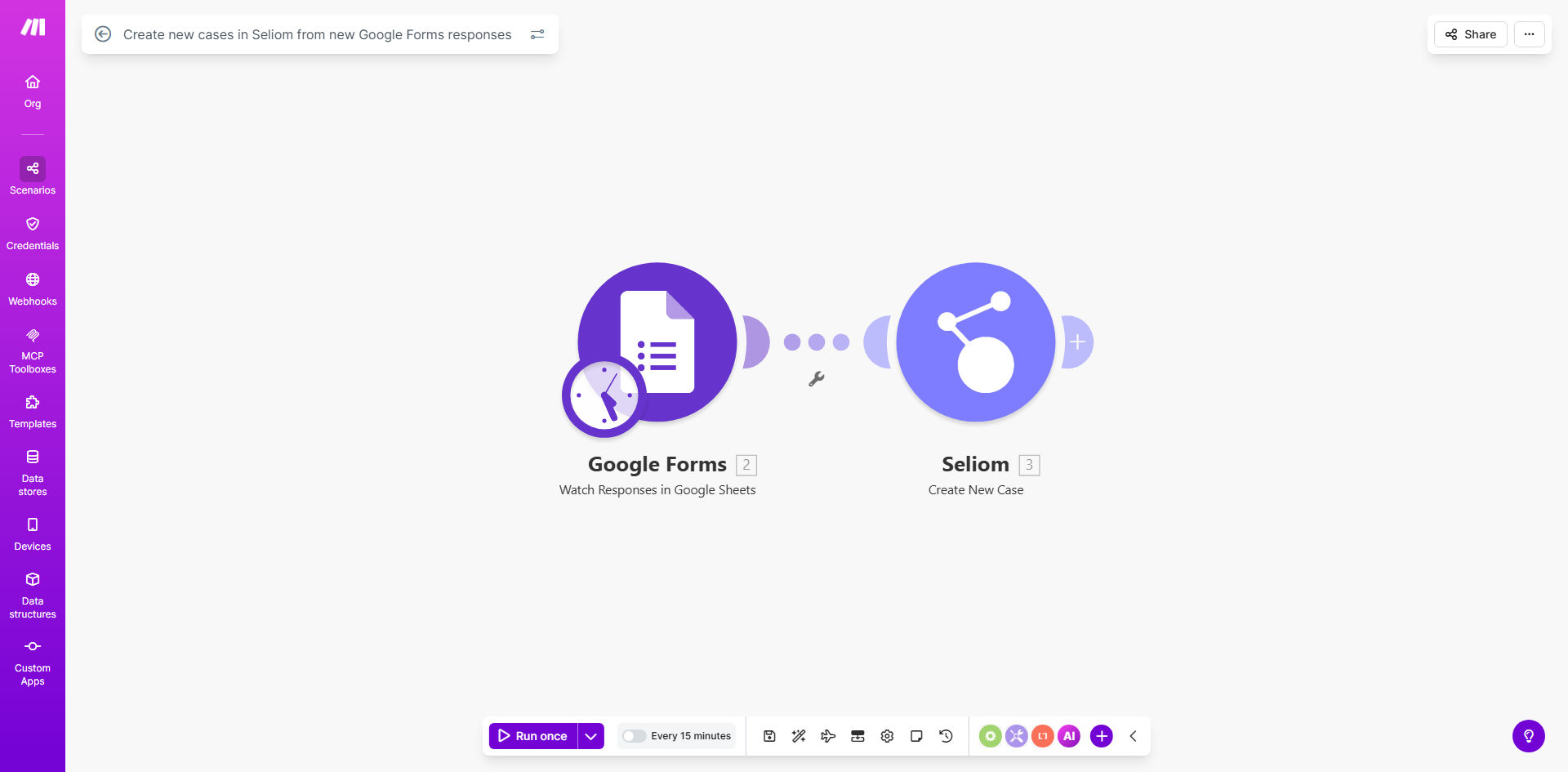
What This Workflow Does
This automation solves a common problem faced by support teams and service businesses: manually transferring customer inquiries from web forms into your case management system. When customers fill out your Google Forms for support requests, service inquiries, or project submissions, this workflow automatically detects new responses and creates corresponding cases in Seliom.
The system runs on a scheduled basis (default every 15 minutes) to check for new form submissions. It extracts all the relevant information from the form response – including customer contact details, issue description, priority level, and any custom fields you've set up – and uses this data to create a fully populated case in Seliom. This eliminates the need for support staff to manually copy-paste information between systems, reducing processing time from minutes to seconds.
How It Works
Step 1: Monitor Google Forms for New Responses
The workflow begins by periodically checking your Google Forms for new submissions. Using Make.com's scheduling module, it scans your form responses at regular intervals to detect any new entries that haven't been processed yet.
Step 2: Extract and Process Form Data
When a new response is detected, the automation extracts all the submitted information. This includes standard fields like name, email, and message, plus any custom fields you've added to your form. The system processes this data to ensure it's properly formatted for Seliom.
Step 3: Create Case in Seliom
The processed data is then used to create a new case in your Seliom account. The automation maps each form field to the corresponding case field in Seliom, ensuring all information is accurately transferred and the case is properly categorized and prioritized.
Step 4: Error Handling and Logging
If any issues occur during case creation, the workflow includes error handling to log the problem and can be configured to notify administrators. This ensures that no customer inquiry is lost due to technical issues.
Pro tip: Customize the scheduling frequency based on your support volume. For high-priority inquiries, set the check interval to 5 minutes. For general support, 15-30 minutes is usually sufficient.
Who This Is For
This automation is ideal for customer support teams, IT service desks, consulting firms, and any business that uses Google Forms for customer inquiries and Seliom for case management. It's particularly valuable for teams handling 10+ support requests daily, where manual data entry becomes a significant time drain.
Service-based businesses that rely on structured intake forms for new projects or support requests will see immediate benefits. Educational institutions using forms for student support, healthcare providers managing patient inquiries, and professional services firms tracking client requests can all streamline their operations with this automation.
What You'll Need
- A Google Forms form with the questions you want to map to Seliom cases
- A Seliom account with appropriate permissions to create cases
- A Make.com account (free tier sufficient for basic usage)
- Basic understanding of your form field structure and Seliom case fields
Quick Setup Guide
- Click "Get This Workflow" to import the template to your Make.com account
- Connect your Google Forms account and select the form you want to monitor
- Connect your Seliom account and configure the case creation settings
- Map your form fields to the corresponding Seliom case fields
- Test the workflow with a sample form submission
- Activate the scenario and adjust the scheduling frequency as needed
Key Benefits
Reduce response time from hours to minutes. Instead of waiting for manual processing, customer inquiries become active cases immediately after form submission, enabling faster response and resolution.
Eliminate 100% of manual data entry errors. Automated field mapping ensures accurate information transfer, preventing typos, missing data, and inconsistent formatting that can occur with manual copy-paste.
Save 2-3 hours per week per support agent. By automating the routine task of creating cases from forms, your team can focus on higher-value activities like actually solving customer problems.
Ensure no inquiry gets lost or overlooked. The automated system processes every form submission, eliminating the risk of emails getting buried or forms being forgotten during busy periods.
Scale your support operations without adding staff. As your business grows and form submissions increase, the automation handles the additional volume seamlessly without requiring proportional increases in administrative effort.