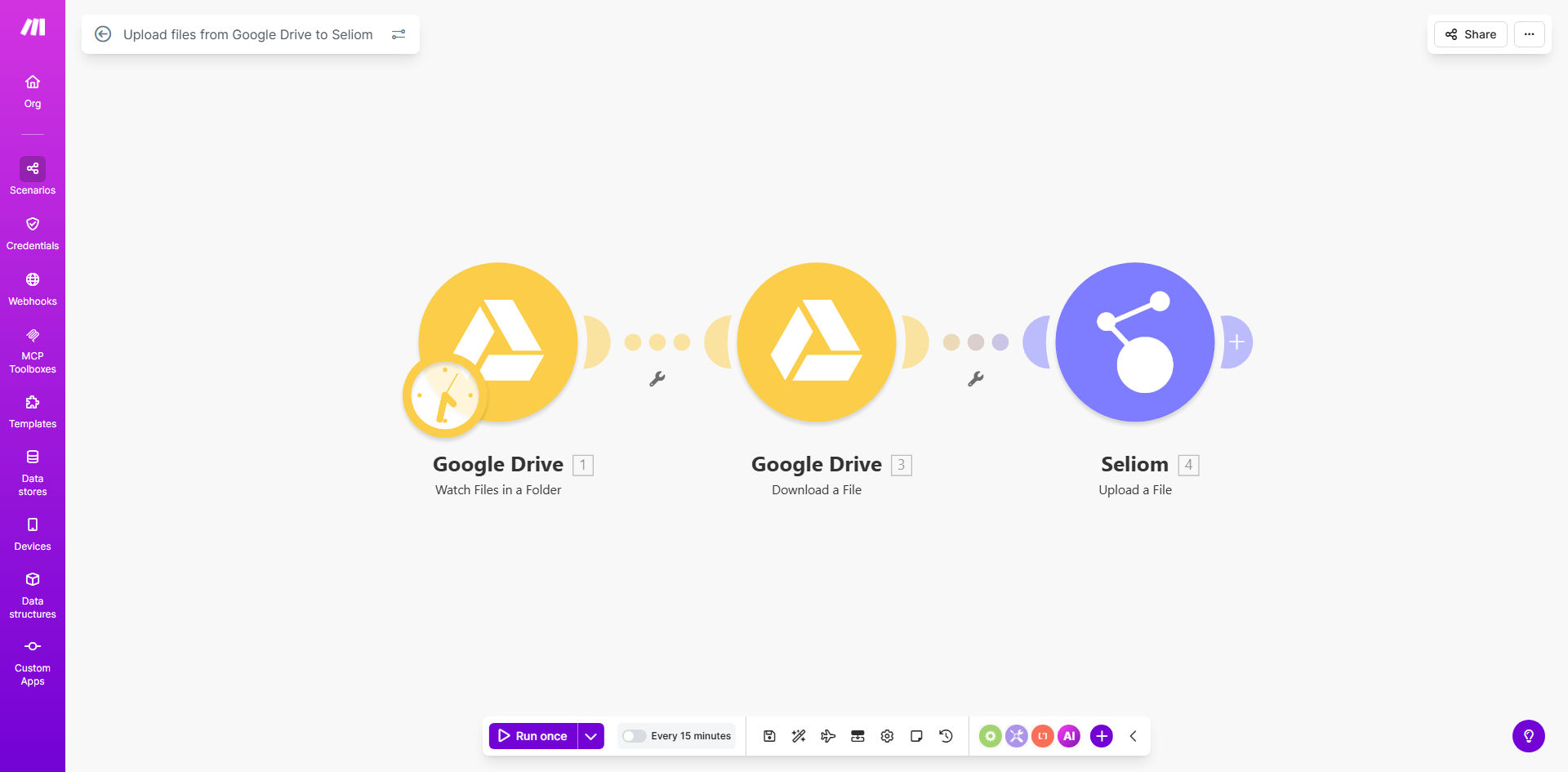
What This Workflow Does
Manually transferring files from cloud storage to project management or client portals is a repetitive, time-consuming task that plagues many businesses. It creates bottlenecks, leads to version confusion, and risks human error where critical documents are forgotten or misplaced. This workflow solves that by creating a seamless, automatic bridge between Google Drive and Seliom.
Whenever a new file is added to a designated Google Drive folder, this Make.com automation instantly detects it and uploads it directly to your specified location in Seliom. It runs on a schedule you control (default is every 15 minutes), ensuring a near real-time sync. This means your sales proposals, design assets, contracts, or reports are always available where your team or clients need them, without any manual intervention.
How It Works
The automation follows a simple but powerful sequence, triggered by the presence of a new file.
Step 1: Monitor Google Drive Folder
The workflow starts by periodically checking a specific folder you choose in your Google Drive. Using Make.com's Google Drive module, it searches for any new files that have appeared since the last check.
Step 2: Retrieve File Details
For each new file found, the automation gathers essential information: the file name, its unique ID in Google Drive, its MIME type (e.g., PDF, JPEG), and a secure download link. This data is passed to the next step.
Pro tip: Use a dedicated "To-Seliom" folder in Google Drive for maximum control. This keeps the automation focused and prevents unrelated personal files from being synced accidentally.
Step 3: Upload to Seliom
Make.com then takes the file data and uses Seliom's API to perform an upload. It sends the file directly from Google's servers to Seliom, attaching it to the correct project, task, or client space as you've configured. The process maintains file integrity and naming.
Step 4: (Optional) Log & Notify
You can extend the template to log each successful transfer in a Google Sheet or send a confirmation notification to a Slack channel. This provides visibility and an audit trail for your automated file movements.
Who This Is For
This automation is a game-changer for any professional or team that uses Seliom for project management, client collaboration, or document storage and concurrently stores working files in Google Drive.
Creative & Marketing Agencies: Automatically upload final design proofs, campaign assets, or video files from Drive to the corresponding client project in Seliom for review and approval.
Consultants & Freelancers: Instantly share deliverables like reports, strategic decks, or contracts with clients by having them sync from your "Deliverables" Drive folder straight to their Seliom portal.
Remote Teams: Ensure all team members have immediate access to the latest versions of briefs, specifications, or data sheets by centralizing them from various Drive folders into a single Seliom project hub.
What You'll Need
- A Make.com account (free tier available).
- A Google Drive account with files and a specific source folder identified.
- A Seliom account with API access and a clear destination (like a specific project or space) for the uploaded files.
- The necessary permissions to connect these apps to Make.com (typically via OAuth).
Quick Setup Guide
You can have this automation live in minutes by following these steps:
- Get the Template: Click the "Get This Workflow" button to copy the template into your Make.com account.
- Authorize Connections: In the Make.com scenario editor, click on the Google Drive and Seliom modules to connect your accounts. This is a secure, one-time login process.
- Configure the Trigger: In the first Google Drive module, specify the exact folder you want to monitor for new files.
- Set the Destination: In the Seliom module, map where the files should go. This might require selecting a project ID or specifying a folder path within Seliom.
- Adjust the Schedule: The template is set to run every 15 minutes. You can change this to hourly, daily, or even trigger instantly using webhooks if your plan supports it.
- Turn it On: Activate the scenario. Drop a test file into your designated Google Drive folder and watch it appear in Seliom automatically.
Key Benefits
Save 5–10 hours per month per team member previously spent on manual download-upload cycles. This time can be redirected to high-value tasks like client service or creative work.
Eliminate 100% of manual transfer errors such as uploading the wrong file version, sending to the wrong client folder, or forgetting to share a document entirely. The system is consistent and reliable.
Accelerate project timelines by ensuring deliverables are available for the next step immediately. There's no lag waiting for someone to manually transfer files, speeding up review and approval cycles.
Improve data security and organization by creating a direct, traceable pipeline between platforms. Files don't get lost in email attachments or on individual hard drives.
Gain a scalable process that works whether you're syncing 5 files a week or 500. The automation handles the volume effortlessly, supporting your business growth.