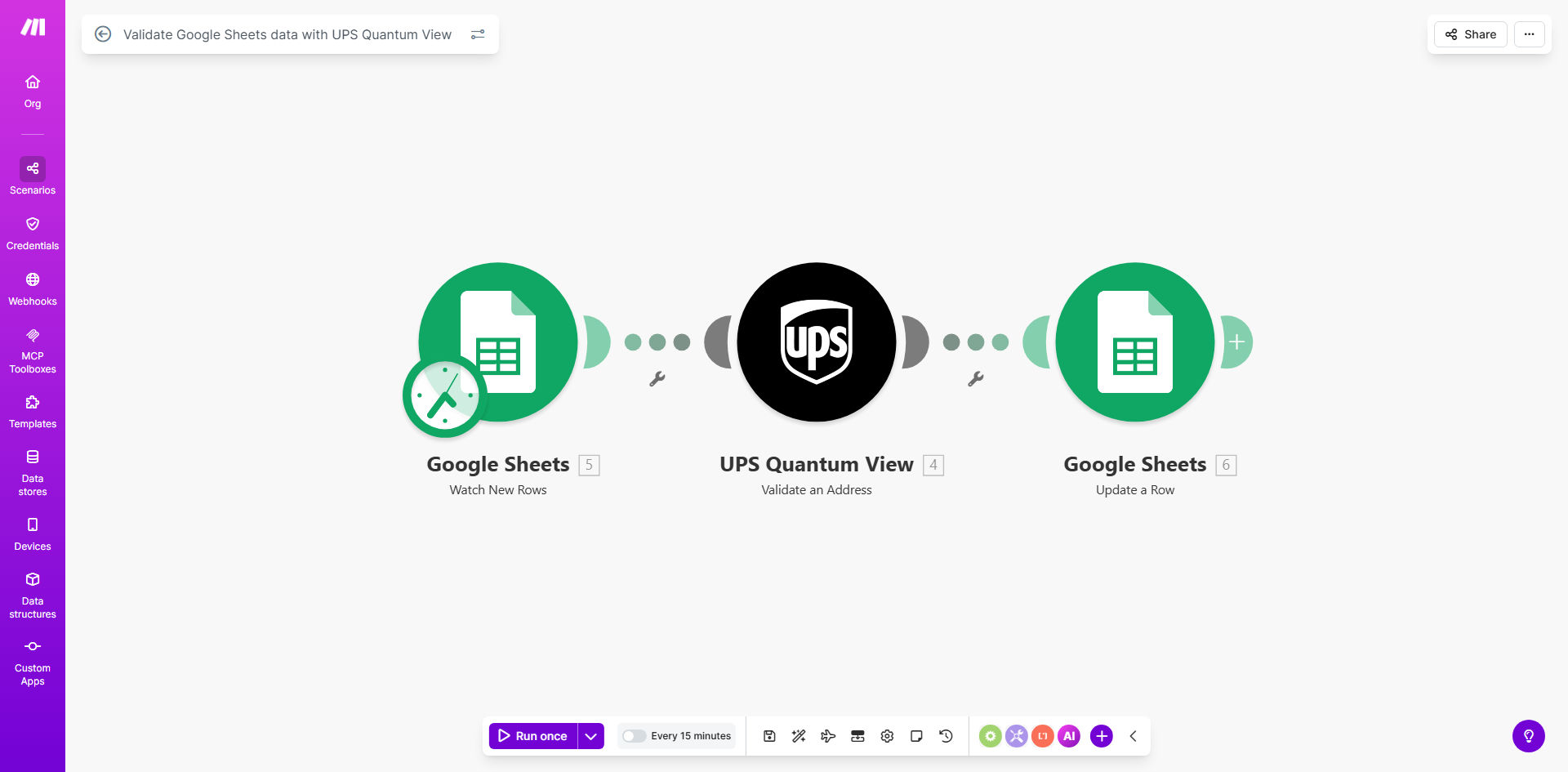
What This Workflow Does
This automation solves a critical pain point for ecommerce businesses, logistics teams, and anyone managing high-volume shipping operations - ensuring shipping data accuracy before packages go out the door. Manual verification of addresses, package dimensions, and service levels is time-consuming and prone to human error.
The workflow automatically validates every new entry in your Google Sheets shipping log against UPS Quantum View's comprehensive shipping database. It checks for address validity, service availability, package specifications compliance, and other critical shipping parameters - flagging any discrepancies before they become costly shipping mistakes.
How It Works
1. New Row Trigger
The workflow monitors your designated Google Sheet for new rows added to the shipping log. This could be triggered by order imports from your ecommerce platform, manual entries by warehouse staff, or CSV uploads.
2. Data Extraction
Key shipping fields are extracted from the new row including recipient address, package dimensions, weight, service level, and any special instructions. The workflow prepares this data for validation against UPS standards.
3. UPS Quantum View Validation
The extracted data is sent to UPS Quantum View via API where it undergoes comprehensive validation checks. UPS verifies address accuracy, service availability for the destination, package size/weight compliance, and other shipping parameters.
4. Results Processing
Validation results are returned to the workflow which then updates your Google Sheet accordingly. Valid data is marked as approved while any issues are flagged with specific error messages explaining what needs correction.
5. Notification System
Optionally, the workflow can trigger email alerts or Slack notifications when invalid shipping data is detected, ensuring quick corrective action by your logistics team.
Who This Is For
This automation delivers the most value for:
- Ecommerce businesses processing 50+ shipments weekly
- 3PL providers managing shipments for multiple clients
- Manufacturers with regular outbound shipments
- Businesses experiencing shipping errors due to data entry mistakes
- Teams currently manually verifying shipping data in spreadsheets
What You'll Need
- A Google Sheets document containing your shipping data
- UPS Quantum View API access (available with most UPS business accounts)
- A Make.com account (free tier sufficient for basic usage)
- Basic understanding of Google Sheets structure
- Designated columns in your sheet for validation status and error messages
Quick Setup Guide
- Install the template from Make.com and connect your Google account
- Specify which Google Sheet and tab contain your shipping data
- Map the columns containing address, package, and service information
- Connect your UPS Quantum View API credentials
- Define where validation results should be recorded in your sheet
- Test with sample data to verify proper validation
- Activate the workflow for ongoing automatic validation
Key Benefits
Reduce shipping errors by up to 80% by catching invalid addresses, oversized packages, and incorrect service levels before shipments are processed.
Save 4-8 hours per week by eliminating manual cross-checking of shipping details against carrier requirements.
Improve customer satisfaction through more accurate delivery estimates and fewer shipping-related customer service issues.
Lower shipping costs by ensuring compliance with carrier dimensional weight pricing and service level rules.
Maintain better records with automated documentation of validation checks for every shipment.
Pro tip: Combine this validation workflow with automated shipping label generation for a complete hands-free shipping process. The validated data can feed directly into your label printing system.