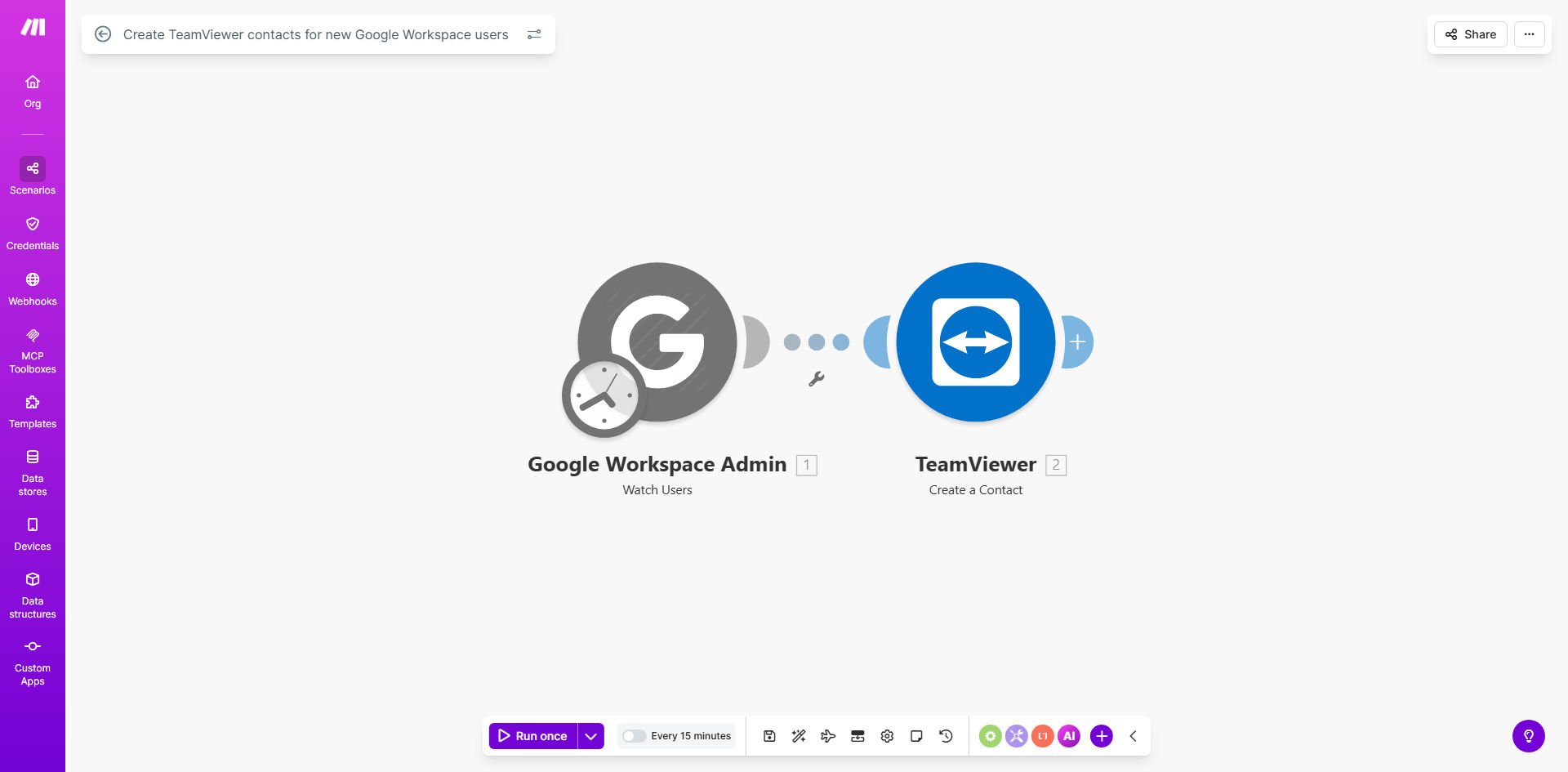
What This Workflow Does
This automation solves a common pain point for IT teams managing remote access across growing organizations. Whenever HR or IT creates a new user in Google Workspace Admin, the system automatically provisions corresponding TeamViewer access credentials without manual intervention.
The workflow eliminates the error-prone process of manually creating TeamViewer contacts, which often leads to mismatched credentials, delayed access for new hires, and security risks from temporary shared accounts. By connecting these critical IT systems, you ensure:
- Instant remote access provisioning for new employees
- Consistent credential management across platforms
- Reduced IT support tickets for access issues
- Auditable trail of remote access permissions
How It Works
1. New user detection
The workflow monitors your Google Workspace Admin console for new user creations through Make.com's real-time triggers. It captures all relevant user details including name, email, and organizational unit.
2. Data transformation
User information is formatted to match TeamViewer's contact requirements. The system can apply business rules like department-specific access levels or naming conventions.
3. TeamViewer API integration
Make.com securely connects to your TeamViewer account via API and creates a new contact using the transformed Google Workspace data. The workflow handles authentication and error checking automatically.
4. Confirmation and logging
Each successful contact creation generates a confirmation log entry. Failed attempts trigger automatic retries or notifications to your IT team for manual resolution.
Pro tip: Extend this workflow to automatically disable TeamViewer access when employees leave by monitoring Google Workspace user suspension events.
Who This Is For
This automation delivers the most value for:
- IT departments managing 50+ employees with remote work requirements
- Managed Service Providers handling client onboarding/offboarding
- Growing startups scaling their remote workforce infrastructure
- Enterprise organizations needing audit-compliant access provisioning
- Education institutions managing seasonal staff changes
What You'll Need
- Admin access to Google Workspace (Super Admin privileges)
- TeamViewer account with API access enabled
- Make.com account (free tier sufficient for basic implementation)
- Basic understanding of both platforms' user management systems
Quick Setup Guide
- Clone the template from Make.com to your account
- Connect your Google Workspace Admin API credentials
- Authorize access to your TeamViewer account
- Configure field mappings between the systems
- Test with a new dummy user in Google Workspace
- Deploy the live workflow and monitor initial executions
Key Benefits
90% reduction in manual work: IT teams save an average of 15 minutes per new hire previously spent creating and verifying TeamViewer access.
Zero-day productivity: New employees have immediate remote access without waiting for IT ticket resolution.
Enhanced security: Eliminates the need for temporary shared credentials while waiting for proper provisioning.
Scalable operations: Handles mass onboarding events (like campus hires or acquisitions) with the same reliability as individual additions.
Audit compliance: Automatic logging creates a verifiable record of access provisioning for compliance requirements.