Make.com Google Forms TeamViewer Meeting Automation Remote Support

Automatically Create TeamViewer Meetings from Google Forms

Eliminate manual scheduling by instantly generating remote support sessions whenever customers submit your form

Get This Workflow → Make.com · Free Template
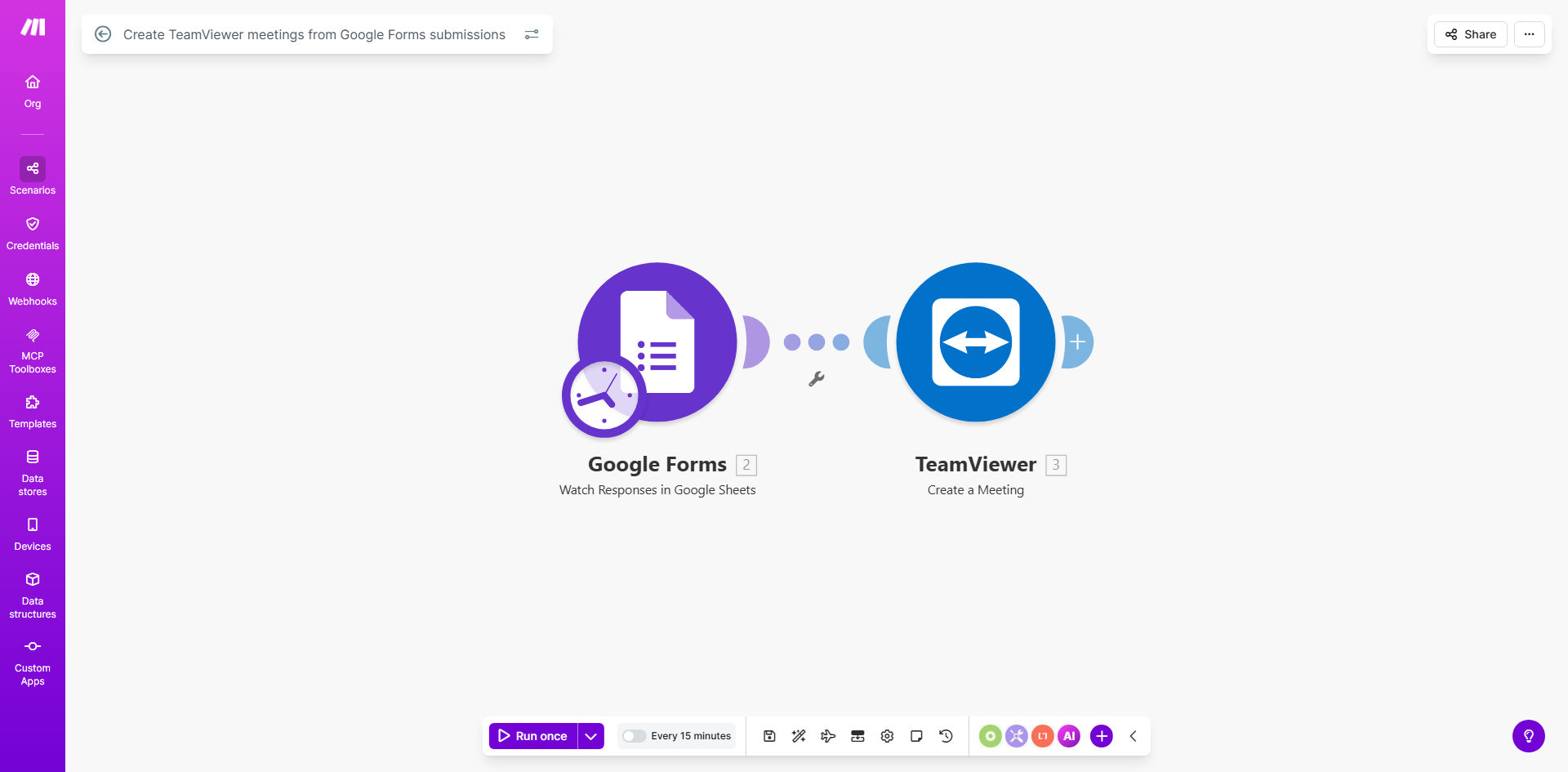
Automated TeamViewer meeting creation workflow diagram showing Google Forms to Make.com to TeamViewer integration

What This Workflow Does

This automation solves the time-consuming process of manually scheduling remote support sessions, consultations, or interviews after receiving form submissions. Every time a customer or client completes your Google Form, the workflow automatically:

  • Creates a new TeamViewer meeting with customized settings
  • Sends the meeting details directly to the respondent
  • Logs all scheduled sessions in your preferred system

For businesses handling multiple remote sessions daily, this eliminates 5-15 minutes of administrative work per meeting while ensuring no submissions fall through the cracks. The instant response also improves customer experience compared to manual scheduling.

How It Works

1. Form Submission Trigger

The workflow activates whenever someone submits your Google Form. Make.com monitors for new responses in real-time.

2. Data Extraction

The system pulls all relevant information from the form, including the respondent's name, email, preferred meeting time, and any custom fields you've added.

3. TeamViewer Meeting Creation

Using TeamViewer's API, the workflow automatically generates a new meeting with your predefined settings. You can configure duration, access controls, and other parameters.

4. Notification Delivery

The meeting details (including join link) are immediately sent to the respondent via email or other channels. You can customize the message template.

5. Data Logging

All meeting information is recorded in your preferred system (spreadsheet, CRM, database) for tracking and follow-up.

Pro tip: Add conditional logic to set different meeting durations based on form responses. For example, "Quick Question" could trigger a 15-minute session while "Full Consultation" schedules 60 minutes.

Who This Is For

This automation delivers the most value for:

  • IT support teams handling remote troubleshooting requests
  • Consultants and coaches scheduling client sessions
  • Recruitment agencies coordinating candidate interviews
  • Virtual assistants managing multiple client appointments
  • Online educators organizing tutoring or office hours

Any business that regularly schedules remote meetings based on form submissions can benefit from eliminating the manual back-and-forth.

What You'll Need

  1. A Google Forms questionnaire for collecting meeting requests
  2. A TeamViewer account with API access (Business or Premium plan)
  3. A Make.com account (free plan works for basic usage)
  4. Email service (Gmail, Outlook, etc.) for sending meeting invitations

Quick Setup Guide

  1. Connect your Google Form in Make.com by authenticating with your Google account
  2. Configure TeamViewer API connection using your account credentials
  3. Map form fields to meeting parameters (name, email, duration, etc.)
  4. Customize the notification template with your branding and instructions
  5. Test with sample submissions to verify meeting creation and notifications
  6. Activate the workflow and start receiving automated meeting requests

Key Benefits

Save 5-15 minutes per meeting by eliminating manual scheduling steps. For businesses handling 20+ remote sessions weekly, this adds up to 20+ hours monthly.

Reduce no-shows with instant confirmations - Respondents receive meeting details immediately after submitting the form, improving attendance rates.

Professionalize your booking process with consistent, branded communications and reliable scheduling.

Scale your remote operations without adding administrative staff to handle increased meeting volume.

Gain valuable insights by automatically logging all scheduled sessions and attendance data.

Frequently Asked Questions

Common questions about Google Forms and TeamViewer automation

Automating TeamViewer meeting creation saves significant administrative time, reduces human error in scheduling, and provides instant meeting links to respondents. This is especially valuable for businesses handling high volumes of remote support requests, consultations, or interviews where timely response matters.

Manual scheduling requires copying information between systems, sending multiple emails, and tracking responses. Automation handles all these steps instantly while maintaining consistency in your meeting setup and communications.

IT support companies, remote consultants, virtual assistants, online educators, and recruitment agencies benefit most. Any business that regularly schedules remote sessions based on form submissions can save 5-15 minutes per meeting by eliminating manual scheduling steps.

The automation scales particularly well for businesses experiencing growth in remote sessions. What starts as a time-saver for 5 weekly meetings becomes essential when handling 50+ sessions without adding staff.

Yes, the Make.com workflow allows full customization of meeting details including duration, description, and follow-up instructions. You can also include personalized fields from the Google Form submission in the meeting invitation.

For example, a technical support form might include the respondent's software version in the meeting description to help prepare. Consultants can pull client goals from the form into the session agenda automatically.

TeamViewer offers more robust remote control features than Google Meet, making it better for technical support and collaborative work sessions. This automation combines Google Forms' simplicity with TeamViewer's advanced functionality.

While Google Meet integrates natively with Forms, TeamViewer provides superior screen sharing, file transfer, and remote access capabilities. The automation bridges these platforms to give you the best of both worlds.

The workflow can use any form field - typically the respondent's name, email, preferred meeting time, and reason for the session. These details populate the meeting invitation automatically, creating a personalized experience.

Advanced configurations can use conditional logic based on form responses. For example, different meeting types might trigger varied durations, required attendees, or preparation materials.

Yes, the workflow can be configured to set different meeting lengths based on dropdown selections or other form inputs. For example, a 'quick question' might trigger a 15-minute meeting while 'full consultation' schedules 60 minutes.

This intelligent scheduling prevents overbooking while ensuring adequate time for each session type. The automation handles all duration calculations and time slot management automatically.

Absolutely! Our team at GrowwStacks specializes in building tailored automation solutions. We can create custom workflows that integrate TeamViewer or other meeting platforms with your specific form systems, CRM, or scheduling tools to match your exact business processes.

Custom solutions might include multi-step approval workflows, calendar synchronization, payment processing for paid sessions, or integration with your existing support ticketing system. We analyze your current process and design automation that saves maximum time while improving customer experience.

  • End-to-end process mapping
  • Custom notification templates
  • Advanced conditional logic
  • Ongoing support and optimization

Need a Custom Remote Meeting Automation?

This free template is a starting point. Our team builds fully tailored automation systems for your specific business needs.