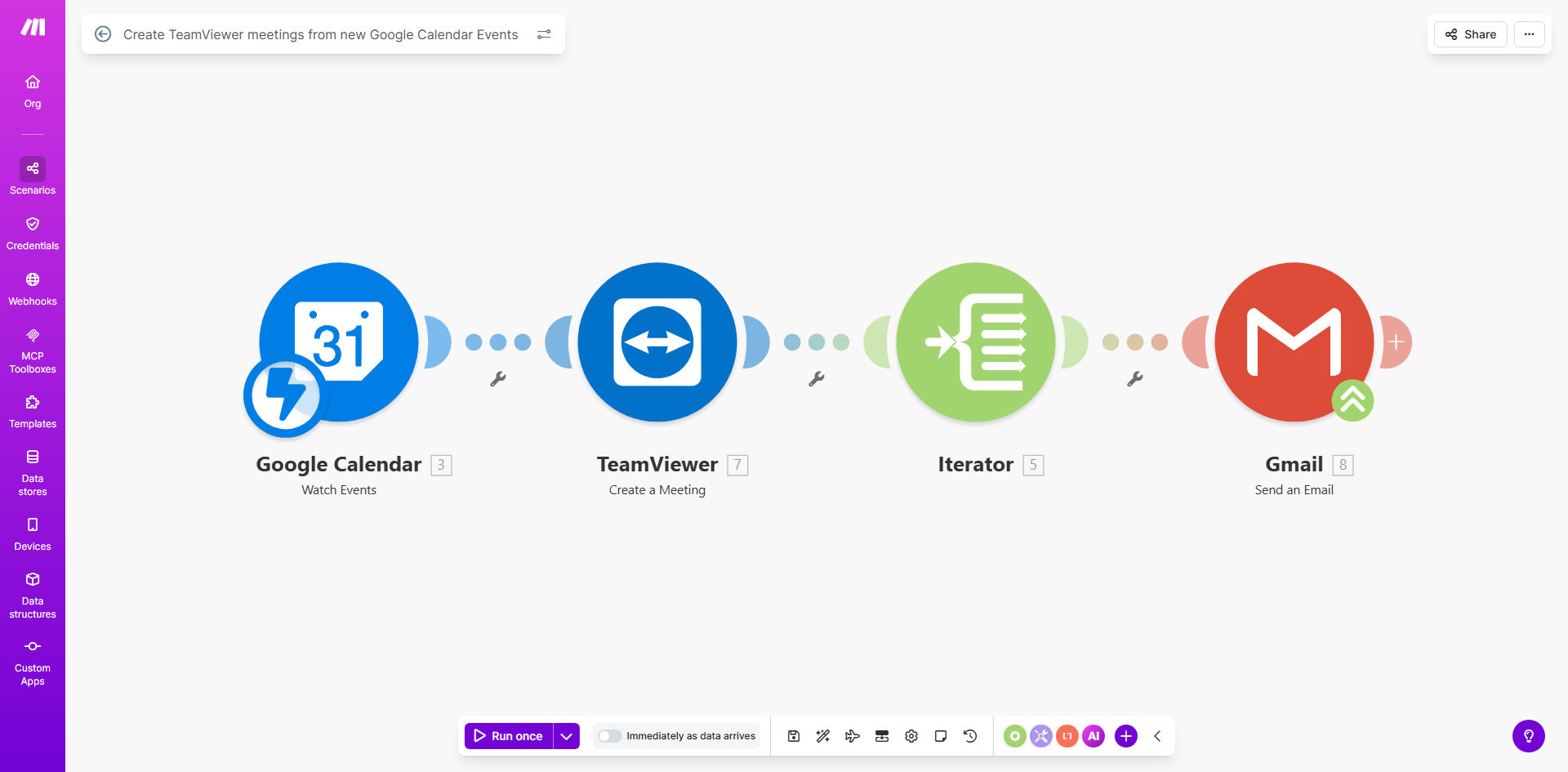
What This Workflow Does
This automation eliminates the manual process of creating virtual meeting rooms and notifying participants. When team members schedule events in Google Calendar, the workflow instantly generates corresponding TeamViewer meeting sessions and distributes joining instructions to all attendees.
The solution solves three key pain points: wasted time switching between scheduling and conferencing tools, inconsistent meeting setup processes across teams, and delayed participant notifications that lead to meeting start delays.
How It Works
1. New Google Calendar Event Detection
The workflow monitors your Google Calendar for new events. When triggered, it extracts all relevant meeting details including title, time, description, and participant emails.
2. TeamViewer Meeting Creation
Make connects to your TeamViewer account to generate a new meeting session with the calendar event's parameters. The system automatically sets the meeting name, scheduled time, and any custom configurations you've predefined.
3. Participant Notification
Each attendee receives an email with the TeamViewer meeting link, joining instructions, and calendar event details. The message can be customized with your branding and specific participation guidelines.
Pro tip: Add conditional logic to exclude certain calendar events (like "Busy" blocks) from triggering meeting creation, saving unnecessary TeamViewer sessions.
Who This Is For
This workflow benefits any organization conducting regular virtual meetings:
- Remote teams needing efficient meeting setup
- Consulting firms managing client sessions
- Support teams handling scheduled customer calls
- Educational institutions running virtual classes
- Sales organizations conducting product demos
What You'll Need
- A Make.com account with available connections
- Admin access to a Google Calendar
- TeamViewer account with API access enabled
- Email service (Gmail or other SMTP) for notifications
Quick Setup Guide
- Install the template from Make.com
- Connect your Google Calendar account
- Authorize TeamViewer API access
- Configure your email service connection
- Set your preferred meeting defaults in TeamViewer
- Test with a sample calendar event
Key Benefits
Save 5-10 minutes per meeting by eliminating manual meeting room setup and participant notification steps. For teams conducting 20 weekly meetings, this adds up to 60+ hours saved annually.
Reduce meeting start delays by ensuring participants receive joining instructions immediately when events are scheduled, not minutes before start time.
Standardize meeting quality with consistent virtual room configurations and professional participant communications across your organization.
Improve security by automatically generating unique meeting links for each session rather than reusing static meeting rooms.