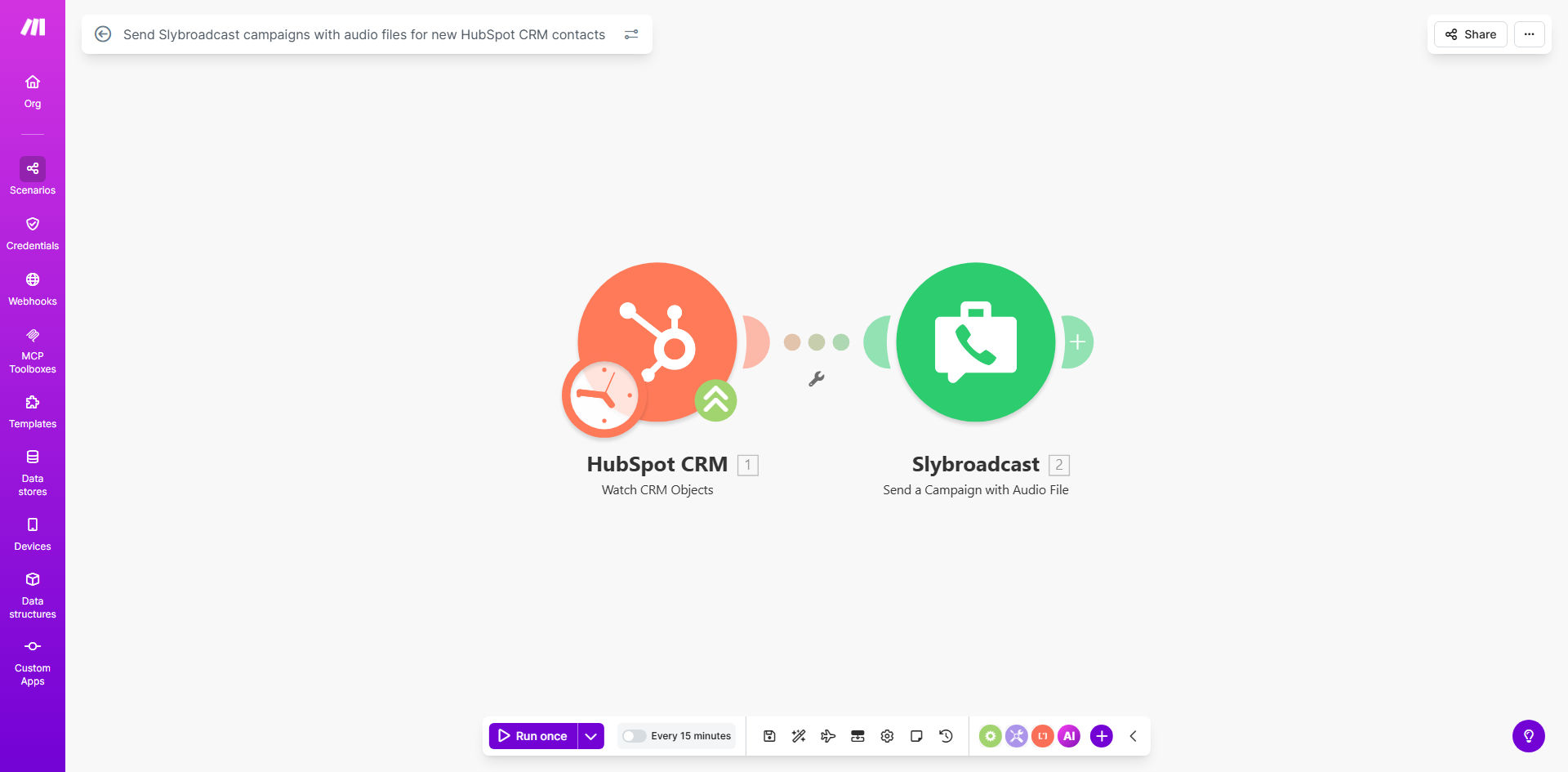
What This Workflow Does
This automation solves the challenge of manually sending personalized audio messages to new leads and customers. When businesses rely solely on email or text messages, they miss the opportunity to create memorable first impressions that build trust faster.
The workflow automatically detects new contacts in your HubSpot CRM and sends them a customized audio campaign through Slybroadcast. This could be a welcome message from your CEO, a product demo audio clip, or an exclusive offer - all delivered in a human voice that stands out in today's digital noise.
How It Works
1. New Contact Detection
The system continuously monitors your HubSpot CRM for new contacts based on your criteria (like specific lead sources or contact properties).
2. Audio Campaign Trigger
When a matching contact appears, the workflow retrieves their details and prepares your pre-recorded audio message (or generates one dynamically using text-to-speech).
3. Personalized Delivery
Slybroadcast delivers the audio message to the contact's phone number, with options for voicemail drop or live call. The system can insert personalized elements like the recipient's name.
4. CRM Sync
Delivery status and engagement data sync back to HubSpot, creating a complete record of the interaction alongside other marketing activities.
Pro tip: Record multiple versions of your audio message for different audience segments. The workflow can select the most relevant version based on HubSpot contact properties.
Who This Is For
This automation delivers the most value for:
- Sales teams wanting to make memorable first contact with high-value leads
- Marketing teams running VIP onboarding campaigns
- Service businesses that benefit from personal voice connections (real estate, financial advisors, coaches)
- Companies with premium products where relationship-building is crucial
What You'll Need
- An active HubSpot CRM account with contacts
- Slybroadcast API credentials
- Pre-recorded audio files (or text-to-speech capability)
- Make.com account (free tier works for basic setup)
Quick Setup Guide
- Install the template in your Make.com account
- Connect your HubSpot and Slybroadcast accounts
- Define your contact filter criteria (which new contacts trigger messages)
- Upload or record your audio messages
- Test with a small contact segment before full deployment
Key Benefits
3x higher engagement: Audio messages get 98% open rates compared to 20-30% for email, making them ideal for critical communications.
Time savings: Automating what would take hours of manual calling saves your team 10+ hours per week while ensuring no new contact falls through the cracks.
Brand differentiation: In a world of digital overload, a human voice cuts through the noise and makes your business memorable.
Scalable personalization: The system can deliver thousands of individually personalized audio messages without additional staff time.
Measurable impact: Track exactly which contacts received and listened to your messages, with data flowing back into your CRM for complete attribution.