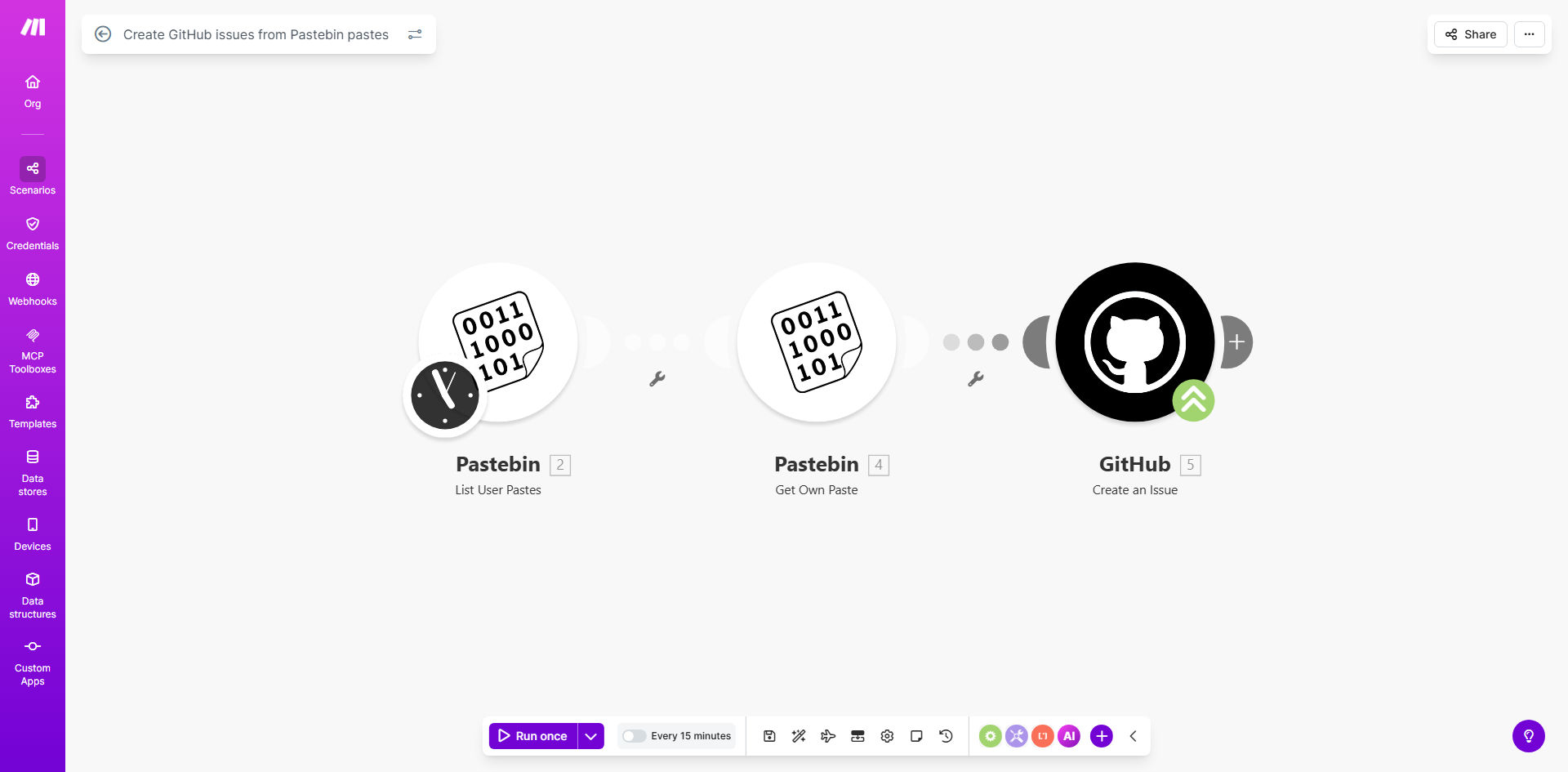
What This Workflow Does
This automation solves a common pain point for development teams who use Pastebin to share error logs, code snippets, or debugging information. Instead of manually copying content from Pastebin and creating GitHub issues, this workflow automatically monitors your Pastebin account and converts each new paste into a properly formatted GitHub issue.
The system preserves all the context from the original paste while adding structure to make the issues actionable. This eliminates the risk of losing track of important debugging information shared via Pastebin and ensures every technical discussion gets properly tracked in your project management system.
How It Works
1. Pastebin Monitoring
The workflow periodically checks your Pastebin account for new pastes based on your configured schedule (hourly, daily, etc.). It can filter pastes by title, content, or other criteria to only process relevant technical content.
2. Content Processing
Each new paste is analyzed and formatted according to your specifications. The system can extract key information like error types, affected components, or priority indicators from the paste content.
3. GitHub Issue Creation
The processed content is automatically created as a new GitHub issue in your specified repository. You can configure default labels, assignees, and project boards for these automatically created issues.
Who This Is For
This automation is ideal for:
- Development teams using Pastebin for quick debugging sessions
- Open source projects receiving bug reports via Pastebin
- QA teams sharing test results and error logs
- DevOps engineers tracking system incidents
- Technical support teams documenting customer issues
What You'll Need
- A Make.com account (free plan works)
- Pastebin Pro account (for API access)
- GitHub repository with issue tracking enabled
- Admin access to configure OAuth connections
Quick Setup Guide
- Clone the template in your Make.com account
- Connect your Pastebin account using API credentials
- Authorize access to your GitHub repository
- Configure filtering rules for which pastes to process
- Set your preferred GitHub issue formatting
- Choose your monitoring schedule (hourly recommended)
- Test with sample pastes before going live
Key Benefits
Saves 2-3 hours per week by eliminating manual copying of error logs and code snippets between systems. Developers can focus on fixing bugs rather than administrative tasks.
Reduces missed issues by ensuring every Pastebin shared in your team automatically becomes a trackable GitHub issue with proper context and assignment.
Improves accountability by linking temporary debugging discussions to permanent project records. No more "I thought someone else would handle it" situations.
Standardizes reporting by applying consistent formatting, labels, and metadata to all issues originating from Pastebin content.
Pro tip: Configure your workflow to add "[Pastebin]" prefix to all automatically created issues so your team can easily identify them.