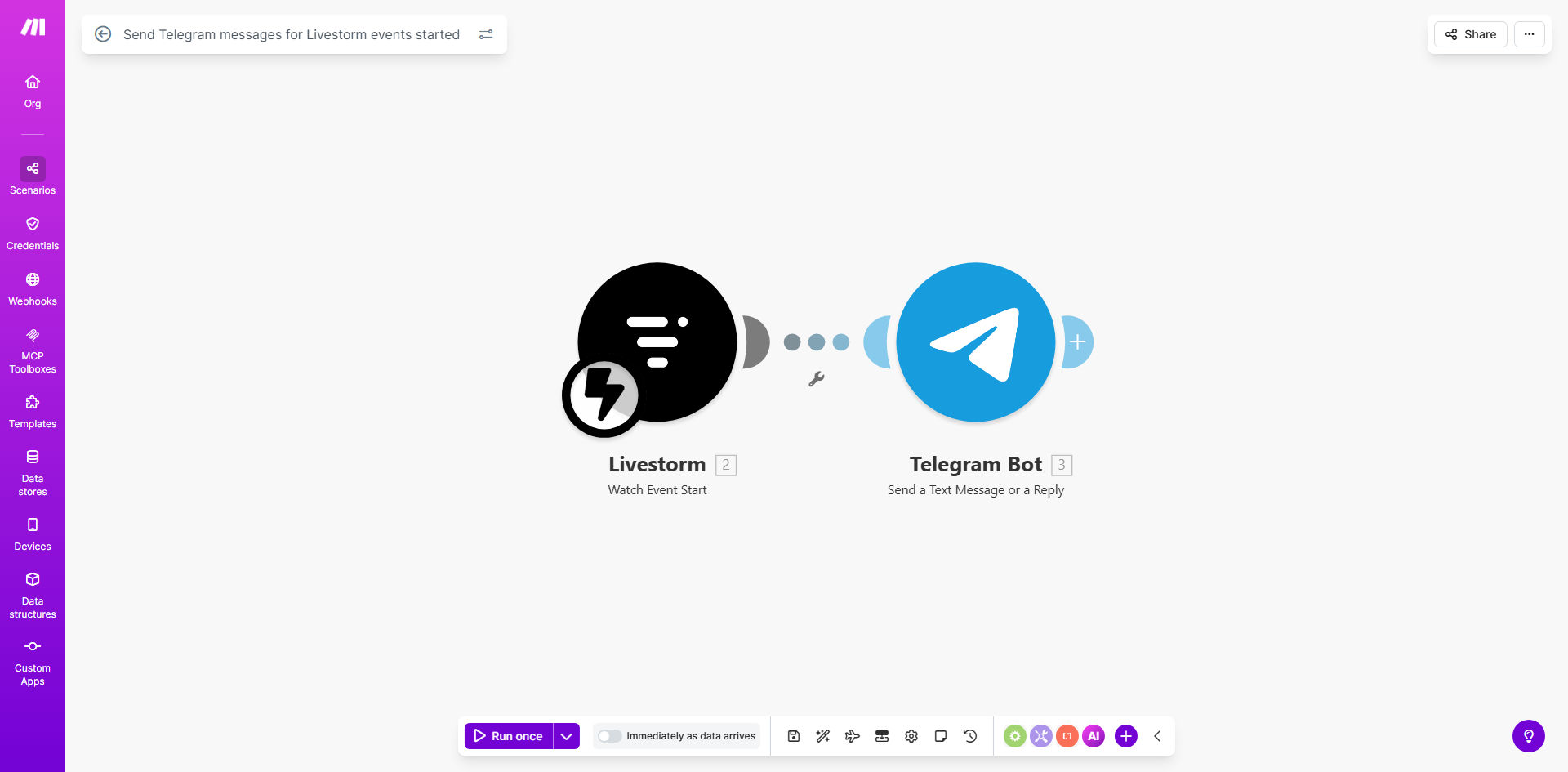
What This Workflow Does
Hosting a successful online event requires perfect timing. A delayed host or unprepared moderator can frustrate attendees and harm your brand's credibility. Manually monitoring the Livestorm dashboard for event start times is inefficient and prone to error, especially when managing multiple events or teams across different time zones.
This automation solves that problem by creating a direct, real-time bridge between Livestorm and Telegram. Every time a scheduled event's status changes to "started" or "live" in Livestorm, this workflow triggers instantly. It then crafts a customized notification and sends it directly to a specified Telegram chat, group, or channel. This ensures that everyone who needs to know—hosts, co-hosts, technical support, or community managers—is alerted the second the event begins, enabling them to join promptly and deliver a seamless experience.
How It Works
The workflow is built on Make.com and operates on a simple trigger-action principle, ensuring reliability and speed.
Step 1: Monitoring Livestorm for Event Start
The automation constantly watches your Livestorm account using a webhook or scheduled API check. The moment Livestorm signals that an event has transitioned from "scheduled" to "live," it captures this trigger. The system pulls key details about the event, such as its title, start time, direct join link, and host information.
Step 2: Processing and Formatting the Alert
Make.com receives the trigger data and prepares it for notification. This step allows you to customize the message. You can include dynamic variables like the event name, a clickable join link for quick access, and the current time. The message is formatted to be clear and actionable, ready for delivery.
Pro tip: Use Telegram's formatting options in your message. You can add bold text for the event title (**Event Title**) and include a prominent "Join Now" button using the direct event URL to maximize click-throughs.
Step 3: Sending the Instant Telegram Notification
Finally, the workflow uses the Telegram Bot API to send the formatted message. The alert arrives instantly in the pre-defined Telegram destination—whether it's a private group for your production team, a channel for all moderators, or a direct message to the main host. The entire process from event start to notification delivery takes mere seconds.
Who This Is For
This automation is invaluable for any business or individual using Livestorm for professional events. It's perfect for webinar hosts and coaches who run solo events and need a reliable personal reminder. Marketing and sales teams launching product demos can ensure their entire team is synchronized. Online course creators and educators managing live classes can keep instructors and TAs on schedule. Finally, corporate communications and HR teams conducting all-hands meetings or training sessions can guarantee key personnel are present from the very beginning.
What You'll Need
- A Make.com account (free tier available).
- An active Livestorm account with admin or editor access to the events you wish to monitor.
- A Telegram account and a Telegram Bot Token (created via @BotFather).
- The Chat ID of the Telegram group, channel, or user you want to send notifications to.
- (Optional) Basic information about your Livestorm events for testing.
Quick Setup Guide
You can have this automation running in under 15 minutes by following these steps:
- Clone the Template: Click the "Get This Workflow" button above to copy the ready-made scenario to your Make.com account.
- Connect Livestorm: In the first module, authorize Make.com to access your Livestorm account by logging in with your Livestorm credentials when prompted.
- Configure Telegram: In the Telegram module, paste your Bot Token and the target Chat ID. Send a test message to verify the connection.
- Customize Your Message: Edit the message template module. Insert the dynamic data from Livestorm (like `Event Title` and `Join Link`) to create a helpful alert.
- Activate and Test: Turn the scenario on. Start a test event in Livestorm or wait for your next scheduled event to begin. You should receive the Telegram notification instantly.
Key Benefits
Eliminate Late Starts and Improve Professionalism: Ensure your events always begin on time by instantly notifying the responsible team. This enhances the attendee experience and builds trust in your brand's reliability.
Save 5–10 Minutes Per Event on Manual Coordination: Remove the need for last-minute texts, Slack pings, or dashboard refreshing. This time adds up quickly for teams running multiple events per week.
Reduce "No-Show" Risk for Hosts and Moderators: Human memory is fallible. An automated, push-notification-style alert is far more effective than a calendar invite, drastically reducing the chance a key person misses the start.
Centralize Alerts for Distributed Teams: Whether your team is remote, in different offices, or on the go, everyone gets the same alert simultaneously on a platform (Telegram) they likely already have open on their phone and desktop.
Create an Audit Trail: Notifications logged in Telegram provide a simple record of when events started, which can be useful for post-event reviews, billing, or compliance.