Make.com CRM Integration Tax Compliance Automation Data Sync

Add new Quaderno contacts to ActiveCampaign

Automatically sync tax-compliant customer data between your compliance platform and CRM

Get This Workflow → Make.com · CRM Integration · Free Template
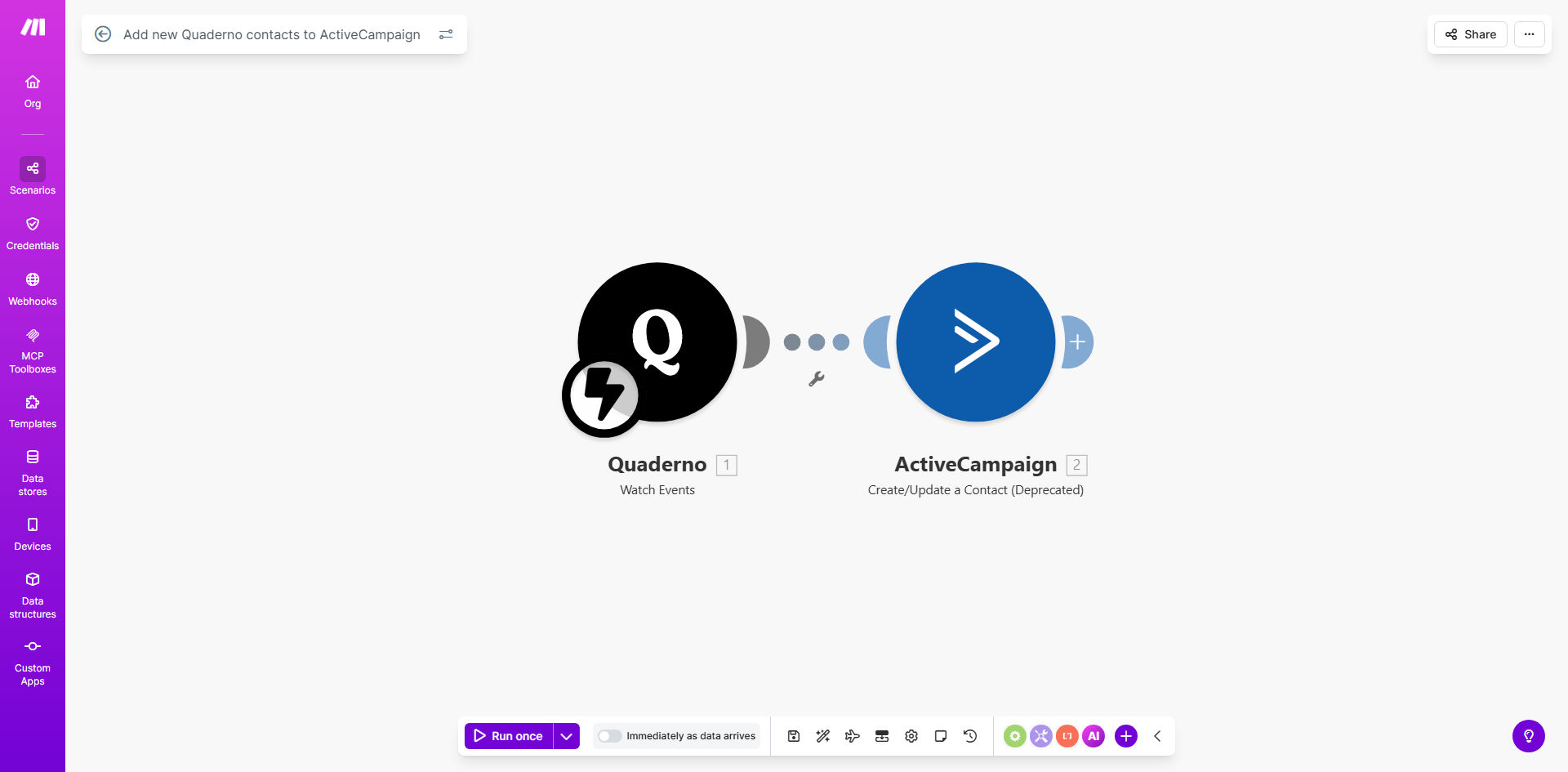
Make.com workflow interface showing Quaderno to ActiveCampaign contact sync automation

What This Workflow Does

This automation bridges the gap between your tax compliance system (Quaderno) and marketing CRM (ActiveCampaign). Every time a new customer is added to Quaderno - whether through your checkout process, manual entry, or API - the workflow automatically creates or updates their record in ActiveCampaign.

The solution eliminates the manual work of copying customer data between systems while ensuring your marketing team always works with tax-compliant customer information. This is particularly valuable for international businesses that need to maintain proper tax documentation across different jurisdictions.

How It Works

1. New contact detection

The workflow monitors Quaderno for new contact creations through real-time webhooks or scheduled checks. When a new contact appears, the system captures all relevant tax and customer data.

2. Data transformation

Contact information is formatted to match ActiveCampaign's field structure. The workflow can handle complex mappings like converting Quaderno's tax categories to ActiveCampaign tags or custom fields.

3. CRM record creation

The processed contact data is pushed to ActiveCampaign through its API. The workflow checks for existing contacts to prevent duplicates and can update records if configured.

4. Error handling

If any step fails (network issues, API limits, validation errors), the workflow retries according to configured rules and can notify administrators if manual intervention is needed.

Who This Is For

This automation delivers the most value for:

  • Ecommerce businesses using Quaderno for tax compliance and ActiveCampaign for marketing
  • SaaS companies with international customers needing tax documentation
  • Businesses selling digital products or services with VAT obligations
  • Teams that manually export/import customer data between systems
  • Organizations requiring audit trails for customer tax information

What You'll Need

  1. Active Quaderno account with API access enabled
  2. ActiveCampaign account with API credentials
  3. Make.com account (free tier sufficient for basic usage)
  4. List of customer fields you want to sync between systems
  5. Understanding of your tax compliance requirements

Quick Setup Guide

  1. Install the template in your Make.com account
  2. Connect your Quaderno account in the "Watch Contacts" module
  3. Configure which contact events should trigger the workflow
  4. Map Quaderno fields to corresponding ActiveCampaign fields
  5. Test with sample data before activating the live workflow

Key Benefits

Eliminates 2-5 hours per week of manual data entry between your compliance and marketing systems.

Reduces human errors by automating the transfer of sensitive tax information between platforms.

Improves marketing effectiveness by ensuring campaigns use tax-compliant customer data.

Maintains compliance by keeping CRM records synchronized with official tax documentation.

Scales effortlessly as your customer base grows across different tax jurisdictions.

Pro tip: Use ActiveCampaign's tagging system to categorize customers by tax status (VAT, GST, exempt) for targeted communications.

Frequently Asked Questions

Common questions about Quaderno and ActiveCampaign integration

Syncing Quaderno contacts with ActiveCampaign ensures your CRM always has updated customer tax information while eliminating manual data entry. This creates a single customer view across financial compliance and marketing systems.

For example, when a European customer provides their VAT ID during checkout, this information automatically flows to ActiveCampaign where it can trigger region-specific email sequences or exclude the customer from VAT-related communications.

The workflow transfers contact details like name, email, tax ID, and billing information. You can customize which fields to map based on your business needs and compliance requirements.

Typical mappings include: Quaderno customer name → ActiveCampaign full name, Quaderno tax ID → ActiveCampaign custom field, Quaderno country → ActiveCampaign location tag. Sensitive data like full payment histories typically remain in Quaderno.

By automatically syncing tax-compliant customer data, you ensure marketing communications use accurate information while maintaining compliance. Customers receive personalized messages without manual data updates.

A practical example: When a business customer provides their tax-exempt certificate in Quaderno, ActiveCampaign immediately tags them appropriately so they don't receive tax-related emails - creating a smoother customer experience.

Yes, you can configure rules to only sync contacts from specific countries, with certain tax statuses, or meeting other criteria. This prevents unnecessary contacts from cluttering your CRM.

Common filters include: Only sync customers who made purchases (not just inquiries), exclude test/sandbox contacts, or limit to particular tax jurisdictions where you need compliance tracking.

  • Filter by customer type (B2B vs B2C)
  • Exclude zero-dollar transactions
  • Only sync after first successful payment

The workflow can be set to either update existing records or skip duplicates. Most businesses choose to update records to keep tax information current in their CRM.

For instance, if a customer updates their VAT status in Quaderno, the workflow can overwrite the old value in ActiveCampaign. Alternatively, you can configure it to only update specific fields while preserving other CRM data.

Make.com's integration handles error checking and retries failed syncs automatically. The workflow includes validation steps to ensure data accuracy before transferring to ActiveCampaign.

The system maintains delivery receipts and can provide audit logs showing exactly when each contact was processed. For mission-critical data, you can add manual review steps for certain record types.

Yes, GrowwStacks specializes in building tailored automation between Quaderno and ActiveCampaign. We can add custom field mappings, conditional logic, and integration with other tools in your stack.

Our typical customizations include: Adding intermediate data validation steps, integrating with your payment processor for additional context, or creating bi-directional syncs where ActiveCampaign data also flows back to Quaderno when needed.

  • Custom tax logic for different regions
  • Multi-step approval workflows
  • Historical data backfilling

Need a Custom Tax Compliance Automation?

This free template is a starting point. Our team builds fully tailored automation systems for your specific business needs.