What This Workflow Does
For businesses using Quaderno for billing, invoicing, and tax compliance, customer data is gold. But when that data is trapped in one system, it creates silos. Your sales team needs contact details in Google Contacts for outreach, your support team needs them for service, and you need them accessible everywhere. Manually copying and pasting this information is a tedious, error-prone task that wastes valuable time.
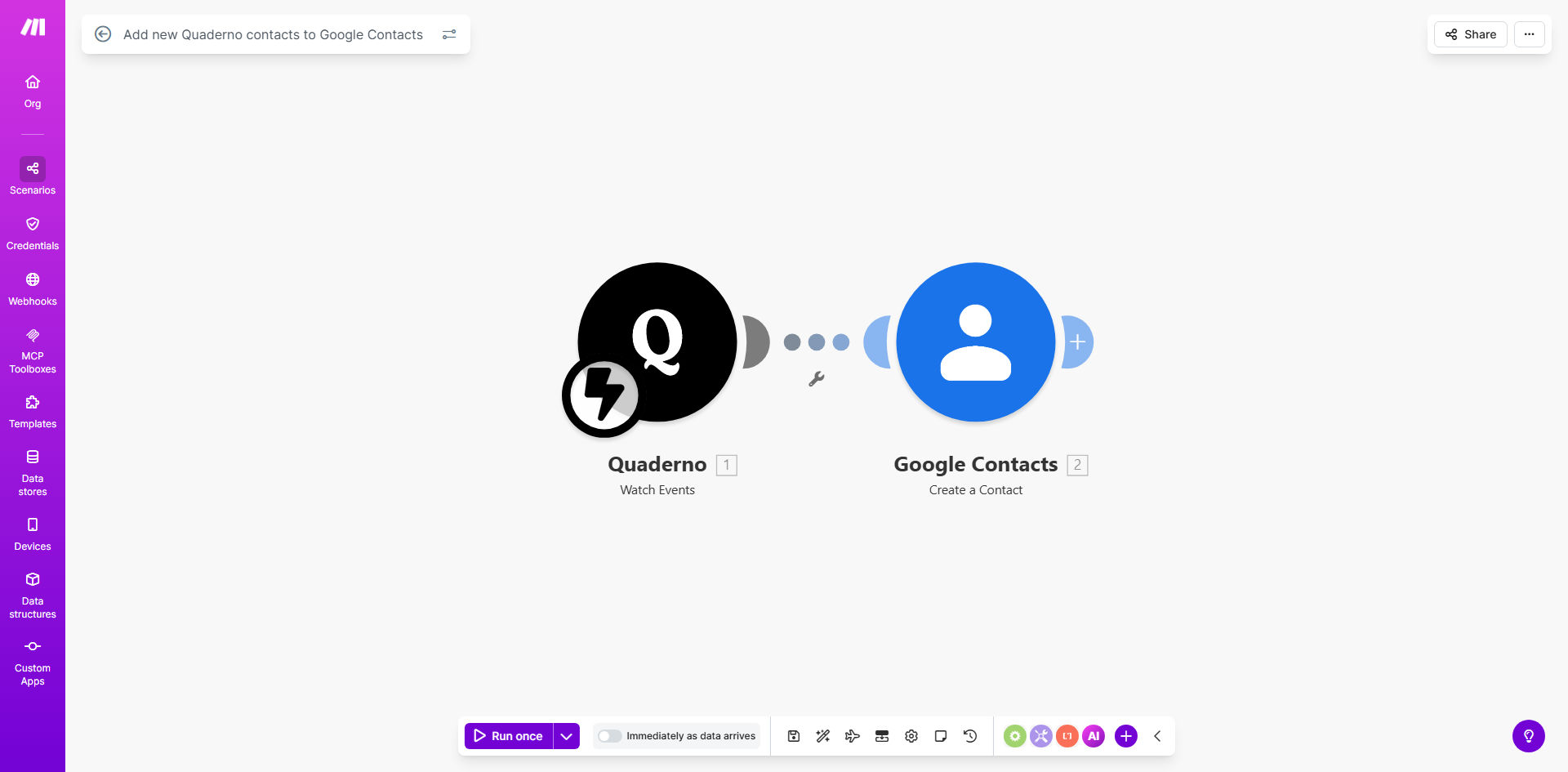
This automation solves that problem completely. It acts as a digital bridge between Quaderno and Google Contacts. The moment a new contact is created in Quaderno—whether it's a new customer, a lead, or a vendor—this workflow triggers. It securely retrieves the contact's details and automatically creates a corresponding entry in your specified Google Contacts list. The process is instantaneous, accurate, and requires zero ongoing effort from you or your team.
How It Works
The workflow is built on Make.com and operates on a simple trigger-action principle. Here’s the step-by-step process:
Step 1: The Trigger in Quaderno
The scenario constantly monitors your Quaderno account for a specific event: the creation of a new contact. This could be through a manual entry, an API integration, or an imported list. Make.com detects this new entry instantly.
Step 2: Data Retrieval & Mapping
Once triggered, the workflow fetches all relevant data fields for the new contact from Quaderno. This typically includes the contact's full name, email address, phone number, company name, and physical address. The workflow is pre-configured to map these Quaderno fields to the correct corresponding fields in Google Contacts.
Pro tip: You can easily customize which fields are synced. For instance, you might choose to include the Quaderno contact ID as a note in Google Contacts for easy cross-referencing later.
Step 3: Creation in Google Contacts
With the data prepared, the workflow authenticates with your Google account and executes the "Create a Contact" action. It places the new contact into a designated contact group or label (like "Clients" or "Quaderno Sync"), keeping your address book organized. The entire process from trigger to completion takes just seconds.
Who This Is For
This automation is ideal for any business that uses Quaderno for financial operations and relies on Google Workspace for daily communication and collaboration.
- Freelancers & Consultants: Automatically add new clients from Quaderno invoices to your address book for easy email and meeting scheduling.
- SaaS Companies & Digital Agencies: Ensure your sales and customer success teams immediately have new customer details for onboarding and support.
- E-commerce Businesses: Sync customer billing information from Quaderno to enrich customer profiles for marketing and service.
- Finance Teams: Eliminate the need to manually export and share customer contact lists with other departments.
What You'll Need
- A Make.com account (free tier available).
- An active Quaderno account with contacts.
- A Google account with access to Google Contacts.
- API credentials or OAuth access for both Quaderno and Google (Make.com guides you through this simple setup).
Quick Setup Guide
- Clone the Template: Click "Get This Workflow" to copy the template into your Make.com account.
- Connect Quaderno: In the first module, authorize Make.com to access your Quaderno account using your API key.
- Connect Google Contacts: In the second module, authorize the connection to your Google account, granting permissions to manage contacts.
- Test the Flow: Create a test contact in Quaderno and run the scenario once to see it appear in Google Contacts.
- Activate & Forget: Turn the scenario to "ON." It will now run automatically in the background, handling all new contacts.
Key Benefits
Save 2-5 hours per week on manual data entry. This time can be redirected to revenue-generating activities or strategic work instead of administrative copying and pasting.
Eliminate 100% of human typing errors in contact transfers. Automated data mapping ensures phone numbers, emails, and names are always accurate and consistently formatted.
Improve team collaboration and responsiveness. When a new customer signs up, your entire team has their details instantly available in a shared, searchable address book, speeding up onboarding and support.
Maintain a single source of truth. Quaderno remains your primary system of record for billing, while Google Contacts becomes its automatically updated mirror for communication, ensuring data consistency across your tech stack.
Scale your operations effortlessly. Whether you add 10 or 100 new contacts a day, the automation handles the workload instantly without any additional cost or effort from your team.