Make.com Email Marketing CRM Sync No-Code Automation

Automatically Add Quaderno Contacts to Mailchimp

Seamlessly sync your billing contacts with your email list. Every new Quaderno contact becomes a Mailchimp subscriber instantly—no manual work required.

Get This Workflow → Make.com · Free Template
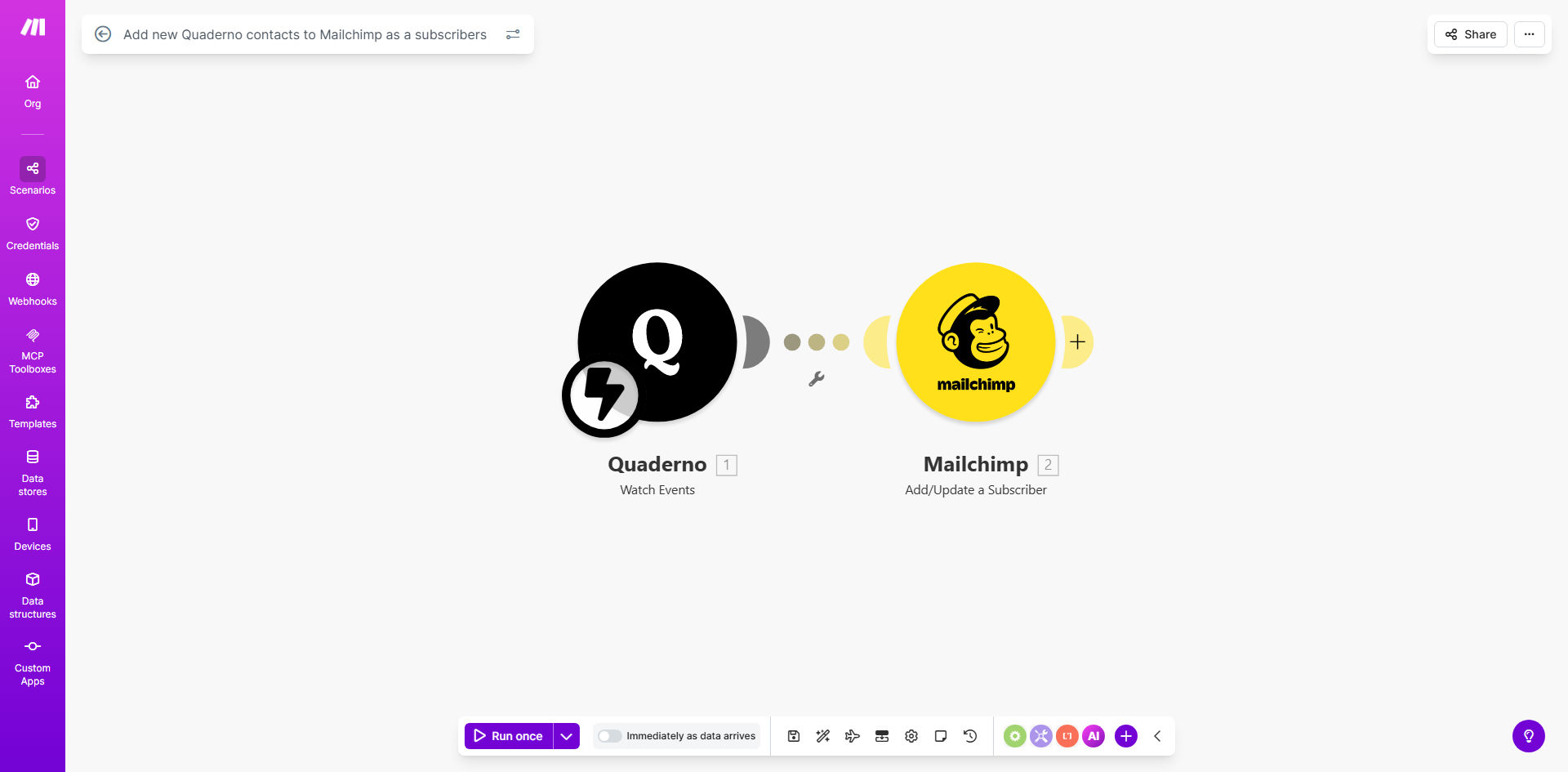
Diagram showing automation flow from Quaderno to Mailchimp adding new contacts as subscribers

What This Workflow Does

For businesses using Quaderno for invoicing and tax management, customer contact data is gold. But if that data sits isolated from your email marketing platform in Mailchimp, you're missing a huge opportunity to nurture those relationships. Manually copying and pasting contact details is tedious, error-prone, and often gets forgotten.

This automation solves that disconnect. It acts as a real-time bridge between your financial operations and your marketing engine. Whenever a new contact is created in Quaderno—be it a new customer, lead, or partner—this workflow instantly and accurately adds them as a subscriber to your designated Mailchimp audience. It turns a manual, administrative task into a seamless, background process that fuels your growth.

How It Works

The workflow is built on Make.com and follows a simple, reliable trigger-action pattern.

Step 1: Monitor for New Quaderno Contacts

The scenario starts by watching your Quaderno account for the "Contact Created" event. This is the trigger. It could be a new client you just invoiced, a lead who downloaded a tax guide, or a supplier you've added to the system.

Step 2: Extract and Prepare Contact Data

Once a new contact is detected, Make captures the relevant data: email address, first name, last name, company, and any custom fields you've defined. This step ensures we have clean, structured information ready for Mailchimp.

Pro tip: Use this step to filter contacts. You might only want to add contacts from a specific country or those tagged as "Customer" to keep your marketing list highly targeted.

Step 3: Add Subscriber to Mailchimp

The prepared data is then sent to your Mailchimp account via its API. The contact is added to your chosen audience list with a "subscribed" status. You can map Quaderno fields directly to Mailchimp merge tags for perfect personalization.

Step 4: (Optional) Log and Notify

The final module can log the successful addition in a Google Sheet or send a brief notification to a Slack channel for your team's visibility, completing a fully transparent, hands-off process.

Who This Is For

This automation is ideal for freelancers, agencies, SaaS companies, and e-commerce businesses that use Quaderno for billing and Mailchimp for email marketing. It's perfect for solopreneurs who want to save time, marketing teams needing a reliable contact sync, and finance-conscious businesses looking to maximize the value of their existing tools without adding more manual processes.

What You'll Need

  1. A Make.com account (free tier available).
  2. An active Quaderno account with contacts.
  3. A Mailchimp account with at least one audience list set up.
  4. API keys or OAuth access for both Quaderno and Mailchimp (Make will guide you through the secure connection process).

Quick Setup Guide

You can have this automation running in under 10 minutes.

  1. Clone the Template: Click "Get This Workflow" to copy the ready-made scenario into your Make.com account.
  2. Connect Your Apps: Authorize the scenario to access your Quaderno and Mailchimp accounts. This is a secure, one-time process.
  3. Configure the Trigger: Select the specific Quaderno event (Contact Created) that will start the automation.
  4. Map the Data: In the Mailchimp module, choose your target audience and map the fields from Quaderno (like email to EMAIL, first name to FNAME).
  5. Test & Activate: Run a test with an existing contact to ensure data flows correctly, then turn the scenario on. It will now run automatically.

Key Benefits

Eliminate Manual Data Entry: Save 2-5 hours per month by automatically syncing contacts, time better spent on crafting campaigns.

Improve List Accuracy and Hygiene: Automated transfers eliminate typos and forgotten imports, ensuring your Mailchimp list is always accurate and growing.

Speed Up Lead Nurturing: New contacts are added to Mailchimp within seconds, allowing you to trigger welcome emails or onboarding sequences immediately, which can increase engagement by up to 30%.

Create a Unified Customer View: Bridge the gap between your billing data and marketing outreach for more personalized, effective communication based on actual customer interactions.

Scale Your Processes Effortlessly: Whether you add 10 or 1000 new contacts a month, the workflow handles it without any additional effort from you or your team.

Frequently Asked Questions

Common questions about Quaderno and Mailchimp integration automation

Connecting Quaderno and Mailchimp ensures your email marketing list is always up-to-date with your latest customers and leads. This eliminates manual data entry, reduces errors, and helps you start nurturing relationships immediately after a contact is created, which can significantly improve conversion rates.

For example, a new customer who just received their first invoice can automatically get a thank-you email and a guide to your services, making them feel valued from day one.

You can map key contact details like name, email address, company, and custom fields from Quaderno to corresponding fields in Mailchimp. This allows for personalized segmentation and targeted email campaigns based on customer data you already collect through your invoicing and tax platform.

Beyond basics, you could sync the contact's country for geo-targeted campaigns, their total lifetime value for VIP messaging, or specific product tags for relevant content offers.

Automation eliminates the need to manually export contacts from Quaderno and import them into Mailchimp. For businesses adding dozens of contacts weekly, this can save 2-5 hours per month, freeing up time for strategy and content creation while ensuring no lead falls through the cracks.

The time saved compounds. That's 24-60 hours per year regained—equivalent to an entire workweek—that can be reinvested into growing your business instead of managing spreadsheets.

Yes, with automation platforms like Make.com, you can set up filters. For example, you might only add contacts from a specific country, those with a completed invoice, or exclude certain tags. This keeps your Mailchimp audience relevant and improves email deliverability and engagement.

Common filters include:

  • Only sync contacts with a valid email address.
  • Exclude contacts tagged as "Supplier" or "Internal."
  • Only add customers who have made a payment over a certain amount.

A unified list provides a single customer view, enabling consistent messaging across billing and marketing. It allows for automated welcome sequences for new customers, targeted upsell campaigns based on purchase history, and better lifecycle marketing, all of which drive customer loyalty and repeat business.

Imagine sending a special offer to customers who purchased a specific service last quarter. With a unified list, this targeted campaign is simple to execute and far more effective than a generic blast.

No, using a pre-built template like this one makes setup straightforward. It typically involves authorizing both your Quaderno and Mailchimp accounts and mapping the data fields you want to transfer. The entire process can be completed in under 15 minutes without any coding knowledge.

Make.com provides a visual interface where you simply click to connect services and drag to map data. It's designed for business users, not developers, so you can own and modify the process yourself.

Absolutely. GrowwStacks specializes in building tailored automation systems. We can create custom workflows that include advanced filtering, data transformation, triggering specific email sequences, or integrating additional apps like your CRM or helpdesk to create a complete marketing and sales engine.

Our team will analyze your specific process and build a solution that fits perfectly. Whether you need to sync only EU customers, add tags based on invoice amounts, or trigger a complex multi-step nurture campaign, we can make it happen.

  • Get a workflow designed for your unique business rules.
  • Integrate with other tools in your stack (CRM, Slack, Google Sheets).
  • Ongoing support and optimization as your needs change.

Need a Custom Quaderno & Mailchimp Automation?

This free template is a starting point. Our team builds fully tailored automation systems for your specific business needs.