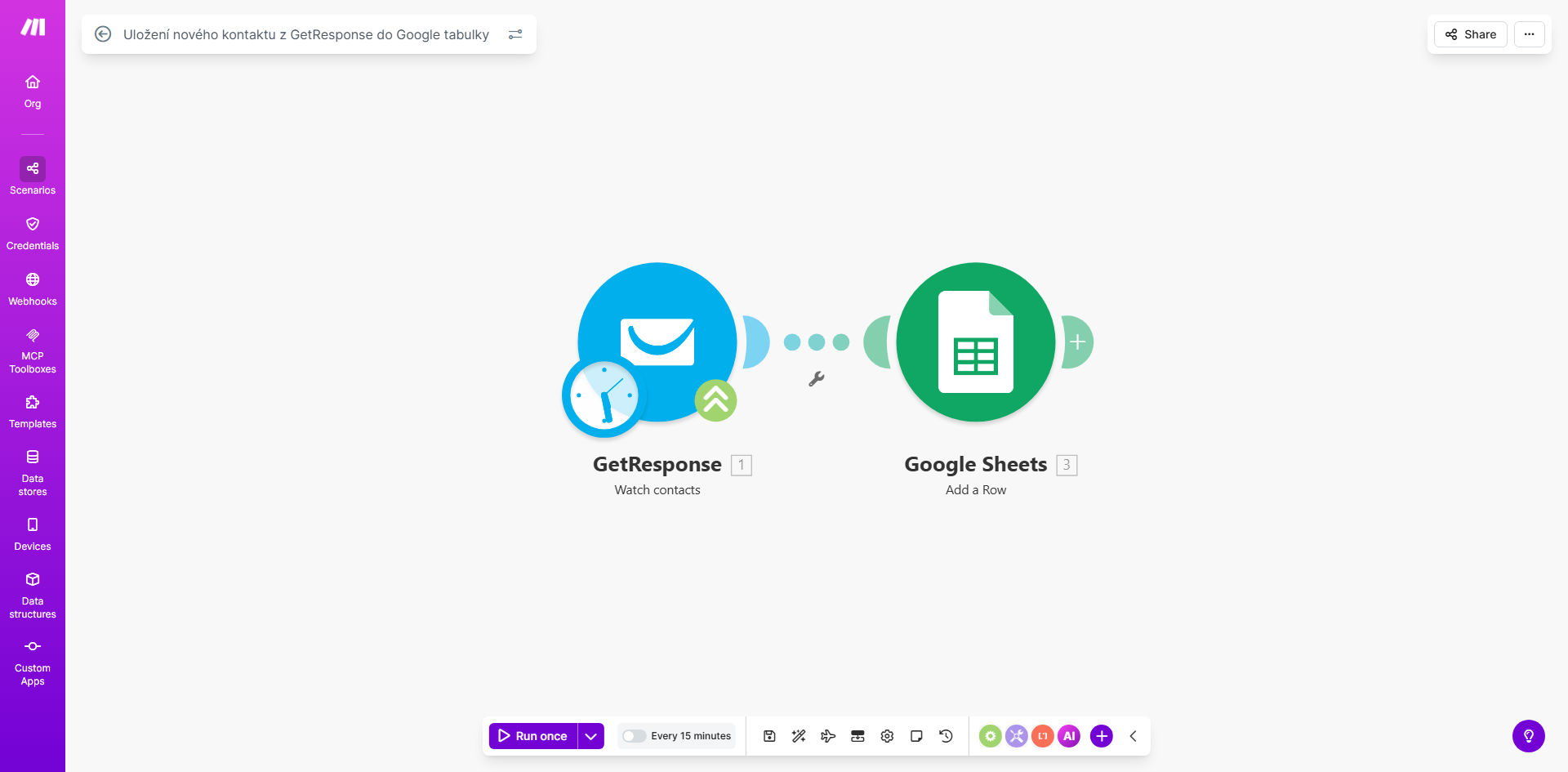
What This Workflow Does
This automation solves the tedious manual process of exporting new email subscribers from GetResponse and copying them into spreadsheets. Every time someone joins your email list through a form, landing page, or other GetResponse integration, their contact details are automatically added as a new row in your designated Google Sheet.
The workflow creates a living backup of your email list while enabling powerful spreadsheet-based contact management. Marketing teams can track subscriber growth, sales teams can access lead information without GetResponse access, and analysts can create custom reports using spreadsheet functions that aren't available in GetResponse.
How It Works
1. New Contact Trigger
The workflow monitors your GetResponse account for new contact additions through webhooks or API polling. When a new subscriber is detected, their complete contact record is captured.
2. Data Formatting
The contact information is structured to match your Google Sheets columns. Standard fields like name, email, and subscription date are included by default, with options to add custom fields and tags.
3. Spreadsheet Update
Make.com authenticates with your Google account and appends the contact data as a new row in your specified spreadsheet. The template includes error handling for duplicate entries and failed connections.
Pro tip: Add a timestamp column to track exactly when each contact was added to your sheet. This helps with reporting and identifying sync delays.
Who This Is For
This automation benefits marketing teams, small business owners, and agencies who use GetResponse for email marketing but need better contact management capabilities. It's particularly valuable for:
- Businesses that share lead lists across departments
- Teams requiring spreadsheet-based reporting on email campaigns
- Companies that integrate email data with other systems through Sheets
- Marketers who want a backup of their subscriber list outside GetResponse
What You'll Need
- An active GetResponse account with contacts
- A Google account with Sheets access
- A Make.com account (free plan available)
- A Google Sheet prepared with column headers matching your desired contact fields
Quick Setup Guide
- Clone the template in your Make.com account
- Connect your GetResponse account via API key
- Authorize access to your Google Sheets
- Specify your target spreadsheet and worksheet
- Map GetResponse fields to your sheet columns
- Test with a new contact and verify the sync
- Activate the workflow for automatic operation
Key Benefits
Eliminate manual data entry - Save 2-5 hours per week typically spent exporting and importing contact lists between systems.
Maintain data accuracy - Automated transfers reduce human error in contact information handling by 90% compared to manual processes.
Enable team collaboration - Spreadsheet access allows non-marketing team members to work with contact data without GetResponse training.
Create custom reports - Leverage Google Sheets functions to analyze subscriber patterns, campaign performance, and lead sources.
Build integration bridges - Use the spreadsheet as a staging area to connect GetResponse with CRM, helpdesk, and other business tools.