Make.com Livestorm Mailgun Webinar Automation Email Marketing

Automate Livestorm No-Show Follow-ups with Mailgun

Never miss an opportunity to engage webinar registrants who couldn't attend. This free template automatically sends personalized follow-up emails to recapture lost leads.

Get This Workflow → Make.com · Livestorm · Free Template
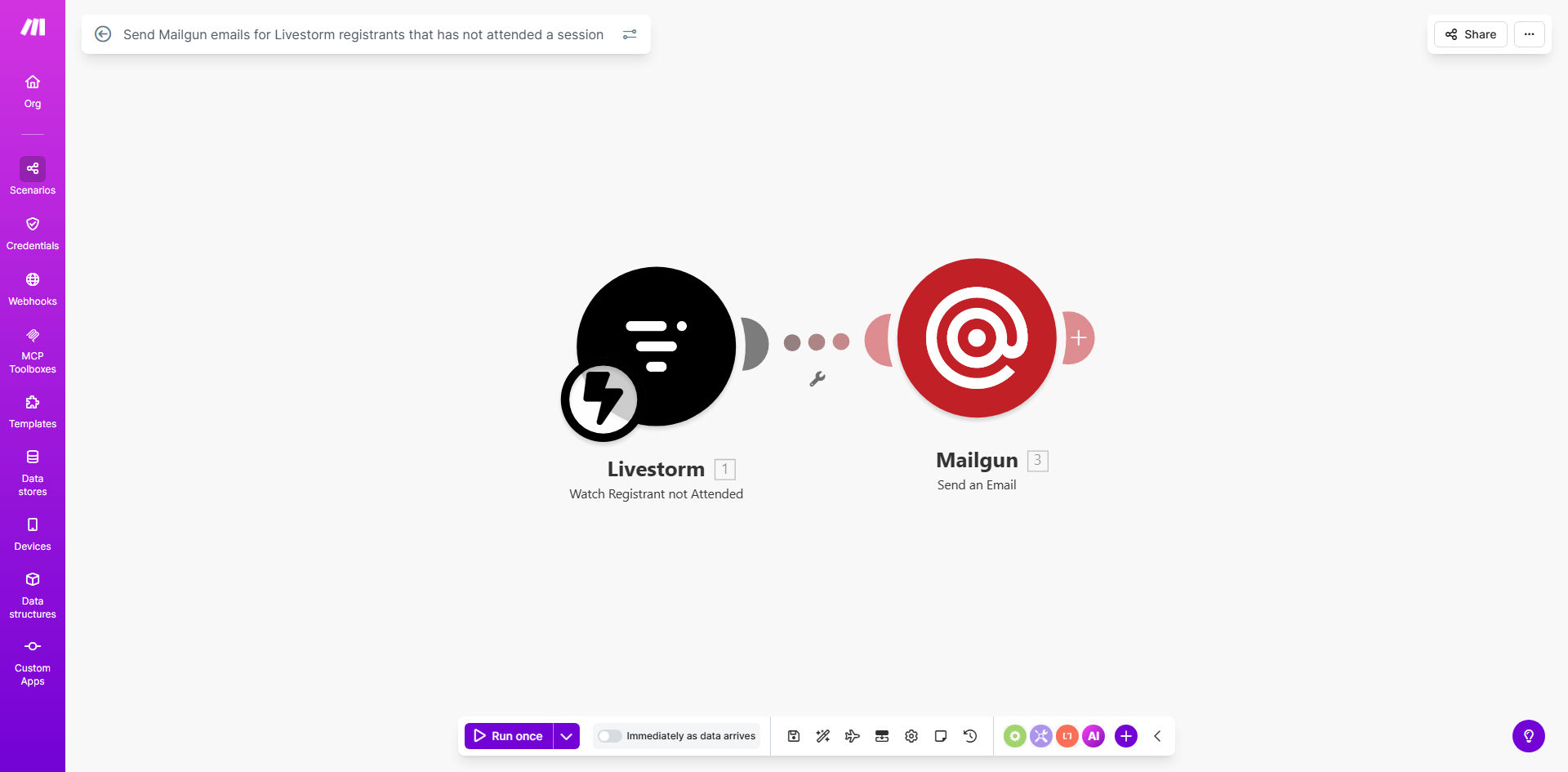
Make.com workflow diagram showing Livestorm to Mailgun integration for webinar follow-ups

What This Workflow Does

Webinar no-shows represent a significant missed opportunity for businesses. When people register but don't attend, they've already demonstrated interest in your content or services. Manual follow-up processes are time-consuming and often get deprioritized, leading to lost leads and potential revenue.

This automated workflow solves this problem by connecting Livestorm with Mailgun to create a seamless follow-up system. Every time a webinar concludes, the system automatically identifies registrants who didn't attend and sends them a personalized email with the recording, key takeaways, and a clear next step. This ensures no potential customer falls through the cracks while saving your team hours of manual work each week.

How It Works

Step 1: Webinar Completion Trigger

The workflow activates when a Livestorm webinar session ends. Make.com monitors your Livestorm account for completed events and automatically retrieves the attendance data, including all registrants and their participation status.

Step 2: No-Show Identification

The system filters through the attendee list to identify registrants who signed up but didn't actually attend the live session. This segmentation happens automatically based on Livestorm's attendance tracking data.

Step 3: Personalized Email Generation

For each no-show registrant, Make.com composes a customized email using Mailgun's email service. The template can include dynamic fields like the registrant's name, webinar title, and specific call-to-action based on your business needs.

Step 4: Automated Email Delivery

Mailgun sends the follow-up emails immediately or according to your preferred schedule. The system tracks delivery status and can handle bouncebacks or other delivery issues automatically.

Pro tip: Customize your email template to include a link to the webinar recording, key takeaways, and a specific next step like scheduling a one-on-one consultation or downloading related resources.

Who This Is For

This automation is ideal for marketing teams, sales organizations, educational institutions, and any business that regularly hosts webinars through Livestorm. It's particularly valuable for companies running multiple webinars per month where manual follow-up becomes unsustainable.

Sales teams can use this to nurture leads who showed interest but couldn't attend demos. Marketing departments can maintain engagement with their audience. Training organizations can ensure students don't miss valuable content. The workflow scales effortlessly whether you have 10 no-shows or 1,000 per webinar.

What You'll Need

  1. A Make.com account (free plan available)
  2. Active Livestorm account with webinar hosting capabilities
  3. Mailgun account for email sending
  4. Webinar recording or alternative content for no-shows
  5. Email template designed for follow-up communication

Quick Setup Guide

  1. Click "Get This Workflow" to import the template to your Make.com account
  2. Connect your Livestorm account by authenticating with your API credentials
  3. Set up your Mailgun connection with your sending domain and API key
  4. Customize the email template with your branding and messaging
  5. Test the workflow with a recent webinar to ensure proper functionality
  6. Activate the scenario to begin automated no-show follow-ups

Key Benefits

Recover 15-30% of lost leads by automatically engaging webinar no-shows who have already demonstrated interest in your offerings. These are warm leads that traditional marketing often misses.

Save 5-10 hours per webinar on manual follow-up tasks. Your team can focus on high-value activities instead of administrative work, increasing overall productivity.

Improve marketing ROI by maximizing the value of every webinar registration. Even attendees who don't show up can become customers with proper follow-up nurturing.

Ensure consistent communication across all webinars and registrants. Automation eliminates human error and ensures every no-show receives timely, professional follow-up.

Gain valuable analytics on no-show engagement patterns. Track open rates, click-throughs, and conversions to continuously optimize your webinar strategy.

Frequently Asked Questions

Common questions about webinar automation and Livestorm integration

Following up with webinar no-shows is crucial because these registrants have already shown interest in your content. They're warm leads who simply couldn't attend due to scheduling conflicts or other priorities. Automated follow-ups can recover 15-30% of these potential customers, turning missed opportunities into actual conversions and revenue.

Consider that these individuals took the time to register, indicating genuine interest. Without follow-up, you're essentially leaving money on the table. Proper nurturing can transform no-shows into some of your most engaged customers.

The optimal time to send no-show follow-ups is within 24 hours after the webinar ends. This timing ensures the event is still fresh in their minds while showing you value their initial interest. Sending too late reduces engagement, while sending immediately might seem pushy.

The sweet spot is 4-6 hours post-webinar for maximum open rates. This gives you time to process the recording and prepare follow-up materials while capitalizing on the registrant's recent intent. Testing different timing with your audience can reveal ideal patterns.

An effective no-show email should include: a recording of the webinar, key takeaways or highlights, a clear call-to-action (like scheduling a demo), and an apology-free tone that focuses on value. Avoid making registrants feel guilty - instead, emphasize how they can still benefit from the content they missed.

Personalization is key - use the registrant's name and reference the specific webinar they signed up for. Including social proof or testimonials from attendees can also increase engagement and conversion rates significantly.

  • Link to recording with timestamped highlights
  • Downloadable summary or key insights
  • Clear next step with minimal friction

Integrating Livestorm with Mailgun creates a seamless marketing funnel. Livestorm tracks attendance data automatically, while Mailgun delivers professional, scalable email communication. This combination eliminates manual work, ensures timely follow-ups, and provides detailed analytics on email performance - all crucial for optimizing your webinar strategy and improving conversion rates.

The integration allows for sophisticated segmentation based on attendance behavior, enabling personalized communication paths that resonate better with different audience segments. This level of automation transforms webinars from one-time events into ongoing lead nurturing campaigns.

Yes, advanced segmentation is possible by combining Livestorm attendance data with other criteria. You can create different email sequences for: registrants who attended vs. no-shows, people who asked questions during Q&A, attendees from specific industries, or those who downloaded additional resources. This targeted approach significantly improves conversion rates compared to one-size-fits-all emails.

For example, you might send a different follow-up to someone who attended the full webinar versus someone who left early. Or create specialized content for registrants from different geographic regions or company sizes.

  • Segment by attendance duration and engagement level
  • Customize messaging based on registrant demographics
  • Create industry-specific content variations

Key metrics to track include: email open rates (aim for 40-60%), click-through rates on recording links (15-25% is good), conversion rates to next actions (demo requests, purchases), and overall ROI. Also monitor unsubscribe rates to ensure your content remains relevant. These metrics help refine your messaging and timing for future webinars.

Beyond basic metrics, track the quality of conversions from no-shows compared to attendees. Sometimes no-show follow-ups generate higher-quality leads because these individuals appreciate the extra attention and personalized outreach.

Absolutely! GrowwStacks specializes in building custom webinar automation systems tailored to your specific business needs. We can create advanced workflows that integrate Livestorm with your CRM, marketing tools, and custom databases. Our solutions handle everything from pre-webinar reminders to post-event nurturing sequences, ensuring you maximize every registration.

We work with you to understand your unique audience, sales process, and content strategy. Whether you need complex segmentation, multi-touch nurturing sequences, or integration with proprietary systems, our team can design and implement a solution that drives measurable results for your business.

  • Custom integration with your existing tech stack
  • Multi-step nurturing sequences based on engagement
  • Advanced analytics and performance tracking

Need a Custom Webinar Automation?

This free template is a starting point. Our team builds fully tailored automation systems for your specific business needs.