Make.com Call Tracking Excel Automation Callingly Data Integration

Log your Callingly call history in Microsoft Excel 365

Automatically track every call detail without manual data entry

Get This Workflow Make.com · Call Tracking · Free Template
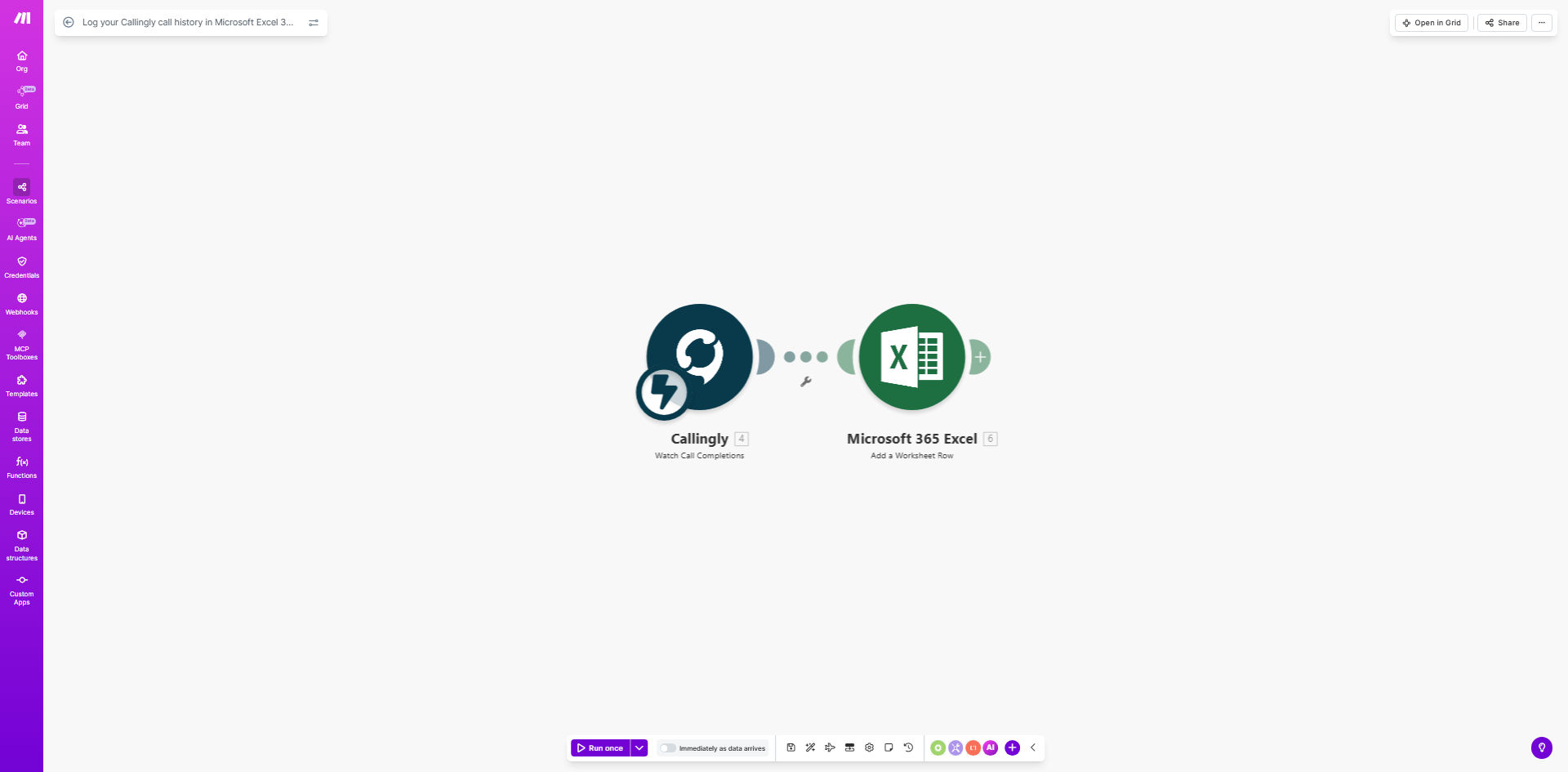
Visualization of Callingly call data being logged in Excel spreadsheet

What This Workflow Does

This automation solves the tedious manual process of tracking call history by automatically logging every Callingly call directly into Microsoft Excel 365. Each incoming call triggers the system to record essential details like caller information, call duration, timestamps, and call disposition.

Businesses using phone systems like Callingly often struggle with incomplete call logs, manual data entry errors, and time wasted compiling reports. This workflow eliminates those pain points by creating a real-time, searchable call database that's always up-to-date and accessible for analysis.

How It Works

1. Call Detection

The workflow monitors your Callingly account for new incoming or outgoing calls through instant webhook notifications or API polling at regular intervals.

2. Data Extraction

When a call is detected, the system extracts all available call metadata including caller ID, call direction (inbound/outbound), start/end times, duration, and any custom tags or notes.

3. Excel Integration

The call data is formatted and appended to your designated Excel spreadsheet, either creating new rows or updating existing records based on your configuration.

4. Error Handling

The system includes built-in retry logic for failed operations and can send alerts if calls fail to log properly, ensuring data completeness.

Who This Is For

This automation is ideal for sales teams, customer support centers, and any business that relies on phone communications and needs accurate call tracking. Particularly valuable for:

  • Sales teams tracking prospect calls and conversions
  • Customer service departments monitoring support volumes
  • Field service businesses logging client call histories
  • Marketing teams measuring call response to campaigns
  • Legal and medical offices requiring call documentation

What You'll Need

  1. An active Callingly account with API access
  2. Microsoft Excel 365 (desktop or online version)
  3. A Make.com account (free tier available)
  4. Basic understanding of Excel spreadsheet structure
  5. 5-10 minutes for initial setup

Quick Setup Guide

  1. Download the template from Make.com and open in your account
  2. Connect your Callingly account via OAuth or API key
  3. Specify your target Excel file location (OneDrive/SharePoint)
  4. Map Callingly data fields to your Excel column headers
  5. Test with sample calls and verify data appears correctly
  6. Activate the automation and monitor initial logs

Pro tip: Create a separate Excel tab for each month/year to keep files manageable. Use Excel's table formatting for automatic filtering and sorting capabilities.

Key Benefits

Eliminate manual data entry: Save 2-5 hours per week previously spent copying call details between systems.

Improve call tracking accuracy: Automated logging captures 100% of calls with complete metadata, reducing missed records.

Enable powerful analytics: Excel's tools let you analyze call patterns, peak times, and agent performance with pivot tables and charts.

Maintain compliance: Automated logs create audit trails for regulated industries requiring call documentation.

Scale with your business: The system handles increasing call volumes without additional staff time.

Frequently Asked Questions

Common questions about call tracking automation and integration

Automating call logging saves hours of manual data entry while ensuring complete, accurate records. Businesses using automated call tracking report 90% less missed call details and 75% faster reporting capabilities compared to manual methods.

The system works 24/7 without fatigue, capturing every call detail consistently. This reliability is crucial for sales commissions, customer service SLAs, and compliance reporting where complete records are mandatory.

Typical logged details include caller name/number, call duration, timestamp, call outcome (answered/missed), and any notes. The system can capture all available Callingly API data fields for comprehensive call analytics.

Advanced implementations often add custom fields like lead status, product interest, or disposition codes. The template includes mapping for standard fields with flexibility to add your business-specific data points.

Excel enables powerful filtering, pivot tables, and visualization of call patterns. Teams can track peak call times, frequent callers, average handle time, and agent performance metrics directly from the automated logs.

Unlike basic call center reports, Excel lets you cross-reference call data with other business metrics. For example, correlating call spikes with marketing campaigns or identifying high-value callers from your CRM data.

Yes, the workflow can be modified to use Google Sheets with similar functionality. Many businesses prefer Sheets for real-time collaboration, while Excel offers more advanced analysis features for larger datasets.

The choice depends on your team's workflow. Sheets works better for distributed teams needing simultaneous access, while Excel provides superior data modeling for complex reporting requirements.

Make.com uses enterprise-grade encryption for all data transfers between systems. The connection is more secure than manual copying/pasting, with proper access controls and audit trails for compliance.

For sensitive industries, additional safeguards like field-level encryption or private cloud deployment can be implemented. The system meets standard data protection requirements including GDPR for personal data handling.

The template can be extended to capture additional fields like call dispositions, lead status, or custom tags. Most implementations add 2-3 business-specific fields during setup.

Common customizations include sales pipeline stages, customer satisfaction ratings, or product interest indicators. These enhancements make the call data more actionable for your specific business processes.

Absolutely. GrowwStacks specializes in tailored call tracking systems that integrate with your specific CRM, helpdesk, or analytics tools. We'll design a solution matching your exact reporting needs and workflow.

Our implementations typically include custom dashboards, automated alerts for important calls, and integration with your existing business systems. The result is a call tracking system that works seamlessly with how your team already operates.

  • CRM integration with Salesforce, HubSpot, etc.
  • Custom reporting and dashboards
  • Automated follow-up triggers

Need a Custom Call Tracking Automation?

This free template is a starting point. Our team builds fully tailored automation systems for your specific business needs.