Call Tracking Slack Alerts Team Notifications Make.com

Post Slack messages for new Callingly calls

Automatically notify your team in Slack whenever you receive incoming calls through Callingly

Get This Workflow → Make.com · Call Tracking · Free Template
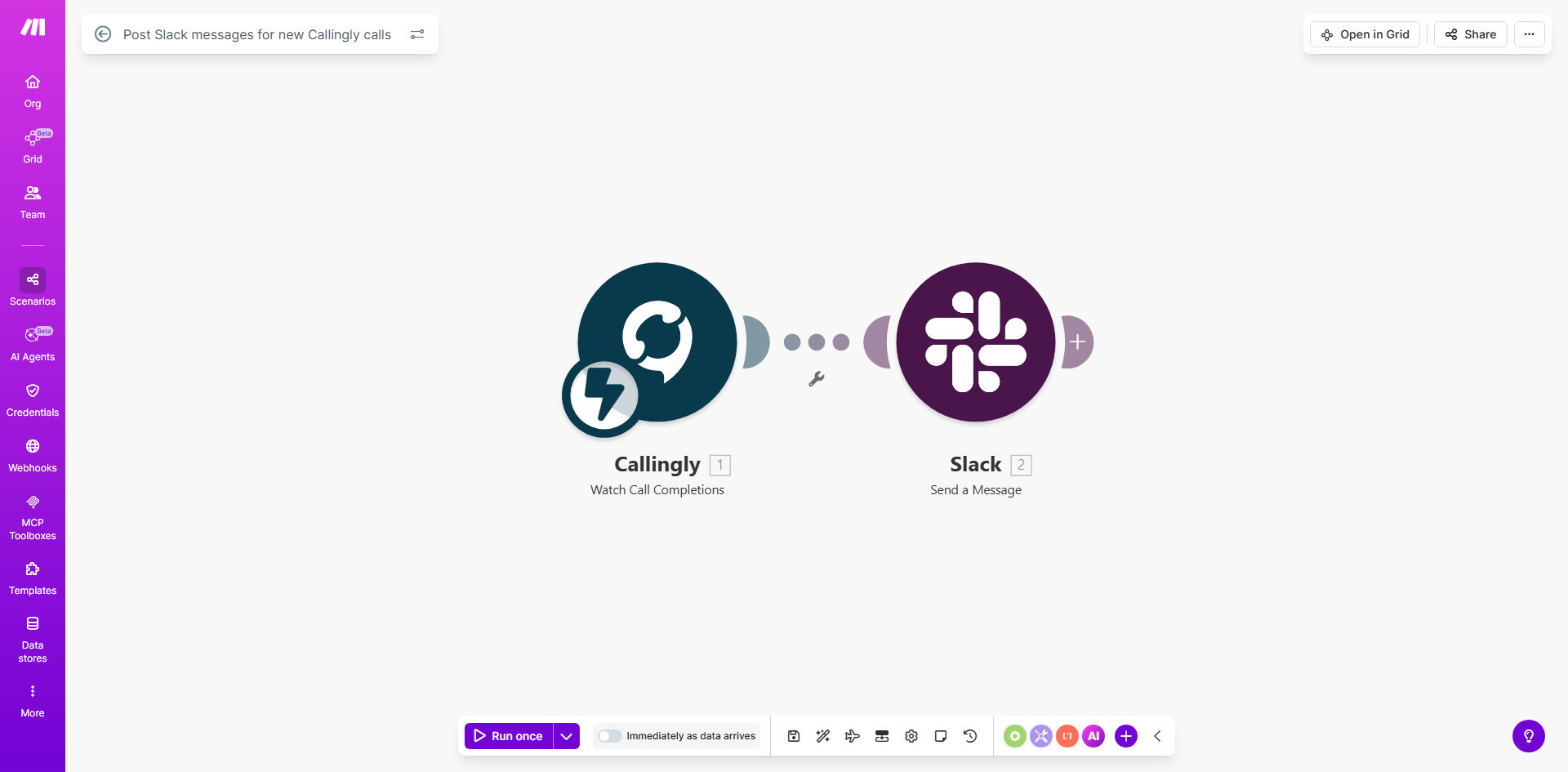
Callingly to Slack notification workflow diagram

What This Workflow Does

This automation solves the common challenge of missed call notifications and delayed response times in customer-facing teams. When businesses receive calls through Callingly, team members often don't get alerted in real-time, leading to missed opportunities and frustrated customers.

The workflow automatically detects new incoming calls in Callingly and posts detailed notifications to your Slack channels. This ensures your sales, support, or operations team can immediately see and respond to important calls without manual monitoring or call logging.

How It Works

1. Call detection in Callingly

The workflow continuously monitors your Callingly account for new incoming calls using Make.com's API integration. Each time a call is received, the system captures all relevant details including caller information, call duration, and timestamps.

2. Data processing

Make.com formats the call data into a structured message, extracting key details like the caller's phone number, call purpose (if available), and any custom fields from your Callingly setup. The system can filter calls based on your criteria (e.g., only business hours calls).

3. Slack notification

The formatted message gets posted to your designated Slack channel with @mentions for relevant team members. The notification includes clickable elements allowing quick response or call assignment directly from Slack.

Pro tip: Add caller location data to your Slack notifications by enabling Callingly's geolocation features. This helps teams prioritize local customers.

Who This Is For

This workflow is ideal for:

  • Sales teams tracking prospect calls
  • Customer support centers handling inbound inquiries
  • Service businesses scheduling appointments via phone
  • Distributed teams needing real-time call visibility
  • Companies measuring call response times for SLAs

What You'll Need

  1. An active Callingly account with incoming call tracking enabled
  2. A Slack workspace where you have posting permissions
  3. A Make.com account (free tier available)
  4. 5 minutes to configure the workflow connections

Quick Setup Guide

  1. Clone the template from Make.com to your account
  2. Connect your Callingly account using API credentials
  3. Select the Slack channel for notifications
  4. Customize the message format with your preferred call details
  5. Activate the workflow and test with a real call

Key Benefits

Reduce response times by 80%: Teams see calls instantly in Slack instead of checking multiple systems.

Eliminate missed opportunities: Automatic alerts ensure no important call goes unnoticed.

Improve call tracking: All call details are logged in Slack for easy reference and reporting.

Flexible routing: Route different call types to specific Slack channels or team members.

No manual work: The system runs 24/7 without requiring staff to monitor call logs.

Frequently Asked Questions

Common questions about call notification automation

Connecting Callingly with Slack ensures your team never misses important incoming calls. When customer calls come through Callingly, instant Slack notifications keep everyone informed in real-time, improving response times and team coordination without requiring manual call logging.

This integration is particularly valuable for distributed teams where members aren't all monitoring the same systems. The Slack notifications create a centralized communication point for all call activity.

The Slack notifications can include caller details, call purpose, timestamp, and any custom fields from Callingly. You can configure exactly which data gets posted to Slack based on your team's needs and workflow requirements.

Typical configurations show the caller's phone number (with optional name lookup), call duration, recording links (if enabled in Callingly), and custom tags. Advanced setups can include CRM data if Callingly is integrated with your customer database.

This automation reduces response times by eliminating manual call logging. Support teams can immediately see incoming calls in Slack and assign them appropriately. Historical call data in Slack also helps with tracking customer interactions and service level agreements.

For example, a customer calling about an urgent issue gets faster attention when the entire team sees the notification simultaneously. The workflow creates accountability and transparency in call handling.

Yes, you can direct notifications to specific Slack channels based on call type, department, or priority level. The workflow allows routing to multiple channels if needed, ensuring the right teams see relevant call alerts.

You might route sales inquiries to #sales-team, support calls to #customer-support, and high-priority calls to #urgent-alerts. The channel routing rules are completely configurable in the Make.com scenario.

The workflow can be extended to include business hour checks. You can configure it to post urgent after-hours calls to an on-call channel while routing regular calls to a general queue for next-day follow-up.

Many businesses add a second notification path that texts an on-duty manager for truly urgent after-hours calls. This layered approach ensures appropriate response at all times.

Make.com workflows include error handling and retry logic to ensure notifications are delivered. For critical applications, you can add secondary notifications via email or SMS if Slack fails to receive the initial alert.

The system logs all activity and can be configured to alert administrators if any part of the workflow fails. Most implementations achieve 99.9% reliability with proper monitoring.

Absolutely. GrowwStacks specializes in building tailored call notification systems that match your exact business processes. We can integrate additional data sources, add escalation paths, and customize alerts based on your specific requirements.

Our team will analyze your call handling workflow and design a solution that fits seamlessly into your existing operations. Custom implementations typically include:

  • Priority-based routing rules
  • Multi-channel alerting
  • CRM integration
  • Performance analytics

Need a Custom Call Notification Automation?

This free template is a starting point. Our team builds fully tailored automation systems for your specific business needs.