What This Workflow Does
For teams using Layerise to create product experiences, prototypes, or visual walkthroughs, sharing updates can be a manual, time-consuming process. You might finish a new experience title, then have to take a screenshot, open Telegram, find the right group, and paste it in—distracting you from creative work and slowing down team alignment.
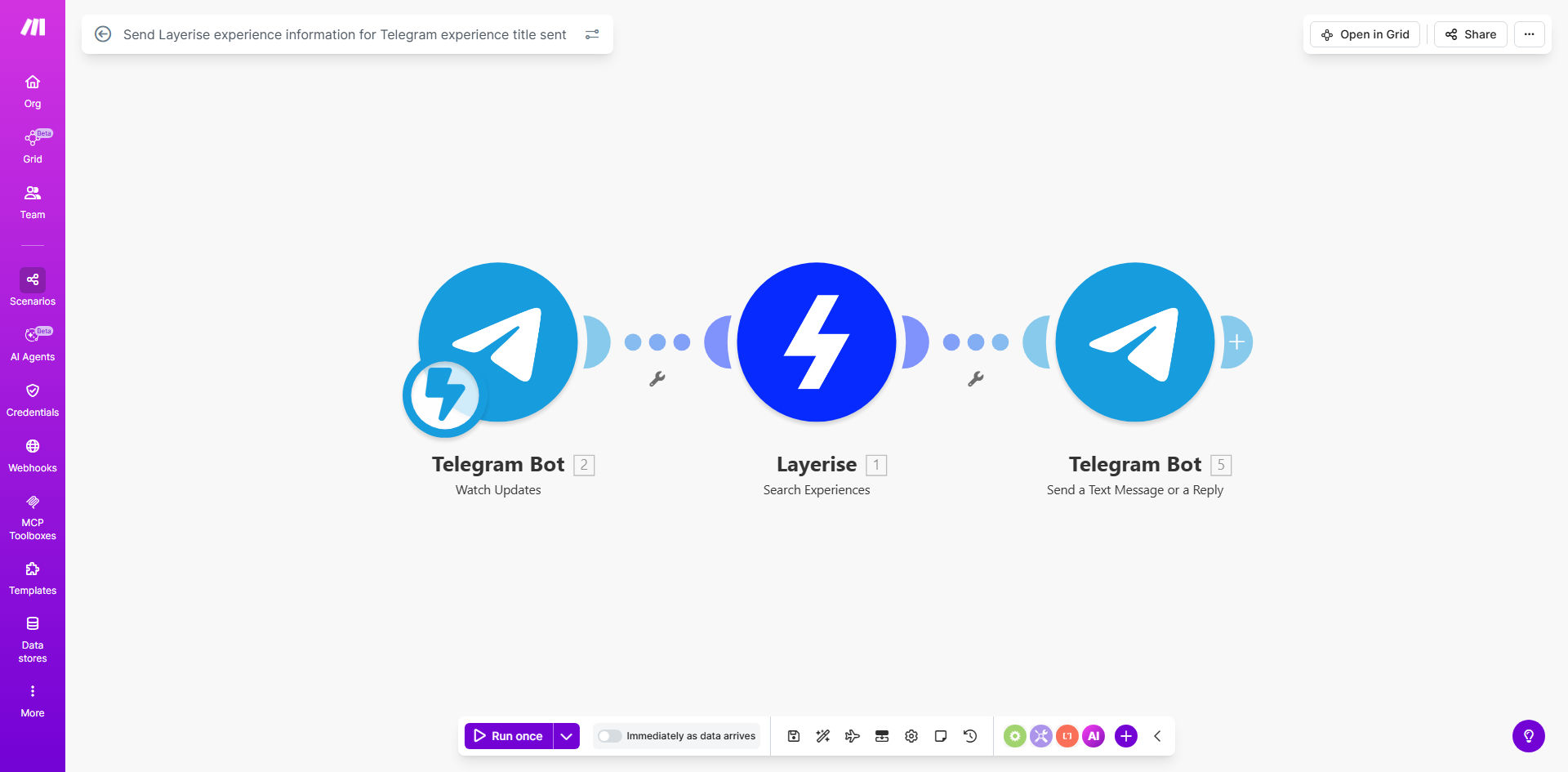
This automated workflow solves that by creating a direct bridge between Layerise and Telegram. Every time you send a Layerise experience title to your designated Telegram bot, the workflow instantly triggers. It then fetches the associated product image and relevant details from Layerise and delivers them directly into your chosen Telegram chat or channel. This turns a multi-step manual task into a seamless, instantaneous update.
The result is a faster feedback loop. Your team—whether they're in marketing, development, or client services—gets visual context the moment it's ready, enabling quicker discussions, approvals, and next steps without anyone having to leave their communication hub.
How It Works
The automation is built on Make.com and operates on a simple trigger-action principle, connecting two powerful platforms without any code.
Step 1: Trigger from Telegram
The workflow is activated when you send a specific Layerise experience title as a message to your Telegram bot. This message acts as the signal that a new visual asset or update is ready for sharing.
Step 2: Fetch Data from Layerise
Make.com receives the title from Telegram and uses it to query your Layerise account. It securely retrieves the corresponding product image and any other configured information related to that experience.
Pro tip: You can configure the workflow to pull more than just the image. Add experience descriptions, URLs, or status tags from Layerise to create richer, more informative Telegram updates.
Step 3: Deliver to Your Team Chat
The retrieved image and data are formatted and sent as a new message from your bot into a pre-defined Telegram group, channel, or private chat. Your team sees the update immediately, complete with visual preview.
Who This Is For
This automation is a game-changer for specific roles and industries where visual updates are frequent and time-sensitive.
E-commerce & DTC Brands: Marketing and product teams can instantly share new product listing visuals, packaging designs, or promotional experience walkthroughs with their internal teams or external agencies.
Digital Design & Creative Agencies: Designers and project managers can broadcast the latest mockups, prototypes, or client presentation links to their project management chat, streamlining the review cycle.
SaaS Product Teams: Development and product management can use it to announce new feature tours or onboarding experience updates, ensuring everyone from support to sales is visually informed.
Remote & Hybrid Teams: Any distributed team that relies on Telegram for daily communication and needs to stay in sync on visual project milestones will benefit from this automated pipeline.
What You'll Need
- A Make.com Account: A free or paid plan to host and run the automation scenario.
- Layerise Account & API Access: Your Layerise account with the experiences you want to share, and the necessary API credentials to allow Make.com to fetch data.
- A Telegram Bot: You'll need to create a bot via BotFather on Telegram and note its API token. This bot will be the messenger.
- A Telegram Chat ID: The unique identifier for the group, channel, or chat where the images should be sent. The bot must be a member with send message permissions.
Quick Setup Guide
Follow these steps to configure the template for your own use in under 15 minutes.
- Clone the Template: Click "Get This Workflow" and duplicate the scenario into your own Make.com workspace.
- Connect Your Apps: In the Make.com scenario, update the connections for the Telegram and Layerise modules. Add your Telegram Bot Token and Layerise API credentials.
- Set the Target Chat: Replace the placeholder Chat ID in the Telegram "Send a Message" module with the ID of your actual team chat or channel.
- Test the Trigger: Send a Layerise experience title to your Telegram bot. The workflow should run, fetch the image, and post it to your specified chat.
- Activate & Monitor: Turn the scenario on. Monitor the first few executions in Make.com's history log to ensure everything works smoothly.
Key Benefits
Save 5–10 minutes per update by eliminating manual screenshot-and-share tasks. For a team creating multiple experiences a day, this adds up to hours of recovered productive time each week.
Improve team alignment with instant visual context. Reduce misunderstandings and speed up decision-making by ensuring everyone sees the exact same image or prototype at the same time.
Create a searchable visual log in Telegram. All shared images and titles are stored in your chat history, creating an easy-to-reference timeline of project progress.
Reduce context-switching for creators. Designers and product managers can stay focused in Layerise; the workflow handles the notification work in the background.
Establish a scalable notification system. This template is a foundation. You can easily extend it to notify different teams based on experience type or add follow-up actions in other tools.