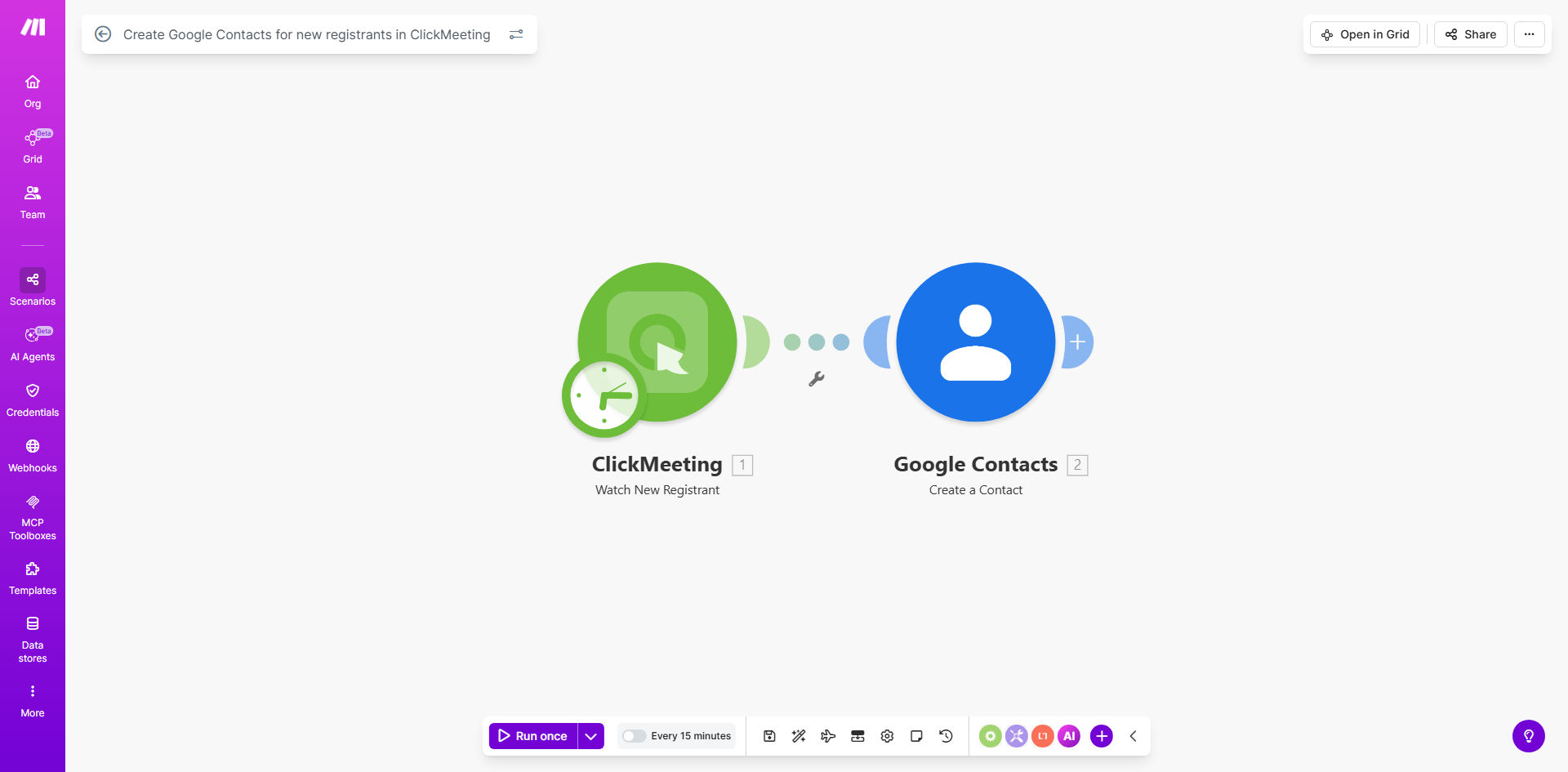
What This Workflow Does
Hosting webinars and online events is a powerful lead generation tool, but the manual follow-up process is a major bottleneck. Every time someone registers for your ClickMeeting event, you or your team must manually copy their name, email, and other details from the registration list into your contact management system. This is not only time-consuming but also prone to errors and delays, causing you to miss timely engagement opportunities with hot leads.
This automation solves that problem completely. It acts as a silent bridge between ClickMeeting and Google Contacts. The moment a new person signs up for your event, the workflow triggers automatically. It collects the registrant's information and creates a fully formatted contact entry in your designated Google Contacts list. This ensures your sales or marketing team has immediate access to a clean, organized list of prospects without lifting a finger.
Pro tip: Use this automation to segment contacts automatically. You can configure the workflow to add a specific label (like "Webinar-Lead-Q2") to each new contact based on the event they registered for, making email campaigns incredibly targeted.
How It Works
The workflow is built on a simple "watch and create" logic within Make.com. Here’s the step-by-step process:
Step 1: Monitor ClickMeeting for New Registrations
The scenario starts by setting up a "Watch Events" module for ClickMeeting. It continuously checks your linked ClickMeeting account for new registrations to a specified event or all events. This is the trigger that kicks off the entire automation.
Step 2: Extract and Map Attendee Data
When a new registration is detected, Make captures the data packet. This includes the attendee's first name, last name, email address, and any additional custom fields collected during registration (like company name or job title). The workflow parses this data, preparing it for the next step.
Step 3: Create a Contact in Google Contacts
The final action module takes the mapped data and uses it to create a new entry in your Google Contacts. It populates the standard contact fields—name, email, notes—and can even add the contact to a specific contact group for better organization. The process is instantaneous, happening within seconds of the registration.
Who This Is For
This template is ideal for marketers, coaches, consultants, and sales teams who regularly use ClickMeeting for webinars, workshops, or virtual events. If you find yourself spending 30 minutes to an hour after each event just compiling attendee lists, this automation is for you. It's also perfect for solopreneurs who wear multiple hats and need their tech stack to work seamlessly together, freeing up time for high-value tasks like content creation and sales conversations.
What You'll Need
- A Make.com account (free tier is sufficient to run this template).
- A ClickMeeting account with admin or API access to the events you want to monitor.
- A Google account with Google Contacts enabled (this is standard with any Gmail or Google Workspace account).
- The specific ClickMeeting event URL or the decision to monitor all events for new registrants.
Quick Setup Guide
You can have this automation running in less than 15 minutes. Follow these steps after clicking "Get This Workflow":
- Import the Template: Click the link above to open the template on Make.com. Click the "Use this template" button to copy it into your own Make scenario.
- Connect Your Apps: In the new scenario, click on the ClickMeeting module. A pop-up will ask you to connect your ClickMeeting account by providing your API key (found in your ClickMeeting settings). Do the same for the Google Contacts module, signing into your Google account to grant necessary permissions.
- Configure the Trigger: In the first module, specify whether you want to watch a single event or all events for new registrations. Select the appropriate event from the dropdown if choosing a single one.
- Map the Data Fields (Optional): Review the Google Contacts module. The template will have standard mappings (like First Name to Given Name). You can add more fields here, such as mapping a custom "Company" question from ClickMeeting to the "Organization" field in Google Contacts.
- Test and Activate: Use the "Run once" button to test the workflow. You can simulate a new registration or wait for a real one. Check your Google Contacts to confirm the new entry appears. Once verified, toggle the scenario to "ON."
Key Benefits
Eliminate 2–3 hours of manual work per webinar. No more exporting CSV files from ClickMeeting and manually importing them or copying data field by field. The automation handles it all in the background.
Achieve 100% data capture accuracy. Manual entry leads to typos in emails and names. This workflow transfers data digitally, ensuring every contact record is perfect and usable for email campaigns.
Speed up lead follow-up time from hours to seconds. The moment a lead registers, they're in your system. This allows for instant automated welcome emails or immediate notification to your sales team, capitalizing on peak interest.
Centralize your contacts effortlessly. Instead of having leads scattered across different event platforms, they all flow into one organized, searchable hub—Google Contacts—which integrates natively with your email and calendar.
Scale your event marketing without adding overhead. Whether you have 10 or 1,000 registrants, the automation works at the same speed and accuracy, allowing you to host more events without increasing administrative burden.