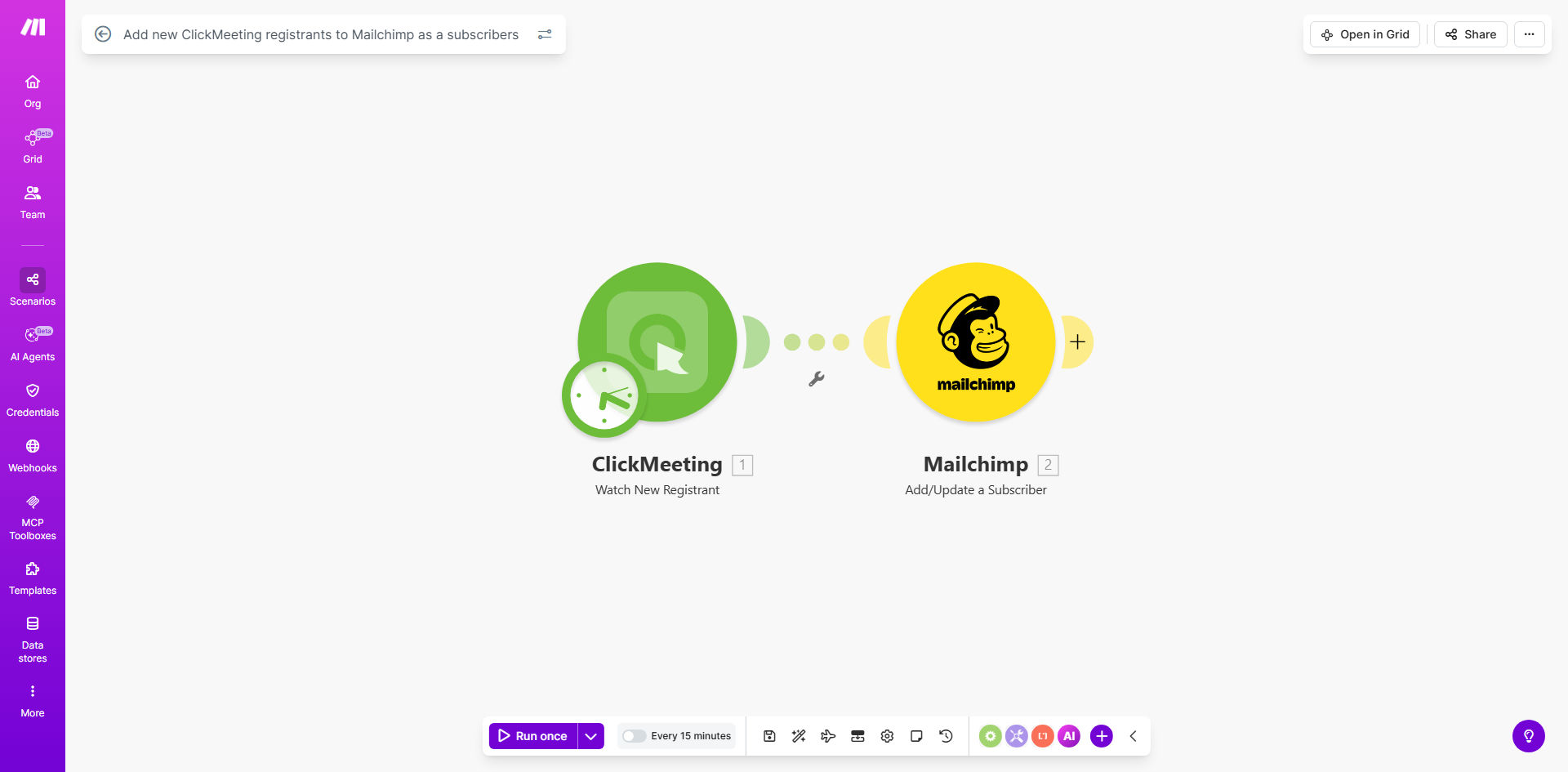
What This Workflow Does
Hosting webinars and online events is a powerful lead generation strategy, but the real value is captured in the follow-up. Manually copying registrant details from ClickMeeting into Mailchimp is a tedious, error-prone task that wastes valuable time and can cause leads to slip through the cracks. This automation solves that problem by creating a seamless bridge between your webinar platform and your email marketing engine.
Every time a new person registers for your ClickMeeting event, this workflow triggers instantly. It captures their name, email address, and any other registration details you collect, then adds them as a subscriber to your designated Mailchimp audience or list. This happens in the background, in real-time, ensuring your marketing team can engage with warm leads immediately without any manual intervention.
The business value is clear: you transform a passive registration into an active marketing opportunity. Instead of spending hours on data entry after an event, your team can focus on crafting compelling email sequences, analyzing engagement, and converting attendees into customers. This automation turns your webinar from a one-time presentation into the start of a continuous customer relationship.
How It Works
The process is straightforward and reliable, designed to run silently while you focus on delivering great content.
Step 1: New Registration Detection
The workflow is initiated by a "watch" module in Make.com that monitors your ClickMeeting account for new registrations. As soon as someone completes the registration form for a webinar, workshop, or meeting, Make detects the new attendee record.
Step 2: Data Mapping & Formatting
The workflow then maps the relevant data from ClickMeeting to the fields required by Mailchimp. This typically includes the registrant's email address, first name, last name, and custom fields like company name or the specific event they signed up for. The data is formatted to match Mailchimp's expected structure.
Step 3: Subscriber Addition to Mailchimp
Finally, the processed data is sent to Mailchimp via its API. The new registrant is added to your chosen audience list. You can configure the workflow to apply specific tags (like "Webinar-Registrant-2024") or add them to a group based on the event topic, enabling sophisticated segmentation from the moment they join.
Pro tip: Use this automation to trigger a Mailchimp automation series immediately upon addition. Send a welcome email with webinar details, a pre-event reminder, and valuable follow-up content to maximize engagement.
Who This Is For
This automation is ideal for marketers, coaches, educators, and business owners who regularly use webinars for lead generation and audience building.
Marketing Teams: Teams running frequent webinar campaigns to generate MQLs (Marketing Qualified Leads) will benefit from instant list growth and the ability to launch nurture campaigns without delay.
Online Course Creators & Coaches: Professionals who host live workshops or masterclasses can automatically build their email list with highly engaged prospects interested in their niche topic.
B2B SaaS Companies: Companies using product demos or educational webinars as a sales channel can ensure every attendee is seamlessly entered into their CRM and email marketing funnel for sales follow-up.
Solo Entrepreneurs & Consultants: Individuals wearing multiple hats save precious hours by eliminating manual data transfer, allowing them to focus on content creation and client work instead of administrative tasks.
What You'll Need
- A Make.com Account: A free or paid Make.com plan to host and run the automation scenario.
- ClickMeeting Account: An active ClickMeeting plan where you host your webinars or events.
- Mailchimp Account: A Mailchimp account with an existing audience/list where you want to add subscribers.
- API Credentials: Your API keys or OAuth connections for both ClickMeeting and Mailchimp, which you'll connect within Make.com.
- A Defined Mailchimp Audience: Know which Mailchimp audience/list you want to add the new subscribers to.
Quick Setup Guide
Get your automation up and running in under 15 minutes by following these steps.
- Clone the Template: Use the "Get This Workflow" button above to open the template on Make.com and create a copy in your own account.
- Connect Your Apps: In your new scenario, click the ClickMeeting and Mailchimp modules to authenticate and connect your accounts. Make.com will guide you through the secure OAuth process.
- Configure the Trigger: Select the specific ClickMeeting event you want to monitor, or set it to watch for registrations across all your events.
- Map Your Data: Review the data mapping between ClickMeeting fields and Mailchimp fields. Ensure email addresses, names, and any custom fields are correctly aligned.
- Set Your Mailchimp Audience: Choose the target Mailchimp audience/list from the dropdown in the "Add subscriber to list" module.
- Test & Activate: Use Make.com's test function to run a simulation. Once confirmed, turn the scenario "ON" to start automating.
Key Benefits
Eliminate Manual Data Entry: Save 2-5 hours per webinar by automatically syncing registrant lists. This time can be reinvested into creating better content or engaging with leads.
Ensure 100% Lead Capture: No registrant is ever missed or mistyped. Every person who expresses interest is instantly added to your marketing funnel, maximizing your return on webinar investment.
Speed Up Lead Nurturing: Reduce the time between registration and first contact from hours/days to mere minutes. Faster follow-up significantly increases conversion rates.
Improve Data Accuracy & Segmentation: Automatically tag subscribers with event-specific information, enabling highly targeted email campaigns that resonate better with different audience segments.
Scale Your Webinar Efforts Effortlessly: Whether you host one webinar a month or ten a week, the automation handles the list management seamlessly, allowing you to scale your audience growth without adding administrative overhead.