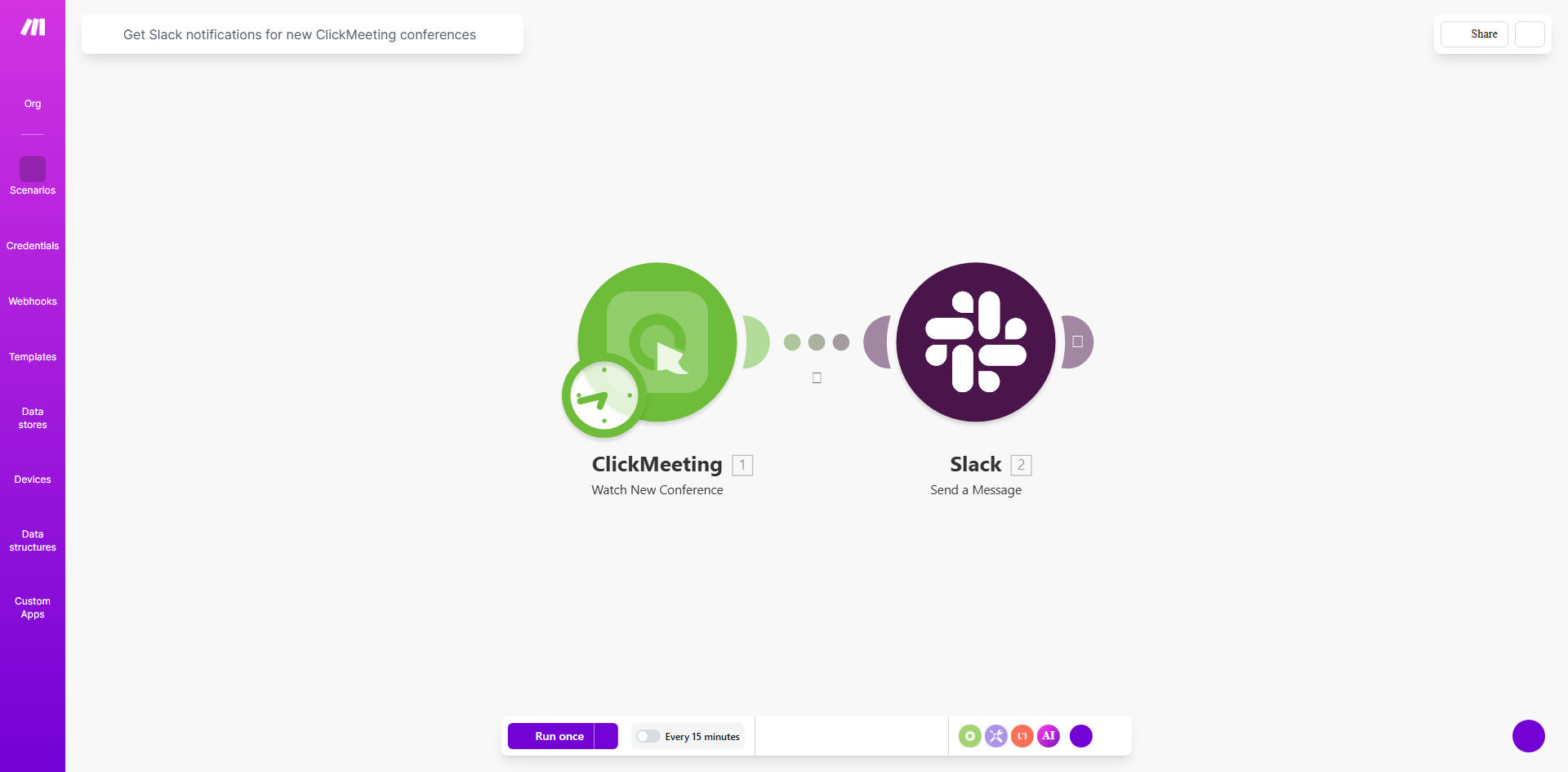
What This Workflow Does
In today's fast-paced remote and hybrid work environments, keeping everyone aligned on meeting schedules is a constant challenge. When a new ClickMeeting conference is created, the host typically has to manually copy the link and message their team via email or Slack. This process is not only time-consuming but also prone to errors—links get sent to the wrong channel, details are forgotten, or team members simply miss the announcement.
This free Make.com template solves that problem by creating a seamless, automated bridge between ClickMeeting and Slack. Every time a new conference is scheduled, this workflow instantly captures the event details and posts a formatted notification directly to your chosen Slack channel or direct message. It turns a multi-step, manual task into a zero-touch process that ensures 100% of your team is informed, 100% of the time.
How It Works
The automation operates on a simple trigger-and-action principle, reliably connecting two critical business tools.
Step 1: Monitoring ClickMeeting
The workflow continuously watches your ClickMeeting account for new events. Using Make.com's reliable scheduler, it checks at regular intervals (e.g., every 5 minutes) for any conferences created since the last check. It captures all relevant data: conference title, start time, host, description, and most importantly, the unique join URL.
Step 2: Formatting the Alert
Once a new conference is detected, the workflow processes the raw data. It structures the information into a clear, actionable message. You can customize this message to include emojis, format the date/time in your local timezone, and highlight key details like whether it's internal or client-facing.
Pro tip: Use Slack's block kit builder within Make.com to create rich, interactive messages. Add a "Join Meeting" button that links directly to the ClickMeeting room, saving your team even more clicks.
Step 3: Posting to Slack
The final step is dispatching the formatted notification to your specified Slack destination. The workflow authenticates with your Slack workspace and posts the message. You can send it to a public channel like #general-meetings, a private project channel, or even a specific person's DM for critical alerts.
Who This Is For
This automation is invaluable for any team or organization that relies on ClickMeeting for virtual gatherings. It's perfect for remote-first companies that need flawless meeting coordination across time zones. Sales teams can use it to instantly notify the entire floor about a newly booked demo. Customer success departments can alert specialists about upcoming client check-ins. Education and training teams can ensure all participants know about new webinar sessions the moment they're scheduled.
What You'll Need
- A Make.com account (free tier is sufficient to run this template).
- An active ClickMeeting account with administrative or API access to retrieve conference data.
- A Slack workspace where you have permission to create an app and post messages.
- The Slack channel name or user ID where you want notifications to be sent.
Quick Setup Guide
You can have this automation running in under 10 minutes.
- Clone the Template: Click the "Get This Workflow" button above to open the template in your Make.com account and create a copy.
- Connect ClickMeeting: In the first module, authorize Make.com to access your ClickMeeting account using your API key.
- Connect Slack: In the Slack module, authorize Make.com to access your Slack workspace. You'll be guided through a simple OAuth process.
- Configure the Destination: Specify the exact Slack channel (e.g., #meetings) or person you want to receive the alerts.
- Customize the Message (Optional): Edit the text module to change the notification's wording, add your company logo, or include specific hashtags.
- Turn it On: Activate the scenario. Make.com will immediately begin monitoring ClickMeeting and sending alerts to Slack.
Key Benefits
Eliminate Manual Admin Work: Save 2-5 hours per week previously spent copying links, typing messages, and following up with team members about new meetings.
Improve Meeting Attendance & Punctuality: With instant, consistent notifications appearing directly in the team's primary communication hub, no one has an excuse to miss or be late to a meeting.
Centralize Information: Creates a searchable record of all scheduled meetings within the relevant Slack channel, serving as a live meeting calendar that's integrated into daily workflow.
Scale Seamlessly: Whether you schedule 5 or 50 new conferences a week, the automation handles the notification load effortlessly, ensuring your processes remain robust as your team grows.
Reduce Human Error: Automatically includes the correct link, time, and title every single time, removing the risk of typos or outdated information that come with manual entry.