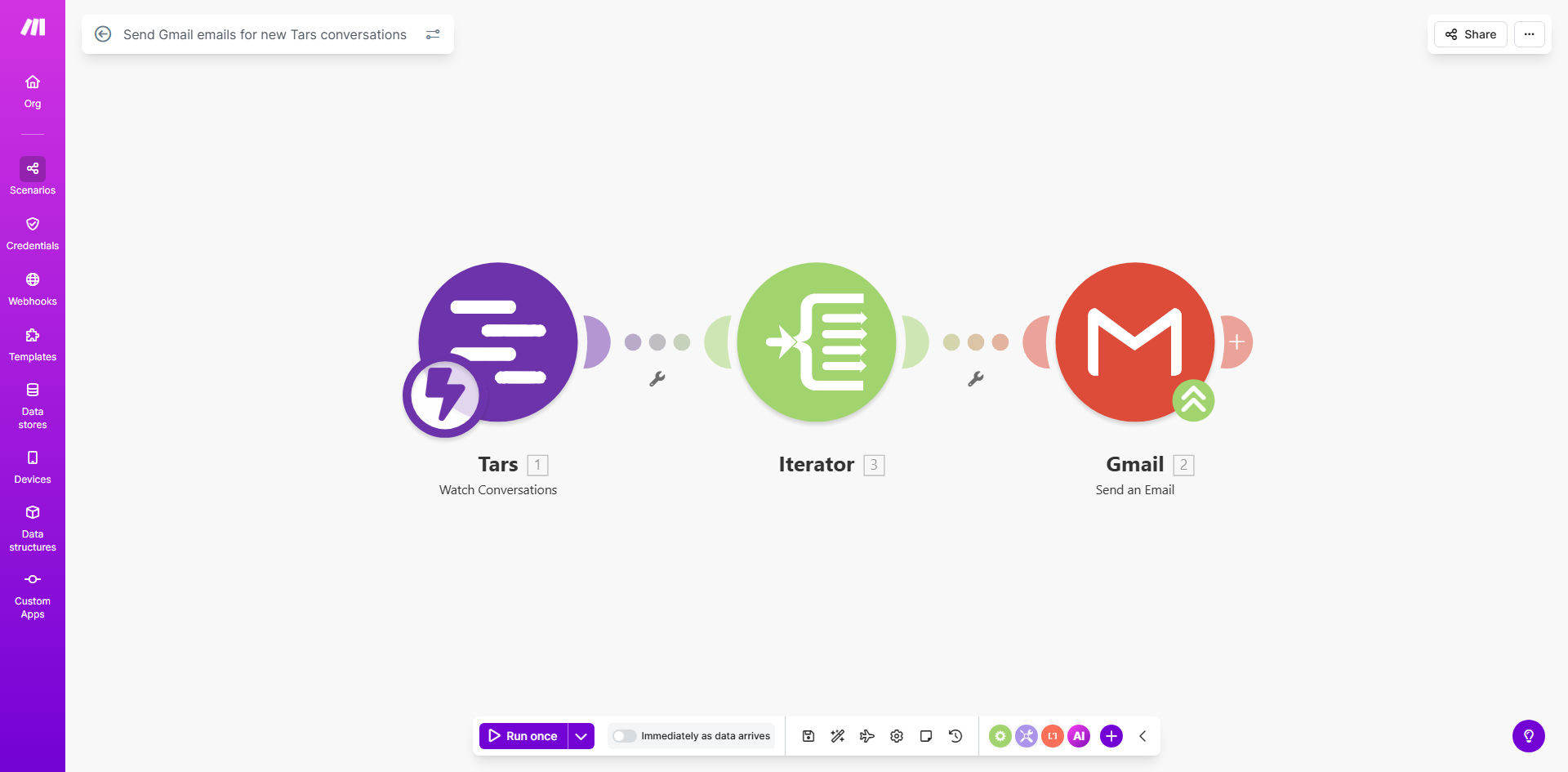
What This Workflow Does
Every time a visitor interacts with your Tars chatbot, you have a golden opportunity to capture their interest. But that opportunity vanishes quickly if you don't follow up immediately. Manual follow-up processes are slow, inconsistent, and prone to human error, causing valuable leads to go cold.
This automation solves that problem by creating an instant bridge between Tars conversations and your Gmail inbox. Whenever someone completes a conversation with your Tars chatbot, this Make.com workflow automatically triggers and sends a personalized email directly to that person. The process happens in seconds, ensuring your business responds while the visitor is still engaged and thinking about your solution.
The workflow captures the email address and conversation data from Tars, formats it into a professional email, and delivers it through your Gmail account. This turns casual website visitors into warm leads without any manual intervention from your team.
How It Works
Step 1: Tars Triggers the Workflow
The automation begins when a new conversation is recorded in your Tars account. Make.com monitors your Tars account continuously and detects when a visitor provides their email address and completes a chat session.
Step 2: Data Extraction and Processing
Make.com extracts the conversation details, including the visitor's email address, name (if provided), the content of their messages, and any custom fields from your chatbot form. This data is structured and prepared for email composition.
Step 3: Personalized Email Creation
Using the extracted data, the workflow creates a personalized email. It can insert the visitor's name, reference their specific query, include relevant links or resources, and maintain your brand voice—all automatically.
Step 4: Automatic Gmail Delivery
The composed email is sent through your connected Gmail account. The visitor receives what appears to be a personally written follow-up email, but it was generated and sent automatically moments after their chatbot conversation ended.
Pro tip: Use this automation to segment leads automatically. Configure different email templates based on the conversation topic or intent captured in Tars, sending more targeted follow-ups that increase conversion rates.
Who This Is For
This automation is ideal for businesses using Tars for lead generation, customer support, or qualification. Marketing agencies managing multiple client chatbots will save hours of manual follow-up work. SaaS companies can instantly nurture trial signups. E-commerce stores can follow up on abandoned cart conversations. Service-based businesses (consultants, coaches, freelancers) can automatically schedule consultations from chatbot inquiries.
Essentially, any organization that wants to convert more website visitors without increasing manual workload will benefit. If you're already using Tars but responding to leads manually or with delay, this automation will transform your lead response time and conversion rates.
What You'll Need
- A Make.com account (free tier available)
- A Tars account with conversations enabled
- A Gmail or Google Workspace account for sending emails
- API connections between Make.com and both Tars and Gmail (simple OAuth setup)
- A basic email template you'd like to automate (welcome, follow-up, resource delivery, etc.)
Quick Setup Guide
1. Clone the template: Click "Get This Workflow" to copy the template to your Make.com account.
2. Connect your apps: Authorize Make.com to access your Tars account and Gmail account through secure OAuth connections.
3. Configure the Tars trigger: Select which Tars bot should trigger the workflow and define what constitutes a "new conversation."
4. Customize the email template: Edit the Gmail module to match your branding, tone, and include personalized fields from the Tars conversation data.
5. Test and activate: Initiate a test conversation in Tars, verify the automated email sends correctly, then activate the workflow to run 24/7.
Pro tip: Start with a simple "Thank you for chatting" email, then gradually add more sophisticated logic like lead scoring, attachment of relevant PDFs, or routing to different team members based on conversation topics.
Key Benefits
Instant lead response: Reduce follow-up time from hours/days to seconds. Leads are contacted while your brand is still fresh in their mind, increasing conversion rates by up to 400%.
Zero manual work: Eliminate the need to manually check Tars conversations and copy-paste information into emails. Your team can focus on high-value activities while automation handles routine follow-ups.
Consistent communication: Every lead receives the same professional, timely response regardless of when they visit your website—nights, weekends, or holidays included.
Scalable lead nurturing: Handle hundreds or thousands of chatbot conversations without increasing staff. The system scales automatically with your website traffic.
Data capture and organization: All conversation data and email responses are automatically logged, creating a searchable record of every lead interaction for your sales team.