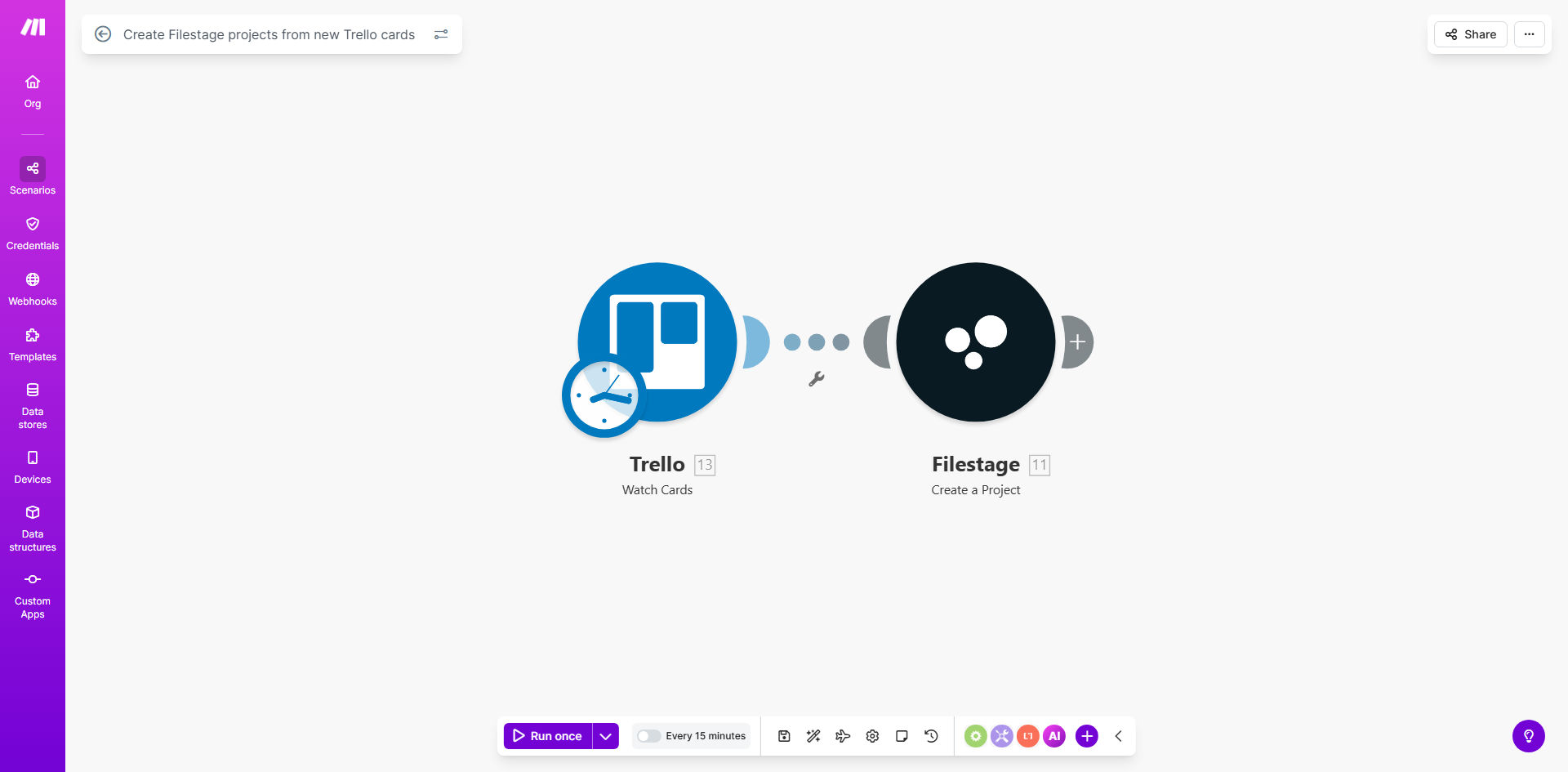
What This Workflow Does
For marketing, design, and content teams, the gap between project planning and creative review is where deadlines often slip. A designer finishes a mockup, but then someone must manually create a Filestage project, upload files, add reviewers, and send notifications. This workflow eliminates that friction entirely.
By connecting Trello and Filestage, you create a seamless pipeline. The moment a task card is created in Trello—whether it's for a new blog graphic, a website update, or a video ad—a corresponding review project is automatically spun up in Filestage. The card's title becomes the project name, its description becomes the brief, and assigned team members can be added as reviewers. This ensures the feedback process begins the instant the work is ready, not after a manual setup delay.
How It Works
The automation acts as a intelligent bridge, translating project management actions into review-ready environments.
Step 1: Monitor Your Trello Board
The workflow watches a specific Trello board (or list) for new cards. You can filter this to only trigger for cards with certain labels, in specific lists like "Ready for Review," or assigned to particular members.
Step 2: Extract Card Details
When a new card is detected, Make.com captures key information: the card name, description, due date, members, attachments, and checklist items. This data forms the foundation of the Filestage project brief.
Pro tip: Use Trello's custom fields or checklist titles like "Target Audience" or "Brand Guidelines Link" to pass structured brief information directly into the Filestage project description.
Step 3: Create the Filestage Project
Using the Filestage API, the workflow creates a new project. It maps the Trello card name to the project title and populates the description. You can configure it to set a due date based on the Trello card's deadline and even add the card's attachments as the first files for review.
Step 4: Notify and Sync
Optionally, the automation can then post a comment back on the Trello card with the direct link to the new Filestage project, or send a notification to a Slack channel. This closes the loop, giving everyone immediate access to the review environment.
Who This Is For
This automation is a game-changer for any team that uses Trello for task tracking and Filestage for creative approvals. It's ideal for Marketing Agencies managing multiple client projects, In-house Creative Teams working with internal stakeholders, Content Production teams reviewing videos and articles, and Product Teams gathering feedback on UI/UX designs. If your process involves a "handoff" from a project manager to a reviewer, this workflow removes that bottleneck.
What You'll Need
- A Make.com account (free tier available).
- A Trello account with a board where tasks are created.
- A Filestage account (any paid plan that includes API access).
- API connection credentials for both Trello and Filestage, which you'll authorize within Make.com.
- Clear understanding of which Trello list or board should trigger the automation.
Quick Setup Guide
You can be up and running in under 15 minutes.
- Get the Template: Click "Get This Workflow" to copy the scenario to your Make.com account.
- Connect Trello: In the first module, authorize Make.com to access your Trello account and select the board you want to monitor.
- Connect Filestage: In the Filestage module, authorize with your account credentials.
- Map the Data: Review the data mapping. Ensure the Trello card name and description are correctly routed to the Filestage project title and brief fields.
- Test and Activate: Create a test card in your chosen Trello list. The workflow should run and create a corresponding project in Filestage. Once confirmed, turn the scenario on.
Key Benefits
Accelerate project velocity by 30-40%. By eliminating the manual setup of review projects, creative work moves into the feedback phase immediately, shortening overall project timelines significantly.
Eliminate human error and oversight. No more forgetting to create a Filestage project, copying the wrong brief, or missing a key reviewer. The automation ensures every Trello task gets its dedicated review space, consistently.
Improve stakeholder experience. Reviewers receive a clear, well-structured Filestage project with all context from Trello already included. This reduces confusion and back-and-forth emails, leading to clearer, faster feedback.
Gain full visibility. The direct link posted back to Trello creates a transparent trail. Project managers can see exactly where the review stands without leaving their project management tool.
Scale your operations effortlessly. As your team grows and project volume increases, this automated handoff scales with you, handling hundreds of project creations without any additional managerial overhead.