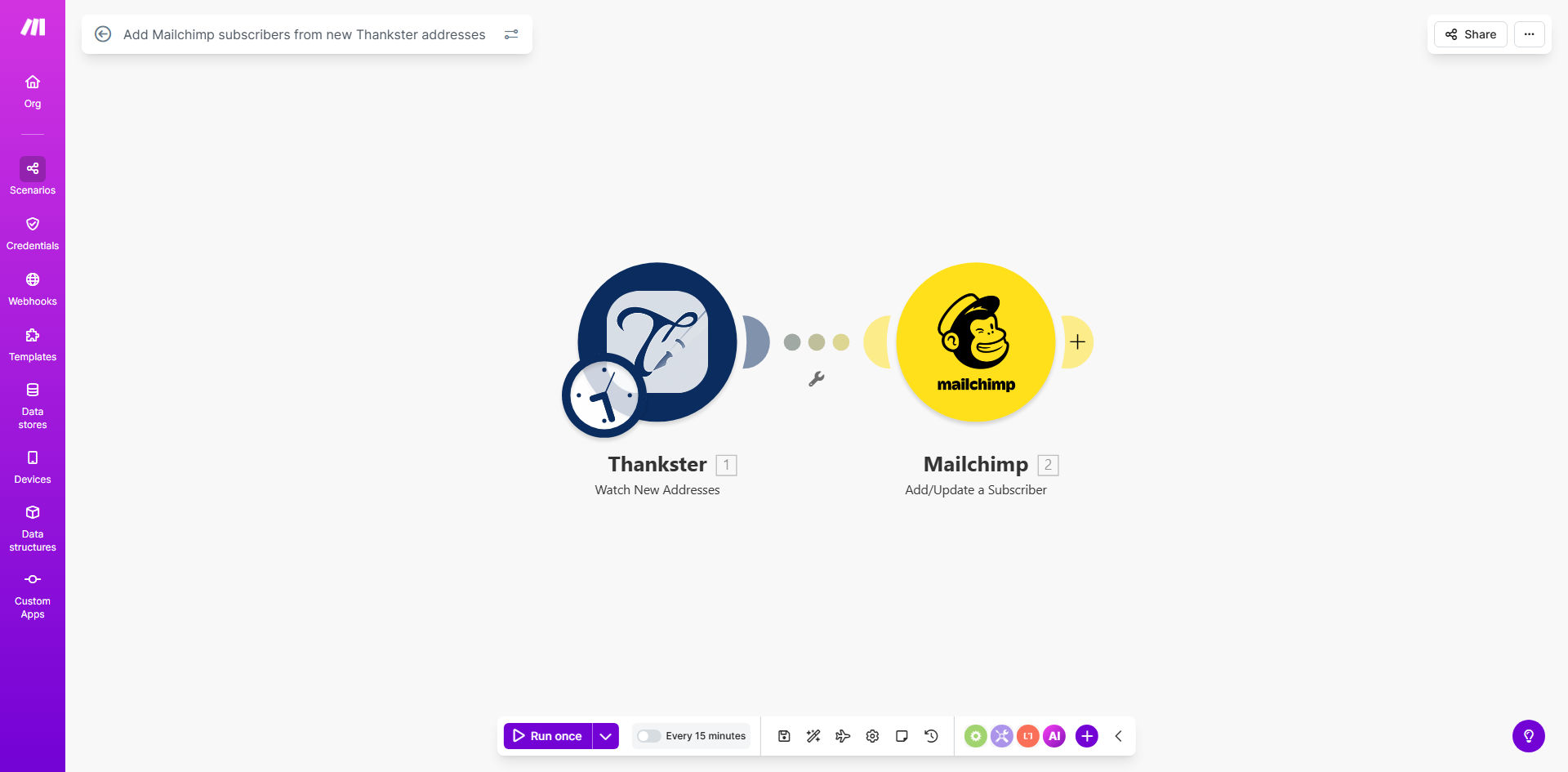
What This Workflow Does
For businesses using Thankster to manage personalized cards and gifts, every new order represents a valuable customer. However, manually copying email addresses from Thankster into your Mailchimp list is a tedious, error-prone task that often gets forgotten. This leads to missed opportunities for email marketing, follow-up sequences, and building lasting customer relationships.
This automated workflow solves that problem completely. It acts as a silent bridge between your sales and marketing tools. Every time a new address is created in your Thankster account—whether from a one-time purchase or a recurring order—the workflow instantly and accurately adds that person as a subscriber to your designated Mailchimp audience. It turns a manual, administrative chore into a reliable, hands-off process that fuels your marketing engine.
How It Works
The automation follows a simple but powerful sequence, ensuring data flows seamlessly from point of sale to your marketing list.
Step 1: Monitor Thankster for New Addresses
The workflow starts by watching your Thankster account for any new address creation events. Make.com checks at regular intervals (e.g., every 15 minutes) or uses a webhook for real-time triggering. When a new address record appears, the workflow captures key details like the customer's email, first name, last name, and any other relevant order information.
Pro tip: Configure the trigger to filter for specific types of Thankster orders if you only want to add customers from certain products or price points to your main list.
Step 2: Format and Prepare the Subscriber Data
Before sending data to Mailchimp, the workflow can map and format the information correctly. It ensures the email is valid, combines first and last names, and can assign tags (like "Thankster_Customer" or "Product_Greeting_Card") based on the order details. This preparation step is crucial for maintaining a clean, organized Mailchimp audience.
Step 3: Add or Update the Contact in Mailchimp
The processed data is then sent to Mailchimp's API. The workflow adds the new contact to your specified audience. It can be set to "update existing" if the email is already present, ensuring you don't create duplicates. Upon success, you can log the action or even trigger a notification for your team.
Who This Is For
This automation is ideal for small to medium-sized e-commerce businesses, gift shops, and direct-to-consumer brands that use Thankster for their personalized product fulfillment and Mailchimp for email marketing. It's perfect for solopreneurs who wear multiple hats and need to automate marketing tasks, as well as for marketing managers looking to improve list growth accuracy and speed. If you sell greeting cards, custom gifts, or any product via Thankster and want to systematically grow your email list from your customer base, this workflow is for you.
What You'll Need
- A Make.com account (free tier available).
- An active Thankster account with API access or webhook capabilities.
- A Mailchimp account with an existing audience/list set up.
- Your Mailchimp API key, which can be generated from your account settings.
- Basic information about your Thankster orders and the desired Mailchimp audience ID.
Quick Setup Guide
- Get the Template: Click "Get This Workflow" to copy the template into your Make.com account.
- Connect Thankster: In the first module, authorize Make.com to access your Thankster account using your credentials.
- Connect Mailchimp: In the Mailchimp module, add your API key and select the default audience where new subscribers should be added.
- Map the Data: Ensure the fields from Thankster (email, name) are correctly mapped to the corresponding fields in Mailchimp.
- Test & Activate: Run a test by creating a dummy address in Thankster. Check if it appears in your Mailchimp audience. Once confirmed, activate the scenario.
Key Benefits
Save 2-3 hours per week on manual data entry. Eliminate the need to export, copy, and paste customer emails. This time can be reinvested into creating better marketing campaigns.
Achieve 100% accuracy in your email list growth. Automated transfers remove human error, ensuring no typos in email addresses and that every single Thankster customer is captured.
Speed up your marketing cycle. New customers can be added to a welcome or post-purchase email sequence within minutes of their order, increasing engagement and the likelihood of a repeat purchase.
Build a richer customer profile. By automatically tagging subscribers based on their Thankster purchase, you enable advanced segmentation in Mailchimp for more targeted and effective email campaigns.
Scale your operations effortlessly. Whether you get 10 or 1000 new Thankster orders a day, the automation handles the list growth seamlessly without any additional effort from your team.