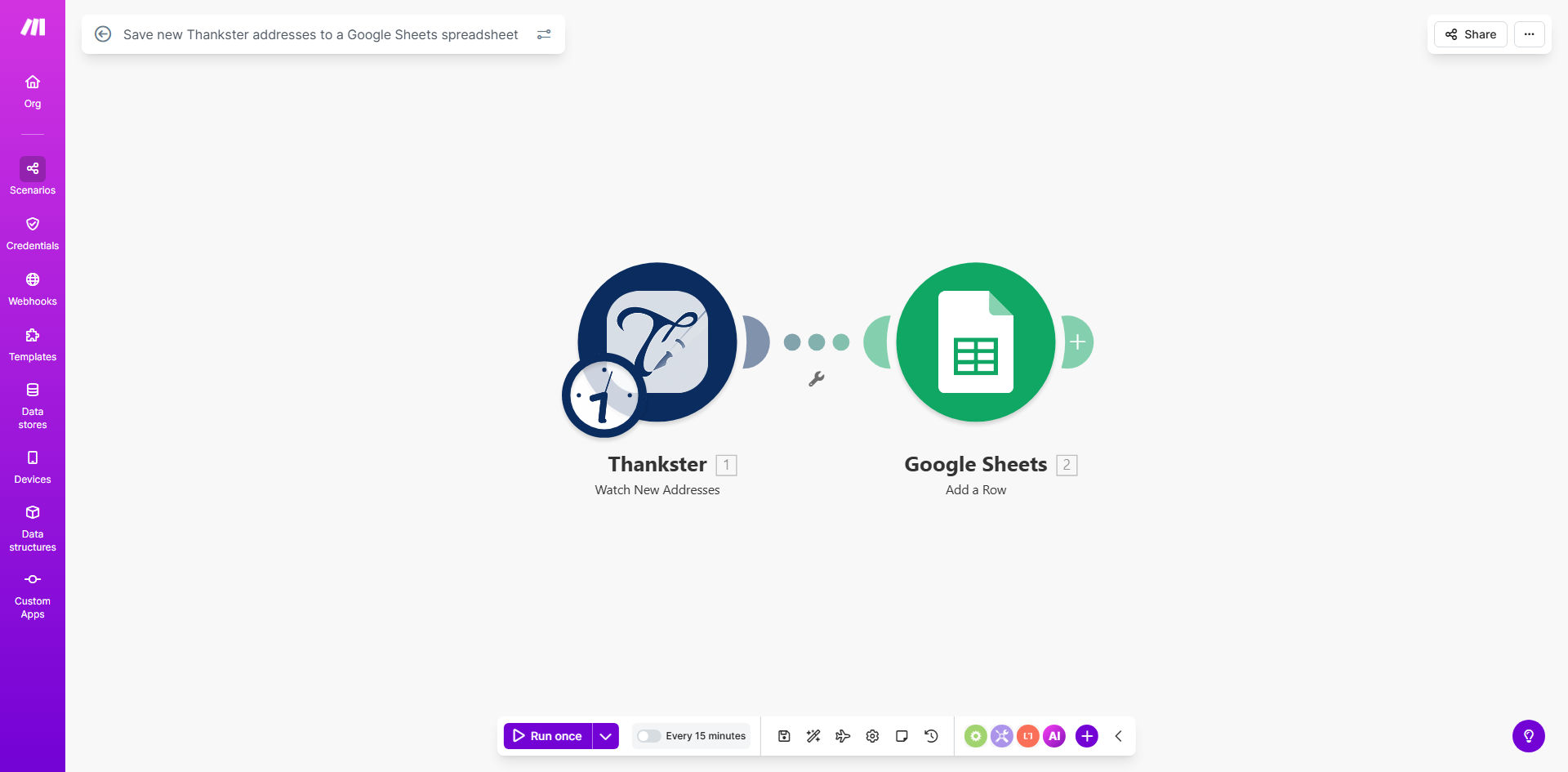
What This Workflow Does
If you use Thankster for personalized direct mail campaigns, you know that managing addresses can become a manual, time-consuming chore. Every new customer, lead, or recipient address needs to be logged somewhere for record-keeping, future campaigns, or CRM updates. Relying on manual copy-pasting from Thankster to a spreadsheet is not only slow but also prone to errors, leading to wasted mailers and missed opportunities.
This automation solves that problem completely. It creates a seamless bridge between Thankster and Google Sheets. Every single time a new address is created within your Thankster account—whether from a new order, a uploaded list, or a manual entry—this workflow instantly captures all the details and adds them as a new, organized row in your designated Google Sheets spreadsheet. This turns your spreadsheet into a real-time, centralized database of all your direct mail contacts.
How It Works
The workflow is a straightforward, reliable automation built on Make.com. It listens for new events in Thankster and pushes that data to Google Sheets in a pre-defined format.
Step 1: Trigger on New Thankster Address
The workflow is activated by the "Watch Addresses" module in Make.com. It continuously monitors your connected Thankster account for the creation of any new address record.
Step 2: Capture Address Data
Once triggered, Make captures the full set of data associated with the new address. This typically includes the recipient's name, company, street address, city, state, ZIP code, and country, along with any custom fields or notes attached in Thankster.
Step 3: Add Row to Google Sheets
The captured data is then mapped directly to columns in your Google Sheets spreadsheet. The "Add a Row" module inserts a new row at the bottom of your sheet, populating each column with the corresponding address field. The spreadsheet structure is maintained automatically.
Pro tip: Use a dedicated, standardized Google Sheet as your "Master Mailing List." This workflow can feed into it, and you can then use that sheet as a single source of truth for all other campaigns, analytics, or integrations.
Who This Is For
This automation is a game-changer for any business or professional that actively uses Thankster for outreach. It's ideal for marketing teams running regular direct mail campaigns, small business owners sending thank-you notes or promotional materials, real estate agents managing neighborhood mailers, and non-profits coordinating donor appreciation mail. If you send more than a handful of mail pieces per month and value accurate contact records, this workflow is for you.
What You'll Need
- A Make.com account (free tier available).
- A Thankster account with addresses you want to track.
- A Google Sheets spreadsheet set up with column headers for the data you wish to capture (e.g., Name, Address, City, State, ZIP).
- API access permissions to connect both services to Make.com (done via secure OAuth during setup).
Quick Setup Guide
- Clone the Template: Click "Get This Workflow" and duplicate the template into your Make.com account.
- Connect Your Accounts: In the Make scenario, click the Thankster module and authorize Make to access your Thankster account. Repeat the process for the Google Sheets module, connecting it to the Google account where your spreadsheet lives.
- Configure the Spreadsheet: In the Google Sheets module, select your target spreadsheet and the specific worksheet (tab) where you want the data to appear.
- Map the Data Fields: Ensure the data from Thankster (like `recipient_name`, `address_line1`) is correctly mapped to the corresponding columns in your Google Sheets setup.
- Test & Activate: Run a single test operation by creating a dummy address in Thankster. Verify it appears correctly in your sheet. Once confirmed, turn the scenario ON. It will now run automatically.
Key Benefits
Eliminate 100% of manual data entry for new Thankster addresses, saving your team hours per month and freeing them for higher-value tasks.
Ensure absolute data accuracy by removing the risk of human typing errors, typos, or missed entries in your master contact list.
Create a live, centralized database in Google Sheets that is always synchronized, providing a single source of truth for all mailing addresses across your organization.
Gain faster campaign insights by having immediate access to new address data in a spreadsheet format, ready for sorting, filtering, and analysis.
Build a foundation for advanced automation by having clean, automated data in Sheets, which can easily trigger subsequent workflows for email follow-ups, CRM updates, or analytics reporting.