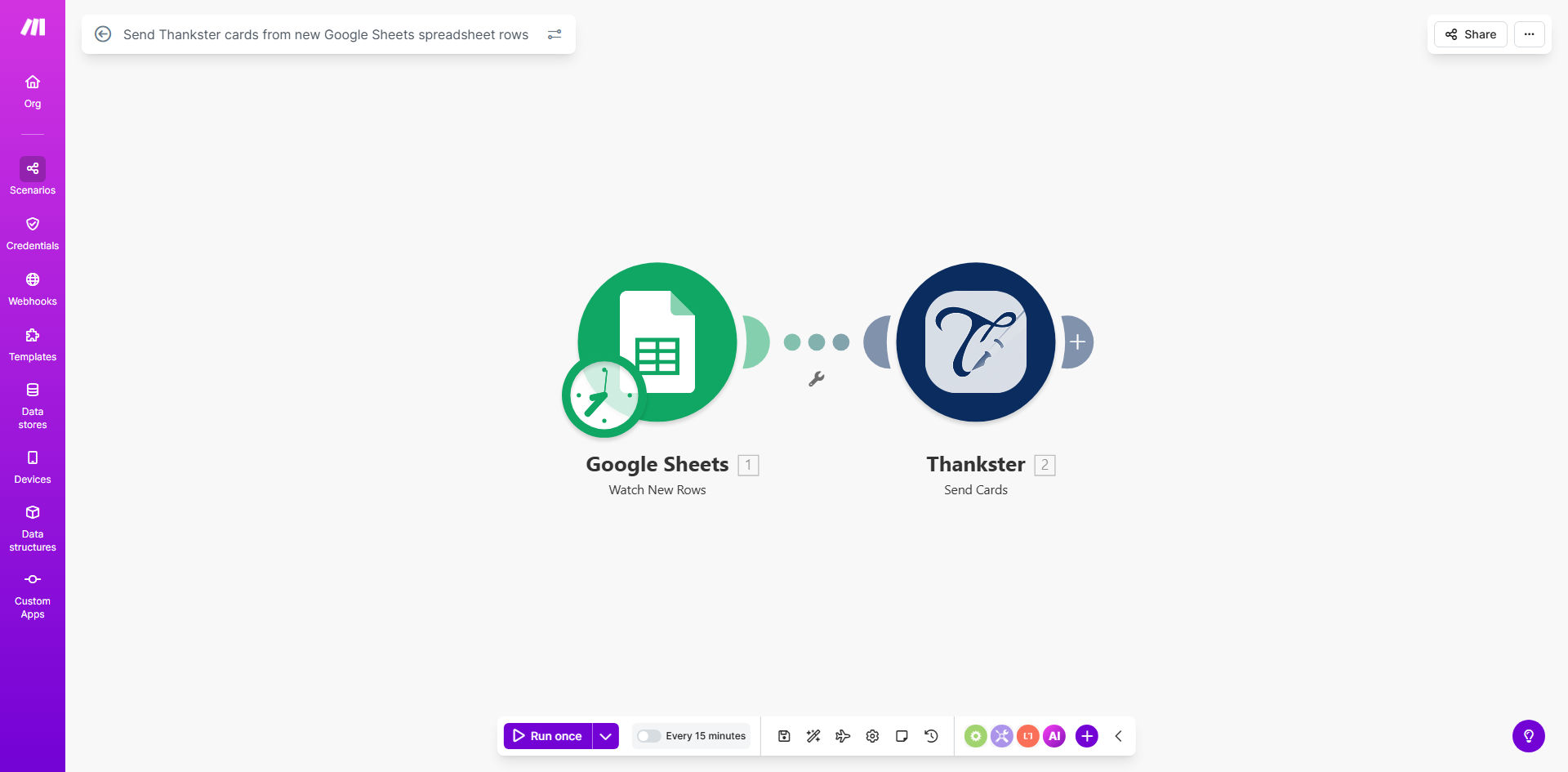
What This Workflow Does
Manual customer appreciation is a time-consuming, yet critical, business task. Forgetting to send a thank-you card or missing a customer's birthday can mean a lost opportunity to strengthen loyalty. This automation solves that by creating a seamless bridge between your data in Google Sheets and the physical greeting cards sent via Thankster.
Every time a new row is added to your designated spreadsheet—whether it's a new customer, a completed purchase, or an event attendee—this Make.com workflow instantly triggers. It captures the relevant details (name, address, personal message) and uses them to place and send a fully personalized card through Thankster. What used to take 10-15 minutes per card now happens automatically in the background, ensuring no touchpoint is ever missed.
The business value is clear: you maintain a consistent, personal connection with clients and leads at scale. This builds brand affinity, can increase customer lifetime value, and differentiates you from competitors who rely solely on impersonal digital communication.
How It Works
The workflow operates on a simple trigger-action principle, orchestrating data between two powerful platforms.
Step 1: Monitor Google Sheets for New Rows
The automation starts by watching a specific Google Sheets spreadsheet. You define the worksheet, and Make.com checks for new rows at regular intervals (e.g., every 15 minutes). When a new row appears, the workflow captures all its data as a bundle of variables to use in the next steps.
Pro tip: Structure your Sheets columns clearly—like 'Customer_Name', 'Shipping_Address', 'Card_Message'—to make mapping data to Thankster fields effortless and error-free.
Step 2: Format and Prepare the Data
Make.com processes the raw data from the sheet. This step might involve combining first and last name columns, validating the address format, or adding a standard branded signature to the custom message. This data preparation ensures the information sent to Thankster is clean and ready for printing.
Step 3: Send the Card via Thankster
The core action: Make.com connects to your Thankster account via its API. It uses the prepared data to select the card design, populate the recipient details and personal message, and place the order. Thankster then takes over, handling the printing, packaging, and postal delivery, just as if you had ordered it manually from their website.
Step 4: Log the Action (Optional)
For record-keeping and tracking, the workflow can add a timestamp or status update back to the original Google Sheets row, or send a notification to a Slack channel confirming the card was sent. This creates a closed-loop system, so you always know what was triggered and when.
Who This Is For
This automation is a game-changer for small to medium-sized businesses, coaches, realtors, and e-commerce stores that value personal touch but lack the administrative bandwidth for manual follow-ups.
E-commerce & Retail: Automatically send thank-you cards after a purchase or a customer's first order to boost retention.
Service-Based Businesses & Agencies: Send welcome cards to new clients or anniversary cards to long-term partners to deepen relationships.
Marketing Teams: Execute targeted direct mail campaigns by triggering cards from a list of webinar attendees, downloaded leads, or survey respondents.
Non-Profits & Community Groups: Acknowledge donors or volunteers with a personalized physical card, making them feel truly appreciated.
What You'll Need
- A Make.com account (free tier available).
- A Google Sheets spreadsheet with your recipient data. You can use the provided example template or your own.
- A Thankster account with an active subscription or credits to send cards.
- API connections set up in Make.com for both Google Sheets and Thankster (simple OAuth process).
- A clear idea of which card design in Thankster you want to use for this automated campaign.
Quick Setup Guide
You can have this automation running in under 30 minutes.
- Get the Template: Click "Get This Workflow" to copy the template into your Make.com account.
- Connect Your Apps: In the Make.com scenario, authorize the Google Sheets and Thankster modules by logging into your accounts when prompted.
- Configure the Trigger: Point the Google Sheets module to your specific spreadsheet and worksheet that will contain new recipient data.
- Map Your Data: In the Thankster module, map the columns from your sheet (e.g., Column B for name, Column C for address) to the corresponding fields required by Thankster to create the card.
- Choose Your Card Design: Select the specific Thankster card design ID you want to use for all sends, or set up logic to choose designs based on data.
- Test and Activate: Turn on the scenario and add a test row to your Google Sheet. Verify that a card order is successfully placed in your Thankster account, then let the automation run on its own.
Key Benefits
Eliminate Manual Grunt Work: Reclaim hours every week previously spent copying, pasting, and manually ordering cards. This time can be redirected to higher-value strategic activities.
Ensure Perfect Timing and Consistency: Cards are sent immediately when the trigger occurs, making the gesture timely and relevant. Every customer receives the same high-quality, branded experience.
Scale Personalization Effortlessly: Send one card or one thousand with the same initial setup effort. The automation personalizes each card using your data, allowing you to grow your outreach without proportional growth in overhead.
Reduce Human Error: Automated data transfer eliminates mistakes like typos in addresses or forgetting to send a card altogether, protecting your brand's reputation for attention to detail.
Create a Tangible Marketing Channel: In a world of digital noise, a physical card stands out. This automation lets you systematically leverage direct mail to cut through the clutter and make a memorable impression.