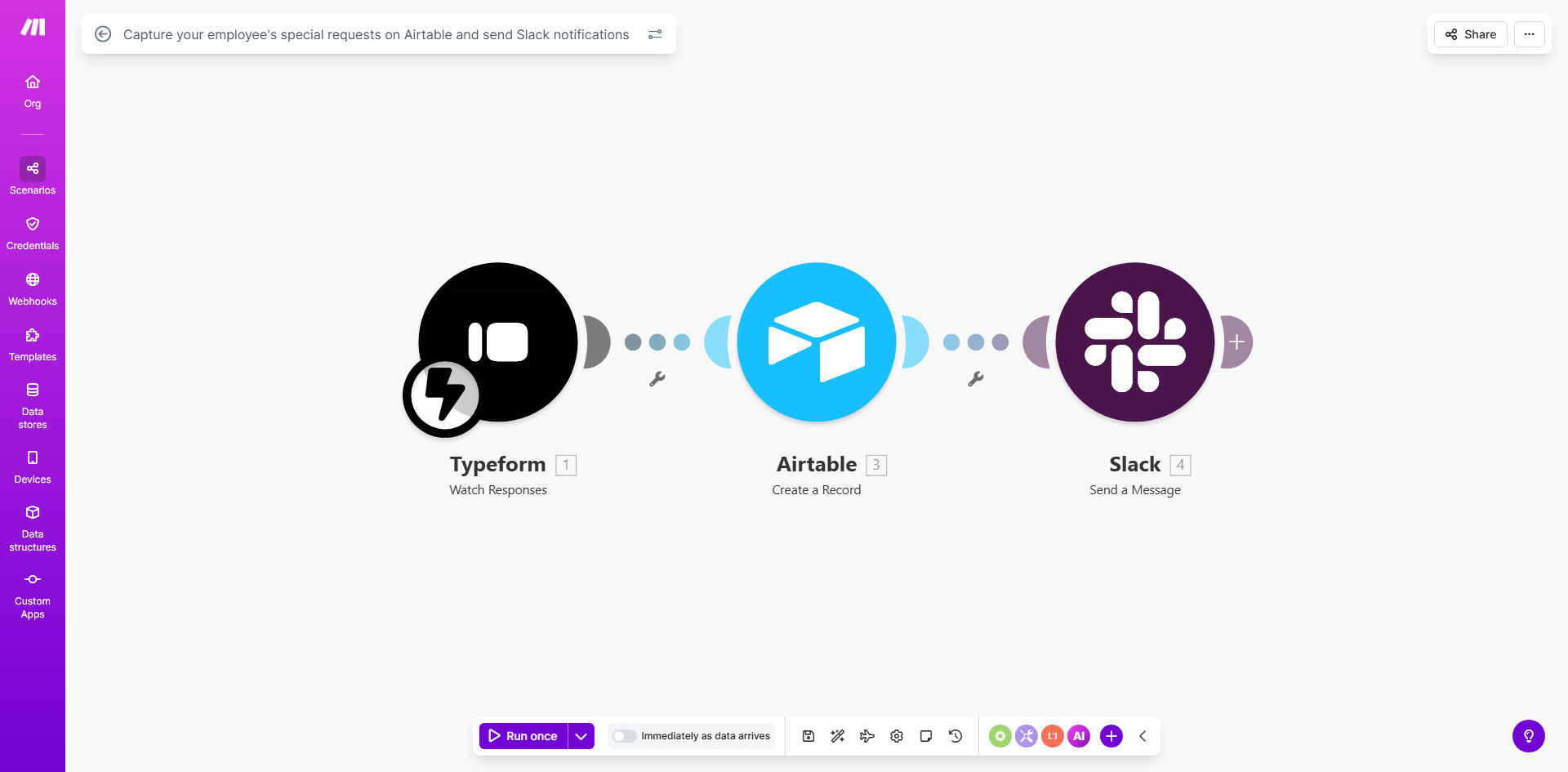
What This Workflow Does
Every company faces a common internal challenge: managing the stream of special, non-standard requests from employees. These aren't your everyday IT tickets or leave applications, but unique needs like requests for specialized software, one-time budget approvals for a conference, or inquiries about flexible work policy exceptions. Traditionally, these arrive via scattered emails, direct messages, or casual conversations, leading to missed messages, forgotten follow-ups, and frustrated employees.
This automation solves that by creating a formal, yet simple, digital channel. It captures these special requests directly into a structured Airtable base—a centralized database that acts as your single source of truth. The moment a new request is logged, the workflow triggers an instant notification in the relevant Slack channel, alerting your HR, management, or ops team in real-time. This transforms a chaotic, manual process into a streamlined, trackable, and efficient system.
How It Works
The workflow acts as a intelligent bridge between your employees' needs and your team's attention.
Step 1: Request Submission & Capture
An employee submits their special request. This can be done through a simple form linked to Airtable, via an email parser, or even directly within a shared Airtable view. The key details—employee name, department, request type, description, and urgency—are captured as a new record in your designated Airtable base.
Step 2: Automated Data Processing
Make.com watches your Airtable base for new records. Once a new request is detected, the workflow instantly processes the data, formatting it for clarity and extracting the most critical information needed for the notification.
Step 3: Intelligent Slack Notification
The workflow posts a formatted message to a specified Slack channel (e.g., #hr-requests or #manager-alerts). This notification includes the employee's name, a summary of the request, a direct link to the full Airtable record for deeper context, and often a priority tag. This ensures the right people see the request immediately, without having to proactively check a separate system.
Pro tip: Use Airtable's "Single Select" field for request categories (e.g., "Equipment," "Training," "Policy"). This allows you to later set up routing rules in Make.com to send notifications to different Slack channels based on the category, ensuring specialized teams handle relevant requests.
Who This Is For
This template delivers immense value for Human Resources teams, Office Managers, IT departments, and Finance or Operations leaders in small to mid-sized businesses. It's ideal for companies that are growing beyond the point where ad-hoc requests can be managed informally. Startups transitioning to more structured processes, remote or hybrid teams that lack a physical "drop-by" option, and any organization aiming to improve its internal service level and employee experience will benefit directly.
What You'll Need
- A Make.com account (free tier is sufficient to start).
- An Airtable account with a base created to store employee requests.
- A Slack workspace where you have permission to create incoming webhooks or use a Slack bot.
- Basic familiarity with connecting apps in Make.com (the template provides the blueprint).
- A method for employees to submit requests (e.g., an Airtable form, a simple web form, or an agreed-upon process to add rows to Airtable).
Quick Setup Guide
You can have this automation running in under 30 minutes.
- Clone the Template: Click "Get This Workflow" to copy the template into your Make.com account.
- Connect Your Airtable: In the first module, authorize Make.com to access your Airtable account and select the base and table where requests will be stored.
- Configure Your Slack: In the Slack module, connect your workspace and specify the exact channel (e.g., #internal-requests) where notifications should appear.
- Customize the Message: Adjust the text of the Slack notification to match your company's tone. Include the most helpful fields from Airtable, like `Employee Name`, `Request Summary`, and a link to the record.
- Test and Activate: Turn on the scenario and create a test request in your Airtable base. Within seconds, you should see a notification pop up in your designated Slack channel. Once confirmed, share the submission method with your team.
Key Benefits
Eliminate Request Black Holes: No more lost emails or forgotten verbal requests. Every submission is permanently logged in Airtable with a timestamp, creating full accountability and an audit trail for your internal service delivery.
Accelerate Response Times by 80%: Instead of waiting for someone to check an inbox or database, notifications are pushed directly to the team's primary communication tool (Slack). This can reduce the initial acknowledgment time from hours or days to mere minutes.
Centralize for Better Management: With all requests in one Airtable base, you gain powerful visibility. You can create dashboards to track request volume, average resolution time, common request types, and team performance—data that's impossible to gather from scattered emails.
Improve Employee Experience: Employees receive clarity and confidence that their special need has been formally received and is being tracked. This transparency reduces follow-up inquiries to HR and builds trust in internal processes.
Lay the Foundation for Scaling: This simple automation is a gateway. Once established, you can easily extend it to include approval workflows, automated status updates back to the employee, or integration with other systems like your calendar or procurement software.