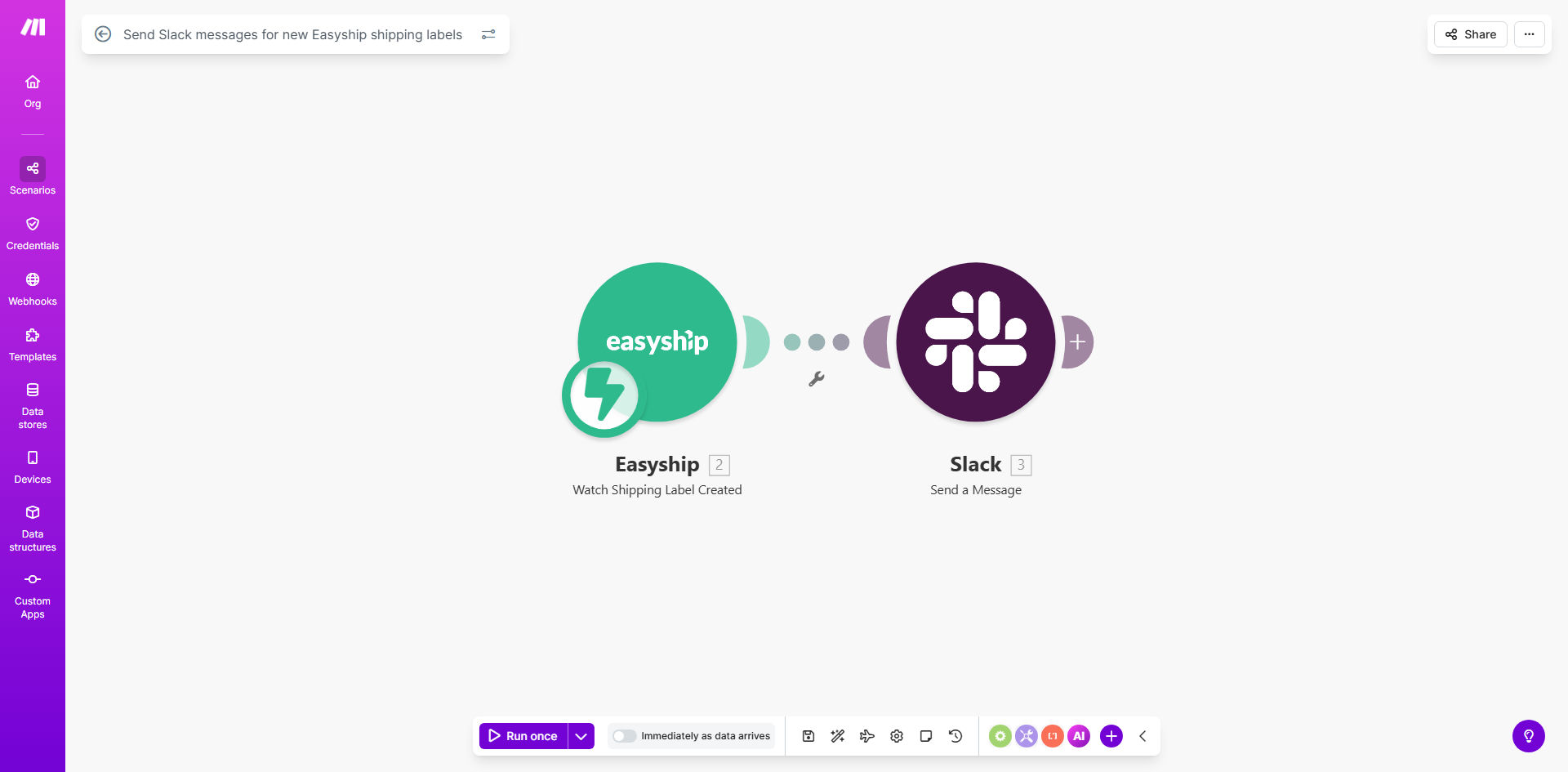
What This Workflow Does
For e-commerce and logistics teams, staying on top of shipping labels is a constant, manual task that drains time and creates bottlenecks. Without automation, someone must regularly check Easyship for new labels, then manually notify warehouse staff or customer service via email, chat, or spreadsheets. This process is slow, error-prone, and lacks real-time visibility, leading to delayed shipments and frustrated customers.
This automation solves that problem completely. It acts as a digital bridge between your shipping platform and your team's communication hub. Every time a new shipping label is generated in Easyship—whether for a single order or a batch—this workflow instantly captures that event and posts a detailed notification to a designated Slack channel or direct message. The entire process happens in seconds, without any human intervention.
The result is a seamless flow of information. Your fulfillment team knows immediately when an order is ready to pack and ship. Managers gain real-time insight into order volume. Customer support can access tracking information faster. This automation transforms shipping from a reactive, siloed task into a proactive, collaborative process.
How It Works
The workflow is built on a simple but powerful "watch and notify" principle using Make.com's visual automation platform.
Step 1: Monitor Easyship for New Labels
The automation starts with a trigger module that continuously monitors your Easyship account. It's configured to watch for the specific event of a "shipping label created." This can be set to check at regular intervals (e.g., every 5 minutes) or can use webhooks for instant triggering, ensuring no label goes unnoticed.
Step 2: Extract and Format Label Data
Once a new label is detected, Make.com retrieves all relevant data associated with it. This includes the order number, customer details, shipping service, tracking number, label PDF URL, and cost. The workflow then structures this data into a clear, readable format, preparing it for the notification.
Step 3: Send Customized Alert to Slack
The formatted data is sent to Slack using the "Send a Message" action. You can specify exactly which channel (like #warehouse or #orders) or person receives the alert. The message can be richly formatted with details, emojis for quick scanning, and even a direct link to download the label PDF, allowing your team to take immediate action.
Pro tip: Use Slack's message formatting to include the tracking number as a clickable link. This allows your customer service team to check shipment status instantly without leaving Slack.
Who This Is For
This automation is ideal for any business that uses Easyship for shipping and Slack for internal communication. It's particularly valuable for e-commerce brands managing daily order fulfillment, subscription box companies with regular shipment cycles, and small to medium-sized retailers looking to scale their operations efficiently. Operations managers, warehouse supervisors, and founders who are tired of manual coordination will find immediate value in this streamlined process.
What You'll Need
- A Make.com account (free tier available).
- An active Easyship account with API access enabled.
- A Slack workspace where you have permission to create app integrations and post to channels.
- Basic information like your Easyship API key and the specific Slack channel name where notifications should be sent.
Quick Setup Guide
You can have this automation running in under 15 minutes by following these steps:
- Clone the Template: Click "Get This Workflow" to copy the template into your Make.com account.
- Connect Easyship: In the first module, authorize Make.com to access your Easyship account using your API credentials.
- Connect Slack: In the Slack module, authorize the connection to your workspace and select the target channel (e.g., #shipping-alerts).
- Customize the Message: Edit the message template to include the data points most important to your team, like Order ID, Shipping Method, and Tracking Link.
- Test and Activate: Turn on the scenario and create a test label in Easyship. Verify the notification appears correctly in your Slack channel, then let the automation run continuously.
Key Benefits
Save 5–10 hours per week on manual tracking and communication. Eliminate the daily ritual of checking dashboards and sending emails. This time can be reinvested into strategic tasks that grow your business.
Reduce shipping errors and delays by over 30%. Instant notifications mean labels are acted upon immediately, preventing orders from sitting idle and ensuring faster handoff to carriers.
Improve team transparency and accountability. With every label announced publicly in a Slack channel, everyone is aligned on fulfillment status, reducing confusion and finger-pointing.
Enhance customer satisfaction with faster deliveries. A faster internal process directly translates to quicker package dispatch, leading to happier customers and potentially higher reviews.
Create a searchable audit trail of all shipments. Every Slack notification serves as a timestamped record of when a label was created, invaluable for resolving disputes or analyzing fulfillment performance.