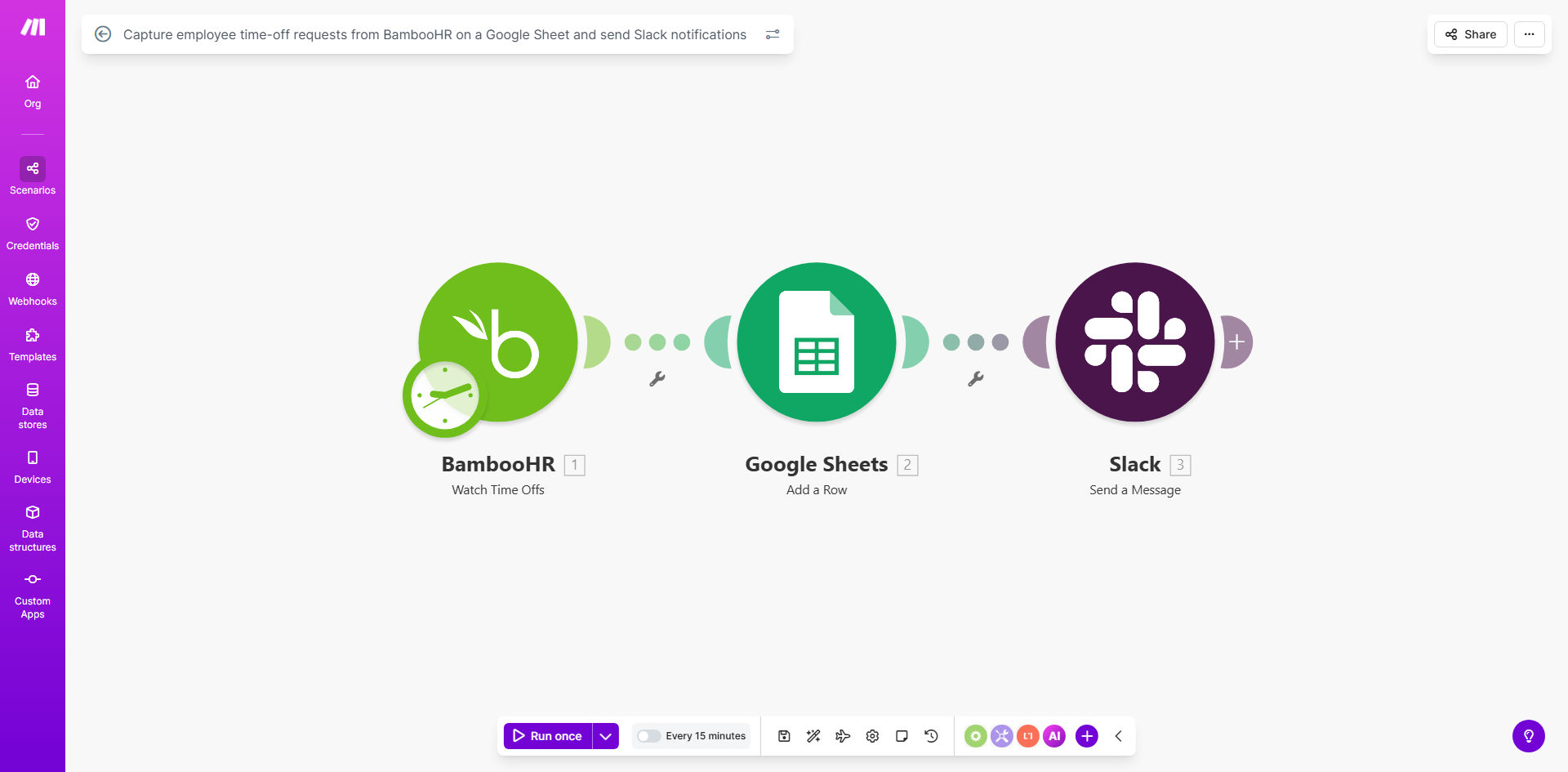
What This Workflow Does
Managing employee time-off requests manually is a hidden productivity drain. Requests come in via email, forms, or directly in your HR system, and someone has to manually transcribe them, notify managers, and update tracking spreadsheets. This process is slow, prone to errors, and requests can easily get lost or forgotten, leading to frustrated employees and last-minute staffing scrambles.
This automation solves that by creating a seamless bridge between your HR system (BambooHR), your record-keeping tool (Google Sheets), and your team communication platform (Slack). Whenever an employee submits a time-off request in BambooHR, this workflow automatically captures all the details—employee name, dates, leave type, and status—and adds it as a new row in a designated Google Sheet. Simultaneously, it sends a clear, actionable notification to a specific Slack channel or person, ensuring the right manager sees the request immediately.
How It Works
Step 1: Trigger from BambooHR
The workflow is triggered the moment a new time-off request is created or updated in your BambooHR account. Make.com watches for this event, securely pulling in all relevant data fields.
Step 2: Structure & Format Data
The raw data from BambooHR is then parsed and formatted. The workflow can calculate the duration, standardize date formats, and categorize the type of leave (e.g., PTO, Sick, Unpaid).
Pro tip: Add a module to check the employee's remaining balance from BambooHR and include it in the log, helping prevent over-approvals.
Step 3: Log Request in Google Sheets
The formatted data is appended as a new row in your master Google Sheet. Each request creates a permanent, time-stamped record in a central location that's easy to search, filter, and report on.
Step 4: Send Instant Slack Alert
Finally, a message is posted to a designated Slack channel or sent via direct message to an approver. The notification includes key details and often a quick-action button (if using Slack's workflow builder) for faster approval.
Who This Is For
This automation is ideal for HR managers, operations leads, and team managers in small to medium-sized businesses that use BambooHR. It's perfect for companies tired of manual follow-ups, seeking to reduce administrative overhead, and wanting to provide a better, faster experience for employees requesting time off. If your team relies on Slack for daily communication, this workflow seamlessly integrates leave management into your existing workflow.
What You'll Need
- A Make.com account (free tier works for this workflow).
- An active BambooHR subscription with admin/api access.
- A Google Sheet set up with columns for Employee Name, Request Date, Start Date, End Date, Leave Type, Status, etc.
- A Slack workspace and a dedicated channel (e.g., #time-off-requests) or user ID for notifications.
- Permission to connect these apps via OAuth within Make.com.
Quick Setup Guide
- Get the Template: Click "Get This Workflow" to copy the template into your Make.com account.
- Connect Your Apps: In the Make.com scenario, click each module to connect your BambooHR, Google Sheets, and Slack accounts using OAuth.
- Configure BambooHR Trigger: Select the specific BambooHR event (e.g., "Time Off Request Created") and map the employee fields you want to capture.
- Set Up Your Google Sheet: Point the "Add Row" module to your specific Sheet and map the BambooHR data to the correct column headers.
- Customize the Slack Alert: Choose the Slack channel or user and craft the notification message. Use placeholders to insert dynamic data like
[Employee Name]and[Dates]. - Test & Activate: Run a test with a dummy request in BambooHR to ensure data flows correctly to the Sheet and Slack. Then, turn the scenario on.
Key Benefits
Eliminate Manual Entry & Reduce Errors: Automatically logging requests saves 2-5 hours of administrative work per month and ensures your records are 100% accurate, straight from the source system.
Speed Up Approvals by 80%: Instant Slack notifications mean managers see requests within seconds, not days. This dramatically shortens the approval cycle and improves employee satisfaction.
Create a Central, Auditable Record: Every request is timestamped and stored in Google Sheets, providing a single source of truth for compliance, reporting, and planning. No more digging through emails.
Improve Team Planning & Visibility: With all upcoming time off visible in a shared Sheet, managers can easily forecast staffing needs and prevent scheduling conflicts before they happen.
Enhance Data Security: By automating the flow, you reduce the need to share sensitive HR spreadsheets via email. Access is controlled via app permissions and private Slack channels.