Make.com HubSpot CRM Zoom Marketing Automation Webinar

Automate Zoom Webinar Registration from HubSpot

Instantly register contacts for your Zoom webinars the moment they join a marketing list in HubSpot. Eliminate manual work and boost event attendance.

Get This Workflow → Make.com · HubSpot & Zoom · Free Template
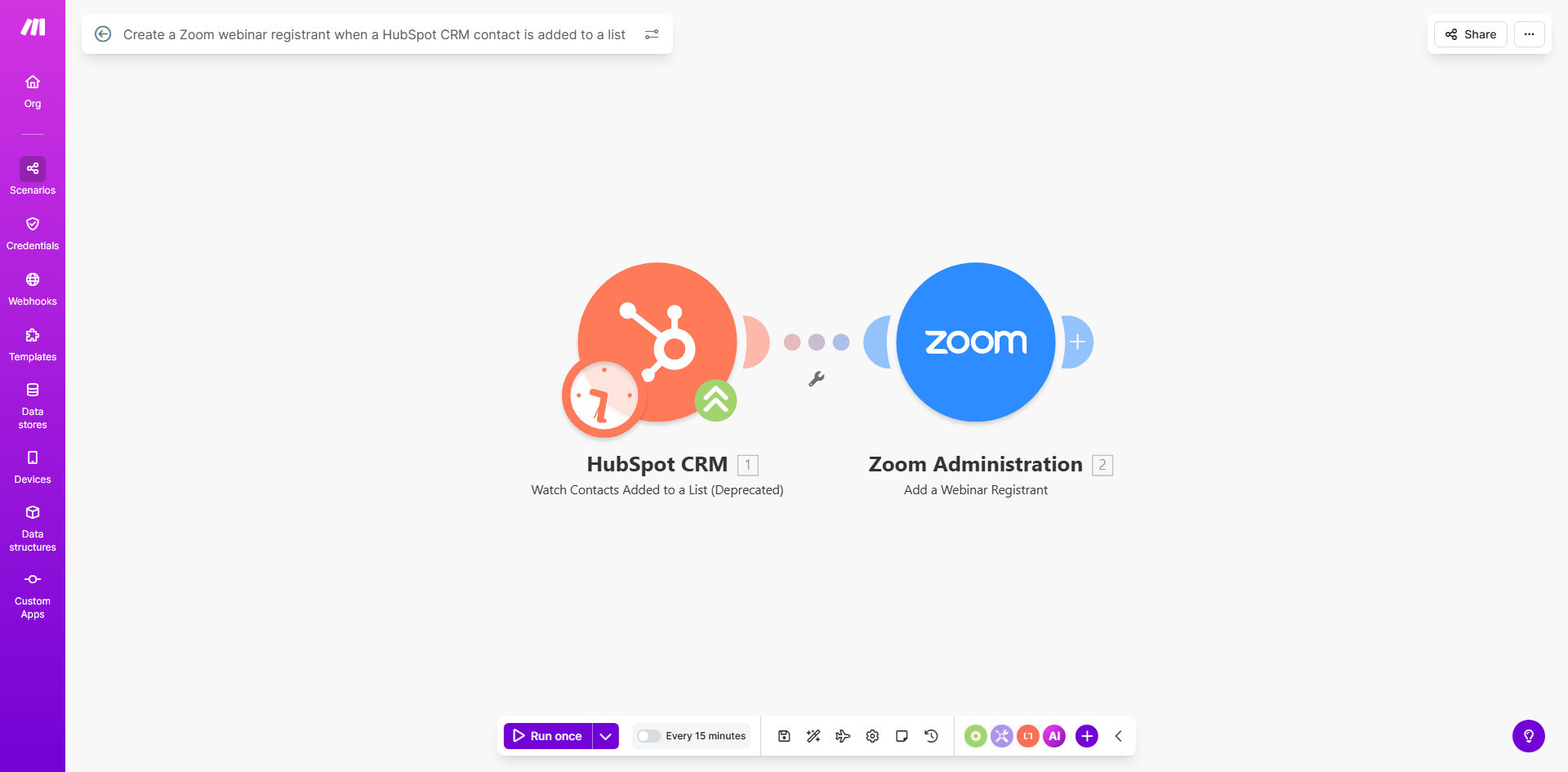
Diagram showing automation flow from HubSpot contact list to Zoom webinar registration

What This Workflow Does

Running webinars is a powerful marketing strategy, but the manual process of moving contacts from your CRM to your webinar platform is a major bottleneck. Marketing teams often waste hours copying and pasting email addresses, risking errors, and causing registration delays that hurt attendance rates.

This automated workflow solves that problem by creating a seamless bridge between your HubSpot CRM and Zoom Webinars. Whenever a contact is added to a specific marketing list in HubSpot—such as a "Webinar Interest" list—the automation instantly registers them for your designated Zoom webinar. The contact receives their confirmation and join link immediately, creating a professional and frictionless experience that maximizes sign-up and show-up rates.

Pro tip: Use this automation not just for general sign-ups, but for targeted, list-based campaigns. For example, create a list for contacts who downloaded a specific whitepaper and automatically invite them to a related deep-dive webinar.

How It Works

The automation acts as a real-time connector between two critical business platforms.

Step 1: Trigger from HubSpot

The workflow is triggered the instant a new contact is added to a pre-defined static or active list in your HubSpot portal. Make.com watches for this event continuously.

Step 2: Map Contact Data

The system captures the new contact's details—like first name, last name, and email address—from the HubSpot trigger. You can configure it to pull additional custom properties (job title, company) to pass to Zoom.

Step 3: Create Zoom Registrant

Using the captured data, the automation makes an API call to Zoom Webinars to register the contact for your specified webinar. It sends the contact's information to Zoom's registration system.

Step 4: Confirm & Log

Upon successful registration, the workflow can be extended to log the action in HubSpot, send a custom confirmation email, or update internal dashboards, ensuring everything is tracked.

Who This Is For

This automation is ideal for marketing teams, demand generation specialists, and business owners who run regular webinars as part of their lead generation or customer education strategy. It's perfect for:

  • B2B SaaS Companies: Hosting product demo or thought leadership webinars for leads.
  • Marketing Agencies: Managing webinar campaigns for multiple clients using HubSpot and Zoom.
  • Coaches & Consultants: Automating registration for paid workshop series or masterclasses.
  • Educational Institutions: Handling sign-ups for online info sessions or virtual open houses.

What You'll Need

  1. A Make.com account (free or paid plan).
  2. A HubSpot CRM account with Marketing Hub subscription (to utilize lists).
  3. A Zoom account with a paid webinar license.
  4. API credentials (API keys or OAuth) for both HubSpot and Zoom, ready to connect in Make.com.
  5. A pre-existing Zoom webinar scheduled and a target HubSpot list set up.

Quick Setup Guide

You can have this automation running in under 30 minutes.

  1. Clone the Template: Click "Get This Workflow" and duplicate the scenario into your Make.com account.
  2. Connect Your Apps: Authorize the HubSpot and Zoom modules in Make.com using your API credentials.
  3. Configure the Trigger: Select the specific HubSpot list that will trigger the registration.
  4. Set the Webinar: In the Zoom module, select the webinar ID for which you want to register contacts.
  5. Map Data Fields: Ensure the contact's email, first name, and last name from HubSpot are correctly mapped to the Zoom registration fields.
  6. Test & Activate: Add a test contact to your HubSpot list and verify they appear as a registrant in Zoom. Then turn the scenario on.

Pro tip: Before going live, run a test with a small, controlled segment of your list. Verify the registration confirmation email from Zoom is received and looks correct.

Key Benefits

Save 5–10 hours per webinar on manual data entry. Eliminate the tedious, error-prone process of exporting lists from HubSpot and uploading them to Zoom, allowing your team to focus on content and promotion.

Increase webinar attendance rates by 15–25%. Instant registration means contacts receive the Zoom link immediately while their interest is highest, reducing drop-off and forgetfulness.

Ensure 100% data accuracy between systems. Automated data transfer removes typos and missed entries, guaranteeing your Zoom attendee list perfectly matches your HubSpot marketing list.

Create scalable, multi-webinar campaigns. Once set up, you can replicate this automation for different lists and webinars, allowing you to run complex, segmented webinar funnels without additional overhead.

Improve lead nurturing and tracking. By automating this step, you create a clear trigger in the customer journey, making it easier to measure the effectiveness of your webinar as a lead generation tool.

Frequently Asked Questions

Common questions about HubSpot and Zoom webinar automation and integration

Automating webinar registration eliminates manual data entry, reduces human error, and ensures every qualified lead from your marketing lists is instantly registered. This creates a seamless attendee experience, improves registration rates, and frees your team to focus on promoting the event and engaging with participants.

Without automation, the lag between a contact showing interest and receiving access details can cause them to lose interest or forget. Automation turns a slow, administrative task into a real-time marketing action that capitalizes on peak engagement.

Connecting HubSpot and Zoom creates a closed-loop marketing system. You can trigger registrations based on contact behavior or list membership in HubSpot, then track attendance and engagement back in the CRM. This allows for precise segmentation, personalized follow-up, and clear ROI measurement for your webinar programs.

For example, you can automatically register contacts who visit a pricing page, then later segment your follow-up campaign in HubSpot based on who actually attended the webinar versus who registered but didn't show up.

Yes, a well-built automation can be configured to handle multiple webinars or series. You can set rules to register contacts for specific events based on the HubSpot list they join, their contact properties, or the campaign source. This allows you to run targeted, parallel webinar funnels from a single automated workflow.

Advanced setups can use router modules in Make.com to direct contacts to different Zoom webinars. For instance, leads from a "Product A" list go to a demo for that product, while leads from a "Whitepaper B" list are registered for a related educational webinar.

Automated registration provides instant confirmation and Zoom join details the moment a contact opts in, reducing anxiety and increasing the likelihood they'll attend. It eliminates delays from manual processing and ensures all communication, like reminder emails, is timely and consistent, leading to higher show-up rates.

A fast, professional registration experience sets a positive tone for the entire event. It signals that your company is organized and tech-savvy, building trust before the webinar even begins.

Beyond basic name and email, pass relevant data like company name, job title, and custom questions from your HubSpot forms. This enriches the attendee list within Zoom, allows for personalized webinar content, and provides better insights for your sales team when following up with hot leads post-event.

Consider passing UTM parameters or campaign IDs as well. This helps you track which marketing source generated the most engaged attendees, allowing for continuous optimization of your promotional channels.

  • Pass company name for personalized greetings.
  • Include job role to tailor content examples.
  • Send custom property answers as Zoom registration questions.

Track key metrics like registration-to-attendance rate, source of registrations (which HubSpot list), and engagement duration within Zoom. Sync attendance status back to HubSpot to score leads. The ultimate success metric is the conversion rate of webinar attendees to qualified sales opportunities or customers.

By automating the data flow, you create clear attribution. You can see exactly which list generated a registrant, if they attended, how long they stayed, and what their next action was in the CRM, providing a complete picture of webinar ROI.

Absolutely. GrowwStacks specializes in building tailored automation systems. We can design a custom workflow that integrates your specific HubSpot segmentation, Zoom webinar settings, and post-event follow-up sequences, including integration with your email platform and sales tools for a complete end-to-end solution.

Our team will handle the technical build, testing, and documentation, ensuring the automation aligns with your unique marketing playbooks and scales with your business. We go beyond simple registration to create intelligent nurture flows based on attendee behavior.

  • Custom triggers based on complex HubSpot filters.
  • Integration with email platforms for personalized sequences.
  • Automated lead scoring and sales alerting.

Need a Custom Webinar Automation?

This free template is a starting point. Our team builds fully tailored automation systems for your specific business needs.