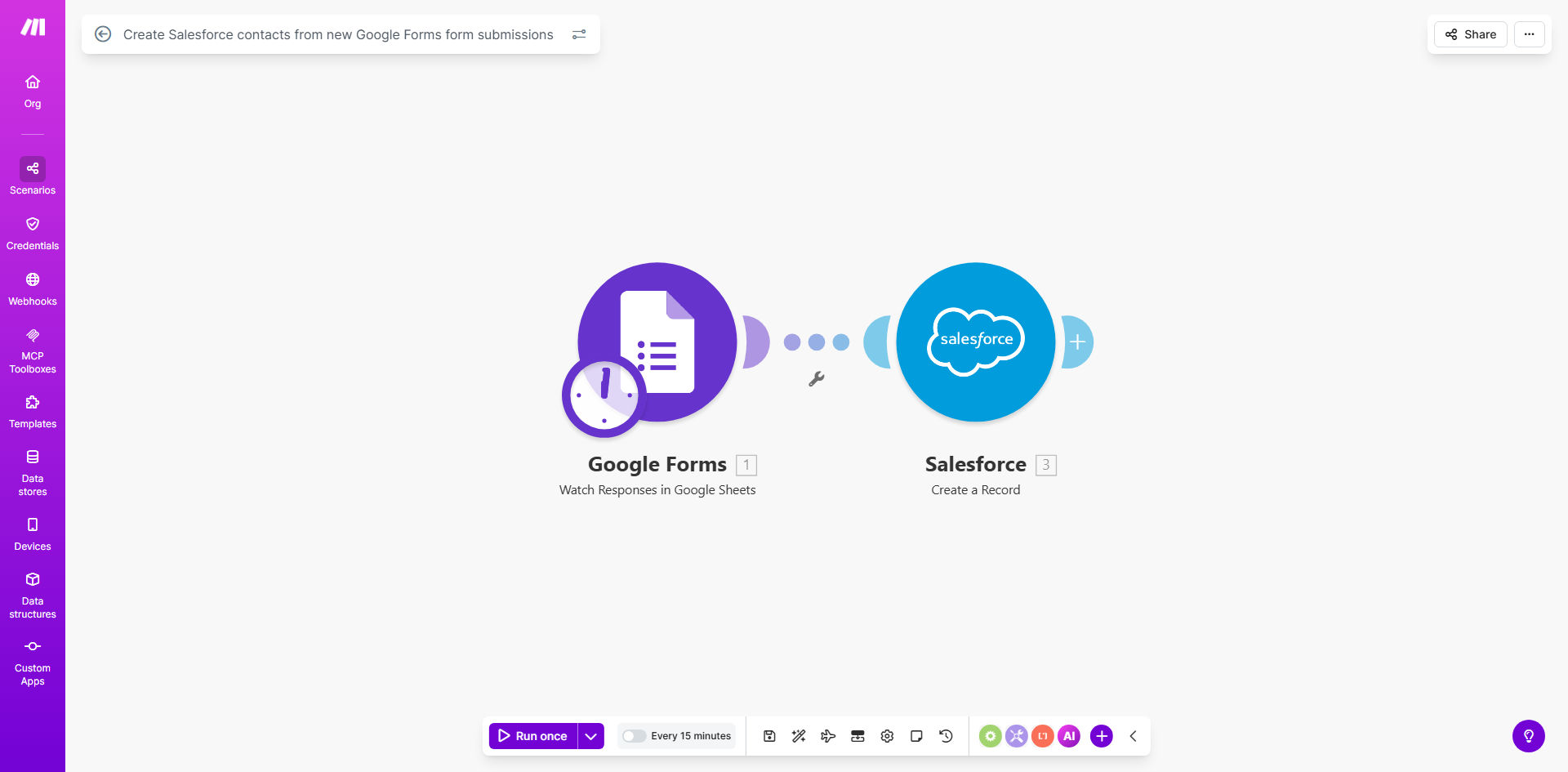
What This Workflow Does
Every time a potential customer fills out your contact form, webinar registration, or quote request on Google Forms, a race begins. The faster that lead reaches your sales team, the higher your chance of closing the deal. Manual processes—where someone must notice the submission, open a spreadsheet, and copy-paste data into Salesforce—create delays of hours or even days. This workflow solves that critical bottleneck.
It acts as an intelligent bridge between your front-end lead capture (Google Forms) and your central customer database (Salesforce). The moment a form is submitted, the automation springs into action. It reads the response, structures the data, and creates a fully-fledged contact record in Salesforce—all within seconds, without any human intervention. This ensures your CRM is always up-to-date and your sales team can act on fresh, hot leads immediately.
Pro tip: Use this automation not just for contact forms, but for event sign-ups, content download gates, and feedback surveys. Every interaction is a potential lead to be nurtured in Salesforce.
How It Works
The automation follows a clean, reliable sequence to transform a form response into a sales-ready contact.
Step 1: Trigger on New Form Submission
The workflow is activated the instant a new response is recorded in your Google Form. Make.com watches for this event continuously, ensuring zero lag in lead capture.
Step 2: Parse and Map Form Data
The automation extracts the submitted information—like name, email address, company, and phone number—from the Google Forms response. It then maps each piece of data to the corresponding field in the Salesforce Contact object (e.g., form field "Email Address" maps to Salesforce field "Email").
Step 3: Create Contact in Salesforce
Using the mapped data, the workflow sends a secure API call to your Salesforce instance to create a new Contact record. It can handle custom fields, ensuring all the information you collect finds its proper home.
Step 4: Confirm and Log (Optional)
After the contact is created, the workflow can retrieve the new Salesforce Contact ID for confirmation. You can add modules to log this activity to a Google Sheet, send a notification to a Slack channel, or trigger a welcome email—making the process fully transparent and actionable.
Who This Is For
This automation is a game-changer for any business using Salesforce as its CRM and Google Forms for lead generation. It's perfect for sales teams tired of manual data entry, marketing agencies running client campaigns, event coordinators managing registrations, and small business owners wearing multiple hats. If you generate leads through forms and want those leads to instantly populate your sales pipeline, this workflow is for you.
What You'll Need
- A Make.com account (free tier available).
- A Google Forms form that is actively collecting submissions.
- A Salesforce account with API access and permissions to create Contact records.
- The login credentials to authorize the connections between Make.com, Google, and Salesforce.
- Basic knowledge of your Salesforce Contact field names to ensure proper data mapping.
Quick Setup Guide
You can have this automation running in under 15 minutes by following these steps.
- Get the Template: Click the "Get This Workflow" button above to copy the template to your Make.com account.
- Authorize Connections: In your new scenario, click the Google Forms and Salesforce modules to log in and authorize the connections. This is a secure, one-time OAuth process.
- Select Your Form: In the Google Forms trigger module, select the specific form you want to monitor for new submissions.
- Map Your Fields: In the Salesforce "Create a Contact" module, map the data from the form response to the correct Salesforce fields (e.g., map `Respondent's Email` to `Email`).
- Test and Activate: Use the "Run once" feature to submit a test response to your form. Verify that a contact appears correctly in Salesforce. Then, turn the scenario scheduler to "On" to let it run automatically.
Pro tip: Start by testing with a single, simple form. Once confident, you can clone the scenario to connect multiple forms to Salesforce, or add steps for email notifications and data logging.
Key Benefits
Eliminate 5-10 hours of manual data entry per week. Free your team from the tedious, error-prone task of copying and pasting information between systems. This time can be reinvested in high-value activities like sales calls and customer service.
Improve lead response time from days to minutes. Speed is critical in sales. By having leads instantly appear in Salesforce, your team can make contact while the prospect's interest is highest, significantly boosting conversion rates.
Ensure 100% data accuracy and CRM hygiene. Automated data transfer removes typos, missed fields, and duplicate entries that are common with manual processes. Your Salesforce data remains clean, reliable, and actionable.
Scale your lead capture efforts effortlessly. Whether you receive 10 or 1000 form submissions a day, the automation handles them all with the same speed and reliability, allowing your business to grow without administrative bottlenecks.
Gain a seamless integration between marketing and sales. This workflow closes the loop between your lead generation tools and your CRM, fostering better alignment between marketing efforts and sales follow-up, leading to more revenue.