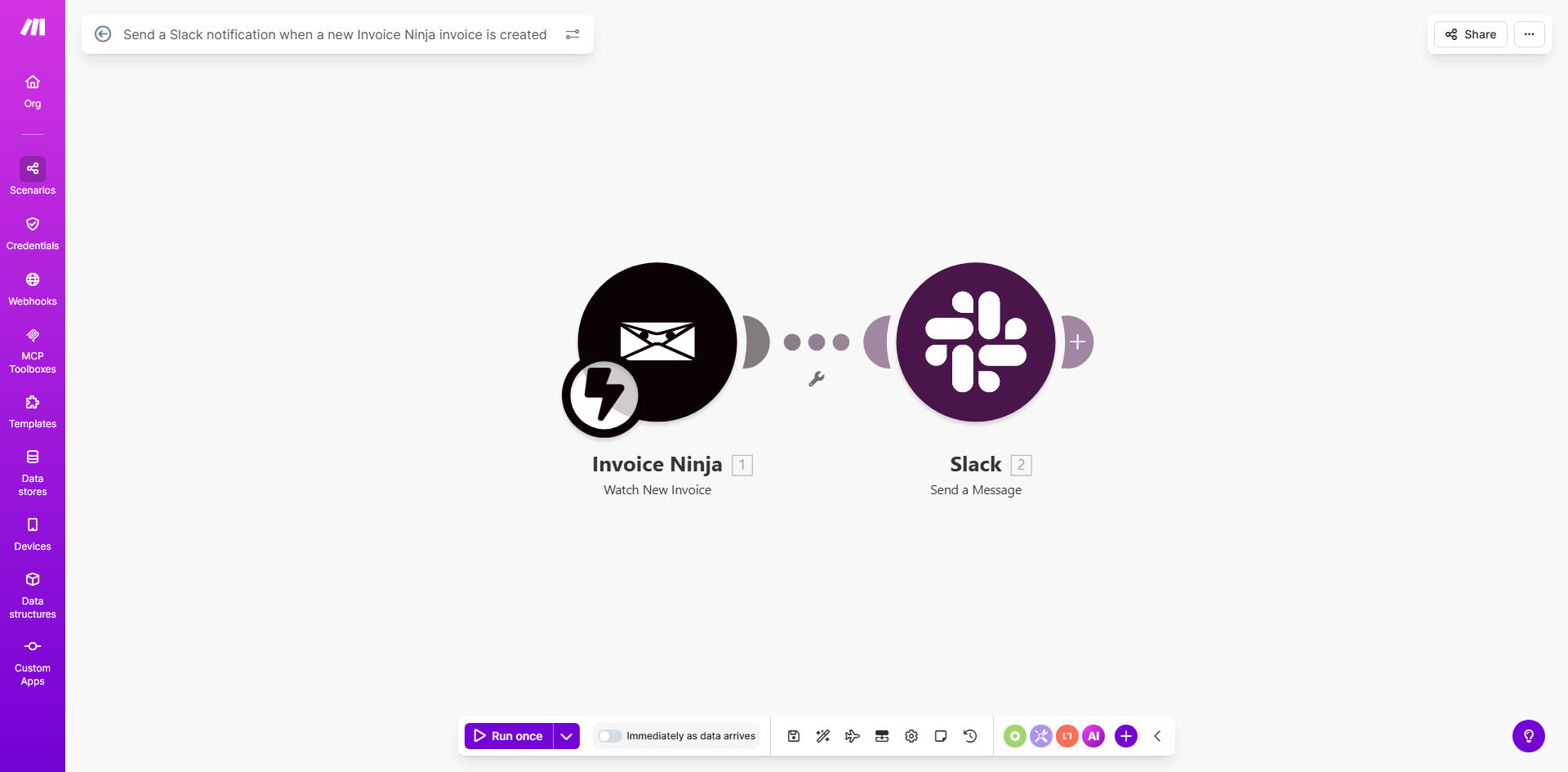
What This Workflow Does
For businesses using Invoice Ninja, a critical challenge is ensuring that new invoices are immediately visible to the relevant team members—sales, account managers, or finance. Relying on manual checks or email forwards creates delays, increases the risk of invoices being forgotten, and slows down cash flow. This disconnect between your billing system and team communication can cost you time and money.
This automated workflow solves that by creating a direct, real-time link between Invoice Ninja and your team's Slack workspace. The moment a new invoice is created and sent to a client, a formatted notification is automatically posted to a designated Slack channel. This gives your team instant visibility, enabling prompt follow-up and fostering better financial hygiene without anyone having to leave their primary communication tool.
How It Works
The automation is a straightforward, reliable sequence that bridges two powerful apps.
Step 1: Monitor Invoice Ninja
The workflow starts by watching your Invoice Ninja account for a specific trigger event: the creation of a new invoice. Make.com polls Invoice Ninja at regular intervals or uses a webhook to catch this event in real-time, ensuring no invoice goes unnoticed.
Step 2: Extract Invoice Details
Once a new invoice is detected, the automation pulls key details from it. This includes the client name, invoice number, total amount, due date, status, and a direct link to view the invoice within Invoice Ninja.
Pro tip: You can add filters in this step to only trigger for invoices over a certain amount or for specific clients, preventing notification overload for small, routine bills.
Step 3: Format & Send to Slack
The extracted data is then structured into a clear, actionable Slack message. Using Slack's "Send a Message" module, the workflow posts this alert to your chosen channel. The message can include emojis for quick scanning (like 💰 for a new invoice) and buttons that link directly to the invoice for one-click access.
Who This Is For
This automation is ideal for small to medium-sized businesses, freelancers, and agencies that use Invoice Ninja for billing and Slack for internal communication. It's particularly valuable for:
- Service-based businesses (consultancies, marketing agencies, IT firms) where project managers need to know when clients have been billed.
- Sales teams who want immediate visibility into when a proposal becomes a billed invoice.
- Finance administrators seeking to reduce the time between invoice issuance and payment follow-up.
- Remote or distributed teams that rely heavily on Slack for real-time updates and need to centralize financial notifications.
What You'll Need
- A Make.com account (free tier is sufficient to start).
- An active Invoice Ninja account with administrative access to generate API credentials.
- A Slack workspace where you have permission to create apps and post to channels.
- The URL of the specific Slack channel (e.g., #invoices, #finance) where you want notifications to appear.
Quick Setup Guide
You can have this automation running in under 15 minutes.
- Clone the Template: Click the "Get This Workflow" button above to open the template in your Make.com account and create a copy.
- Connect Invoice Ninja: In the first module, click to add a connection. You'll be prompted to log into your Invoice Ninja account and grant Make.com API access. Make.com will guide you through this securely.
- Connect Slack: Similarly, authorize the Slack connection for the second module. Select the Slack workspace and grant permissions for the app to post messages.
- Configure the Alert: In the Slack module, paste the ID or name of your target channel (e.g., #invoices). The message template is pre-built, but you can customize the text to match your team's tone.
- Test & Activate: Turn on the scenario and create a test invoice in Invoice Ninja. Within moments, you should see a notification appear in your Slack channel. Once confirmed, your automation is live.
Key Benefits
Accelerate your cash flow by up to 15%. Instant alerts mean your team can begin payment follow-up processes the same day an invoice is sent, significantly reducing the average days sales outstanding (DSO).
Eliminate 100% of manual invoice checking. Free your finance or operations person from the tedious daily task of logging into Invoice Ninja to see what's new. The information comes to them.
Improve team alignment and accountability. With invoices announced publicly in a team channel, there's clear visibility on what has been billed and to whom, reducing internal confusion and questions.
Create a searchable audit trail in Slack. Every invoice notification is timestamped and stored in your Slack history, providing a quick reference for any client billing queries that arise later.
Scale your billing process without adding overhead. As your client base grows, this automation handles the increased volume of notifications effortlessly, ensuring your team's awareness scales with your business.