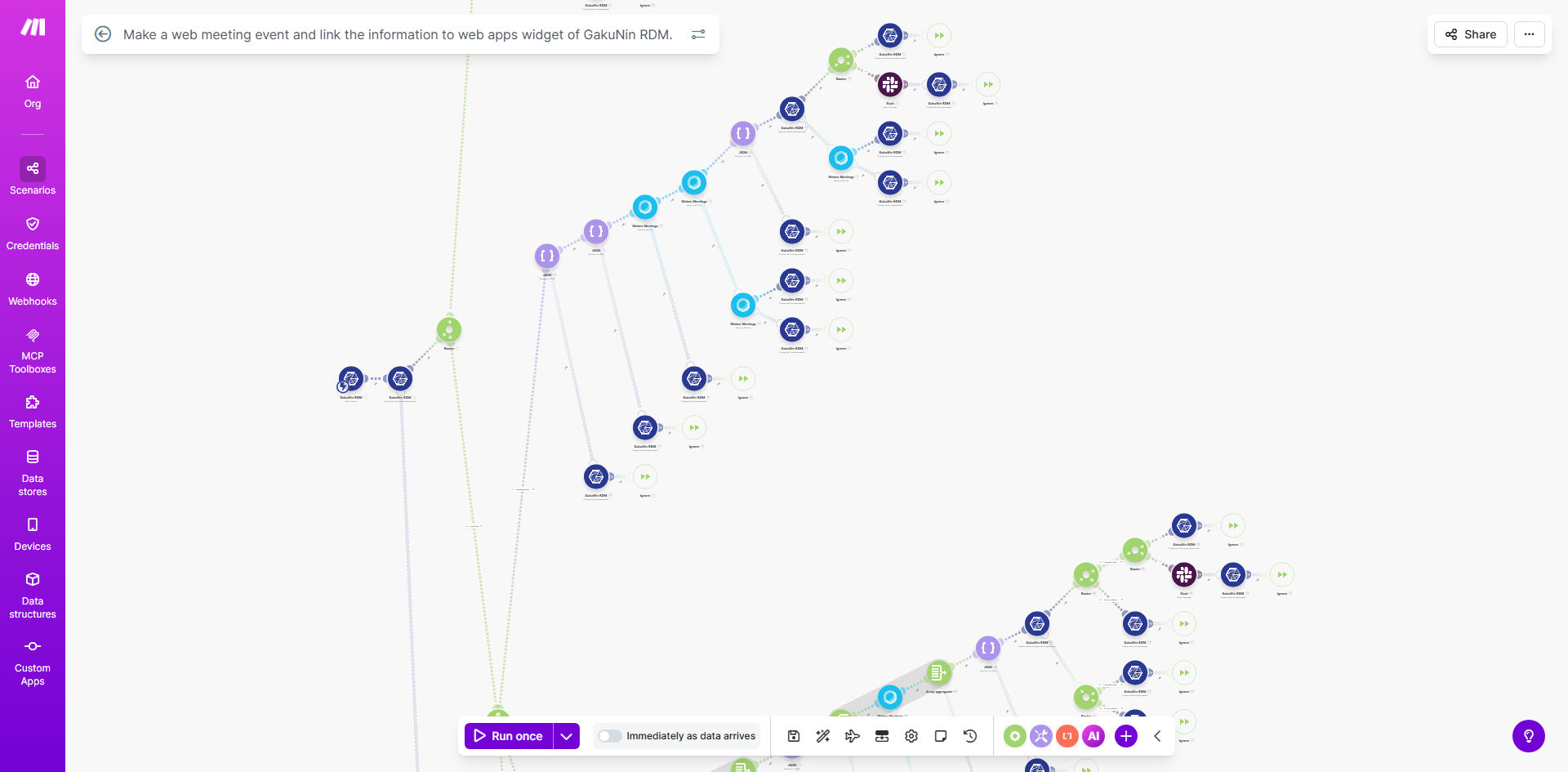
What This Workflow Does
Research teams and academic institutions using GakuNin RDM (Research Data Management) often schedule meetings directly within the platform's web apps widget. However, the actual video conference happens on external tools like Zoom, Microsoft Teams, or Google Meet. This creates a manual, error-prone gap: someone must copy the meeting details from GakuNin RDM, create the event in the video app, and then potentially update the RDM with the new link. This workflow automates that entire process.
When a new web meeting event is created in GakuNin RDM's widget, this Make.com scenario automatically captures the title, time, description, and participants. It then uses that data to generate a corresponding meeting in your chosen external application, retrieves the join link, and posts that link back into the GakuNin RDM widget or notifies the participants. The loop is closed instantly, without human intervention.
The core business value is the elimination of administrative drag. It saves researchers, project coordinators, and IT staff from repetitive data transfer tasks, reduces the risk of incorrect or missing links, and ensures all collaborators have synchronized information from the moment a meeting is planned.
How It Works
Step 1: Trigger from GakuNin RDM
The workflow is triggered by a new event creation within the GakuNin RDM web apps widget. Make.com monitors this via a webhook or scheduled check, capturing the structured data of the meeting: its purpose, scheduled time, invited members, and any attached project context.
Step 2: Transform Data for the Meeting App
The captured data is formatted to match the requirements of your target video conferencing platform. For example, if linking to Zoom, the workflow prepares the topic, start time, duration, and participant email list in the exact structure the Zoom API expects.
Step 3: Create the External Meeting
Make.com calls the API of your chosen meeting application (Zoom, Teams, etc.) and creates the meeting with the transformed data. It successfully receives back the critical outputs: the unique meeting ID, the join URL, and sometimes a dial-in number.
Step 4: Update GakuNin RDM with the Link
The final step completes the integration. The workflow takes the newly generated meeting link and updates the original event in the GakuNin RDM widget, appending the join information. Alternatively, it can send a notification to the listed participants with the direct link, ensuring everyone has immediate access.
Pro tip: You can extend this workflow to also add the meeting to a shared team calendar (like Google Calendar) and send reminder emails a day before the event, creating a full-cycle scheduling system.
Who This Is For
This automation is ideal for research institutions, university departments, and collaborative scientific projects that use GakuNin RDM to manage data and project logistics. It benefits:
- Project Administrators: Who spend hours each week manually setting up meetings across platforms.
- Research Team Leads: Who need to ensure all team members, including external collaborators, receive correct meeting information promptly.
- IT Support Teams in Academia: Looking to reduce support tickets related to "missing meeting links" or "double-booked times."
- Any organization using GakuNin RDM alongside popular video conferencing tools for regular sync-ups, paper discussions, or data review sessions.
What You'll Need
- Access to GakuNin RDM: With permissions to read event data from its web apps widget, typically via API keys or webhook configuration.
- A Video Conferencing Platform Account: Such as Zoom, Microsoft Teams, or Google Meet, with developer/admin access to create meetings via API.
- A Make.com Account: The free tier can often handle this workflow, but a paid plan may be needed for higher volume or more complex data transformations.
- Basic Understanding of the Data Flow: Knowing which fields in GakuNin (e.g., event title, time, participant IDs) correspond to which fields in your meeting app (e.g., topic, start_time, invitees).
Quick Setup Guide
- Clone the Template: Use the "Get This Workflow" button above to copy the template into your own Make.com account.
- Configure GakuNin RDM Connection: In the first module, set up the webhook or HTTP module to connect to your GakuNin RDM instance. You'll need the endpoint URL and any required authentication tokens.
- Set Up Your Meeting App: In the second module, connect Make.com to your video conferencing app (e.g., Zoom). This usually involves OAuth or API key authentication within Make.com's settings for that app.
- Map the Data Fields: Use the router or data transformation modules to ensure the information from GakuNin (date format, user identifiers) is correctly converted for your meeting app.
- Test with a Live Event: Create a test meeting in the GakuNin RDM widget. The workflow should automatically create a corresponding meeting in your video app and return the link.
- Deploy and Monitor: Activate the scenario and monitor its logs for the first few events to ensure reliability. Adjust filters if needed to exclude certain types of meetings.
Key Benefits
Saves 1-3 hours per week per administrator. The manual process of copying details, creating meetings, and distributing links is completely eliminated, freeing up significant administrative capacity for more valuable tasks.
Reduces meeting-related errors by 95%. Automated data transfer ensures consistency. There are no typos in meeting times, no forgotten links, and no mismatched participant lists between the two systems.
Improves collaboration speed and clarity. Participants receive a unified, authoritative meeting link immediately upon scheduling, reducing confusion and last-minute "Where's the link?" messages.
Creates a seamless digital research environment. It bridges the gap between project management/data storage (RDM) and real-time collaboration (video calls), making the research workflow more integrated and efficient.
Scalable for large teams and multiple projects. Once set up, the automation works for every new meeting, regardless of team size or number of concurrent projects, without any additional overhead.